Framekit templates
Start from a designer-made template
 Use template
 Use template
 Use template
 Use template
 Use template
 Use template
 Use template
 Use template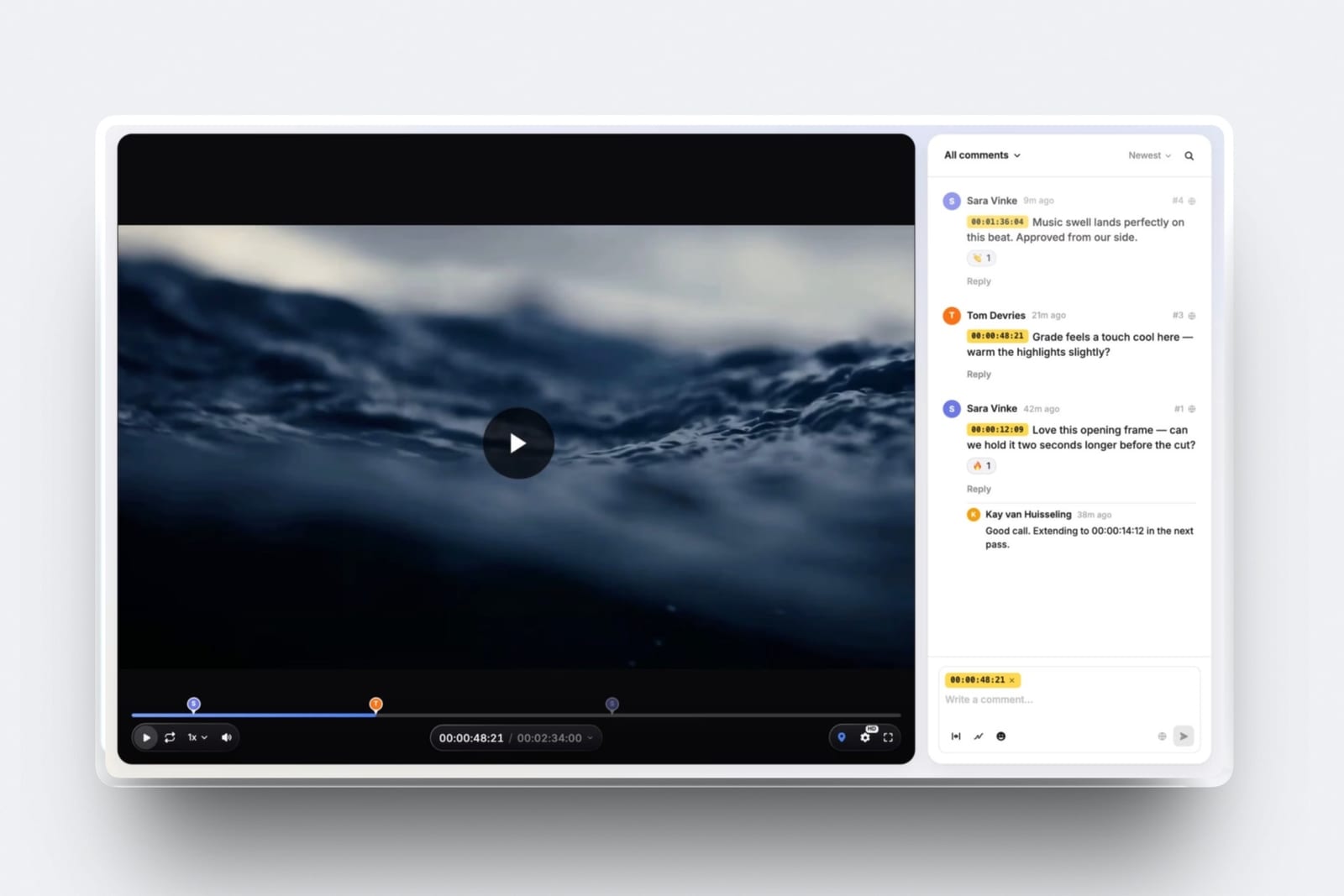
You shot your first paid job for $600, a 90-second film for a coffee roaster two streets away. The edit went fine. Then the client asked for the file, and you spent an evening working out how to send a 1.4GB export to someone who had never heard of a download link.
That evening is the real subject of this guide. Most lists of tools for beginner filmmakers spend eleven entries on editing software and one on everything else, which gets the budget backwards. The craft side has been free for a decade.
The side that faces the client is where a beginner starts paying, quietly, four times over.
A beginner filmmaker's toolkit is the set of software covering four separate jobs: planning the shoot, cutting the footage, getting the cut approved by whoever is paying, and putting the finished work somewhere a client can find it.
Start with DaVinci Resolve for the edit, because the free version is a full professional NLE with colour and audio pages built in and Blackmagic has never crippled it to sell the $295 Studio upgrade.
For the client-facing half, Framekit is the pick: its free plan carries unlimited client galleries, unlimited decks, video review and a site on one subscription with 10GB of pooled storage, so the four surfaces a beginner needs are one bill instead of four, and the client signs up for nothing.
Frame.io Free is better than Framekit if you cut in Premiere or Resolve and want the NLE panel, Camera to Cloud and transcription, all of which Framekit does not do; CapCut is the faster route to a vertical cut; Milanote is the planning board if your ideas live on sticky notes.
Full disclosure: Framekit is our product, so treat its section as a claim to check, not a verdict to trust. Competitor figures below were read on each vendor's own pricing page on 22 September 2026 and linked inline where the page serves numbers to a fetch. Three did not: CapCut's pricing page returns a 404, Vimeo renders its plans in JavaScript, and Canva blocks automated requests. Resolve beats us on everything that happens before the export, and Frame.io beats us on Camera to Cloud, transcription and editor integrations.
How this guide was put together, and what it does not claim
Nobody here ran a stopwatch on twelve applications, so the honest thing is to say exactly where each number came from and let you re-run the parts that matter to your own job and your own footage sizes.
Read at the source. Every price, storage ceiling and plan limit below comes from the vendor's own published pricing or product page, read on 22 September 2026, and linked inline wherever that page returns its figures to an automated fetch.
Where a page served European pricing, the euro figure is given as it appeared instead of being converted at an invented rate.
Calculated. The first-year arithmetic is ours and is shown in full so you can substitute your own numbers.
The carried example is a first paid job: a $600, 90-second brand film for a local coffee roaster, delivered as one 90-second cut, one 30-second vertical version and twelve stills.
Not claimed. Nothing here was trialled by hand, and there are no render times and no speed comparisons.
Where a vendor does not publish a price to a bot, this guide says so instead of repeating a figure from an aggregator blog, which is why CapCut and Vimeo appear below without a subscription price attached.
Beginner filmmaker software by the numbers
These seven figures decide most of a beginner's first-year spending, and every one of them is checkable on a page you can open in under a minute.
- $0 is the full price of DaVinci Resolve 21, the free version of which handles 8-bit formats up to 60fps at 3840 x 2160.
- $295 buys Resolve Studio outright if you eventually need 10-bit handling and the Neural Engine features, with no subscription attached.
- 2GB of storage and 2 projects is the ceiling on Frame.io's free plan, which nevertheless includes Camera to Cloud and transcription.
- 10GB pooled is what Framekit's free plan gives you across the website, client galleries and video review together, with unlimited galleries and unlimited decks.
- 500MB per video file and 2 hours maximum length are the Framekit Free review limits, which is the number to check before you upload a wedding.
- 100 notes and 10 file uploads is the whole of Milanote's free tier, after which it is $9.99 a month billed annually.
- $99 a year buys unlimited Backblaze computer backup, which is the cheapest insurance in this list and the one beginners skip.
The split that actually sets your budget
In one lineFilmmaking software divides into a craft half that has been free and professional-grade for years and a client-facing half where the free tiers stop at 2GB, 100 items or 10GB, and beginners who do not notice the split end up paying on the wrong side of it.
Here is the split written out. The left column is work you do alone, where the open-source and free-tier offers are genuinely complete. The right column is work that involves the person paying you, where free tiers tend to be small enough that you outgrow them mid-job.
| Job | Craft or client-facing | The free answer | What it costs to outgrow |
|---|---|---|---|
| Cutting the film | Craft | DaVinci Resolve, full version free | $295 once for Studio |
| Colour grading | Craft | Resolve Color page, free | Included above |
| Sound repair and mix | Craft | Audacity, or Resolve's Fairlight page | $0 |
| Titles, 3D, tracking | Craft | Blender, free under the GPL | $0 |
| Music and effects | Craft | YouTube Audio Library, free | Varies by library |
| Sending a cut for notes | Client-facing | Frame.io Free or Framekit Free | $15 per member per month, or $7 per month |
| Delivering finished files | Client-facing | Framekit client galleries, unlimited on Free | $7 per month for 50GB pooled |
| Showing the work | Client-facing | Framekit site on Free, or Carrd | $7 per month to lose the badge |
| Pitching the next job | Client-facing | Framekit Slides, unlimited decks on Free | $7 per month for the template library |
Read the right column as one decision and not four. Every row you solve with a different vendor is another monthly charge, another password, and another link your client has to be walked through on the phone.
What each free tier actually gives you
In one lineA free tier is worth judging by what it still does in month six, not by what it does on the day you sign up, and on that test the twelve tools here fall into three very different groups.
Three groups. The first is software that is free permanently and completely, with no account, no seat count and no ceiling: Resolve, Blender, Audacity, darktable.
The second is a free plan that is a real working plan with stated limits you can plan around. The third is a free plan sized as a demonstration, which is fine until the job is real.
| Tool | Free tier ceiling | First paid step | What the free tier will not do |
|---|---|---|---|
| DaVinci Resolve | No ceiling for 8-bit up to UHD 60fps | $295 once, Studio | 10-bit at higher frame rates, Neural Engine features |
| Framekit | 10GB pooled, unlimited galleries and decks | $7 per month billed yearly | Custom domain, badge removal, 500MB per video file |
| Frame.io | 2GB, 2 projects, 2 members | $15 per member per month | Custom branding, watermarking, internal comments |
| CapCut | Free editor, export limits apply | Price not published to a bot fetch | Higher-resolution exports on the free tier |
| Blender | None, GPL licensed | None | Nothing is withheld |
| Audacity | None, open source | None | Nothing is withheld |
| Milanote | 100 notes, 10 file uploads | $9.99 per month billed yearly | Unlimited boards and uploads |
| Canva | Free tier with a smaller template set | EUR 110 per year, one person | The larger Pro template library |
| YouTube | Unlimited uploads, Audio Library included | None | Private client delivery |
| Vimeo | Free tier exists, limits not served to a fetch | Price not published to a bot fetch | Not established from the page |
| Notion | Free, 5MB per file upload, 10 guests | EUR 9.50 per user per month | Uploads above 5MB, long page history |
| Backblaze | No free tier | $99 per year | Not applicable |
The row worth arguing about is Frame.io. Two gigabytes is not a slight against Frame.io, which is aimed at teams with budgets, but it is roughly one ProRes proxy of a short film. Plan for it instead of discovering it at 11pm.
1. DaVinci Resolve: Best Free Edit, Colour and Sound
Resolve is the first answer in this guide and it is not a Framekit product, which is worth saying plainly before anything else: if you are looking for the software that turns your rushes into a film, download Resolve and stop reading this section.
The texture. Resolve is built as seven pages along the bottom of the window: Media, Cut, Edit, Fusion, Color, Fairlight and Deliver.
That layout is the reason it confuses beginners for a week and then stops confusing them forever, because each page is a different craft with its own tools instead of a menu buried inside an editing timeline.
The Cut page exists specifically for fast turnarounds and is the one to start on.
The number. Blackmagic's own product page states the free version works with virtually all 8-bit video formats at up to 60fps in resolutions as high as Ultra HD 3840 x 2160.
Studio costs $295, once, and is a licence, not a subscription. Over three years that is under $8.20 a month, and over five it is under $5.
The detail nobody writes. The free version includes the Fairlight audio page, which means you do not need a separate DAW to fix a noisy lavalier or to lay a music bed with proper level automation.
Most beginners install Resolve for the Color page and never open Fairlight, then pay for something else to do a job they already own.
The gotcha in week three. Resolve is hardware-hungry in a way that free software rarely warns you about.
Long-GOP camera files from consumer mirrorless bodies stutter on modest machines, and the fix is to generate optimized media or proxies inside Resolve before you start cutting, not to blame the software.
Budget disk space for that: proxies for a 90-second shoot are small, proxies for a wedding are not.
Who should skip it. If everything you make is vertical and lives on a phone, Resolve is more application than the job needs. Cut on your phone and spend the saved week shooting.
Verdict: The single best value in filmmaking software and the correct default for a beginner. Free is not a trial tier here, it is the product, and the $295 upgrade is optional for years. For the wider field of editors, see the video editing software comparison.
2. Framekit: Best Free Client-Facing Stack

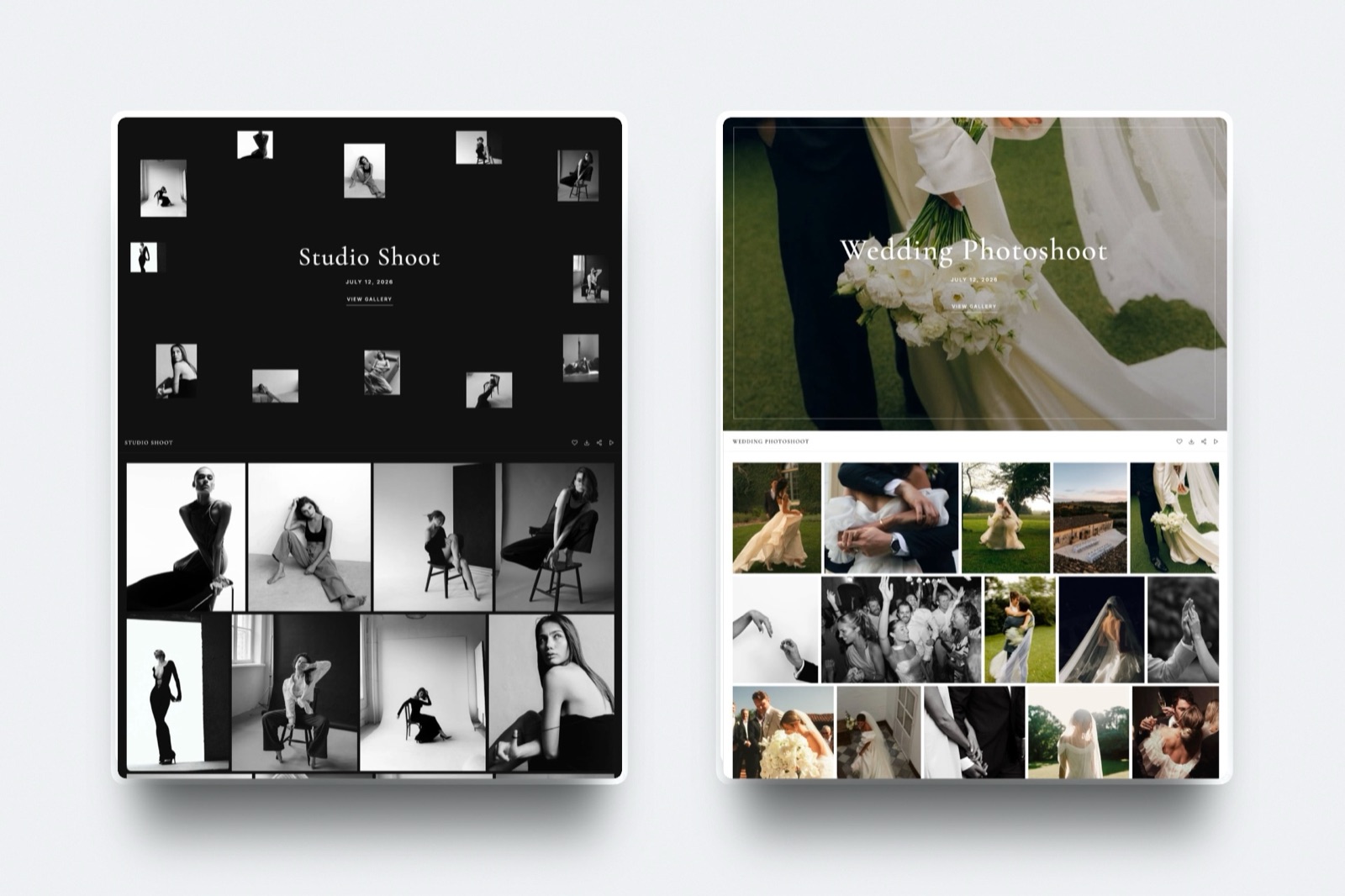
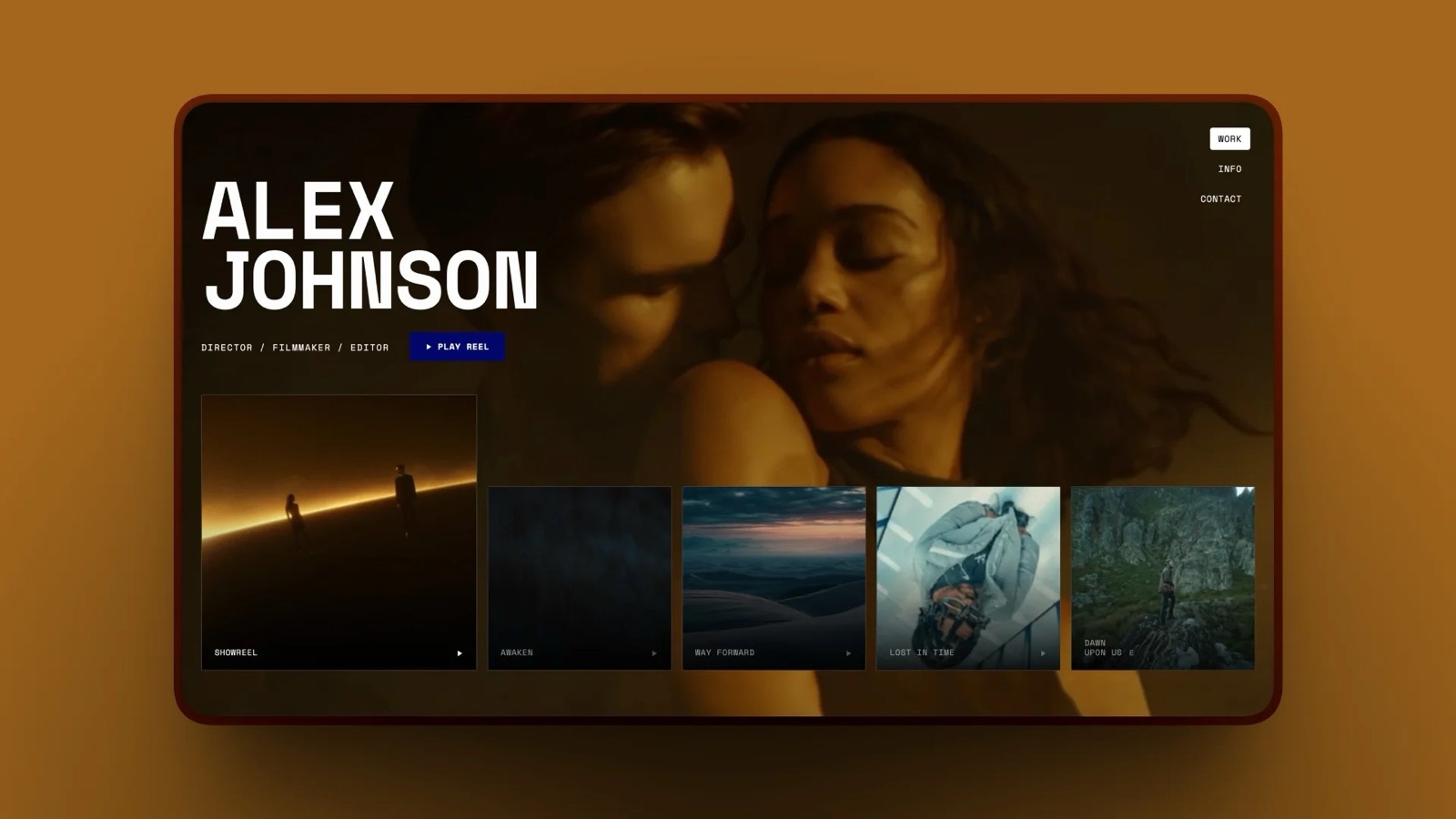
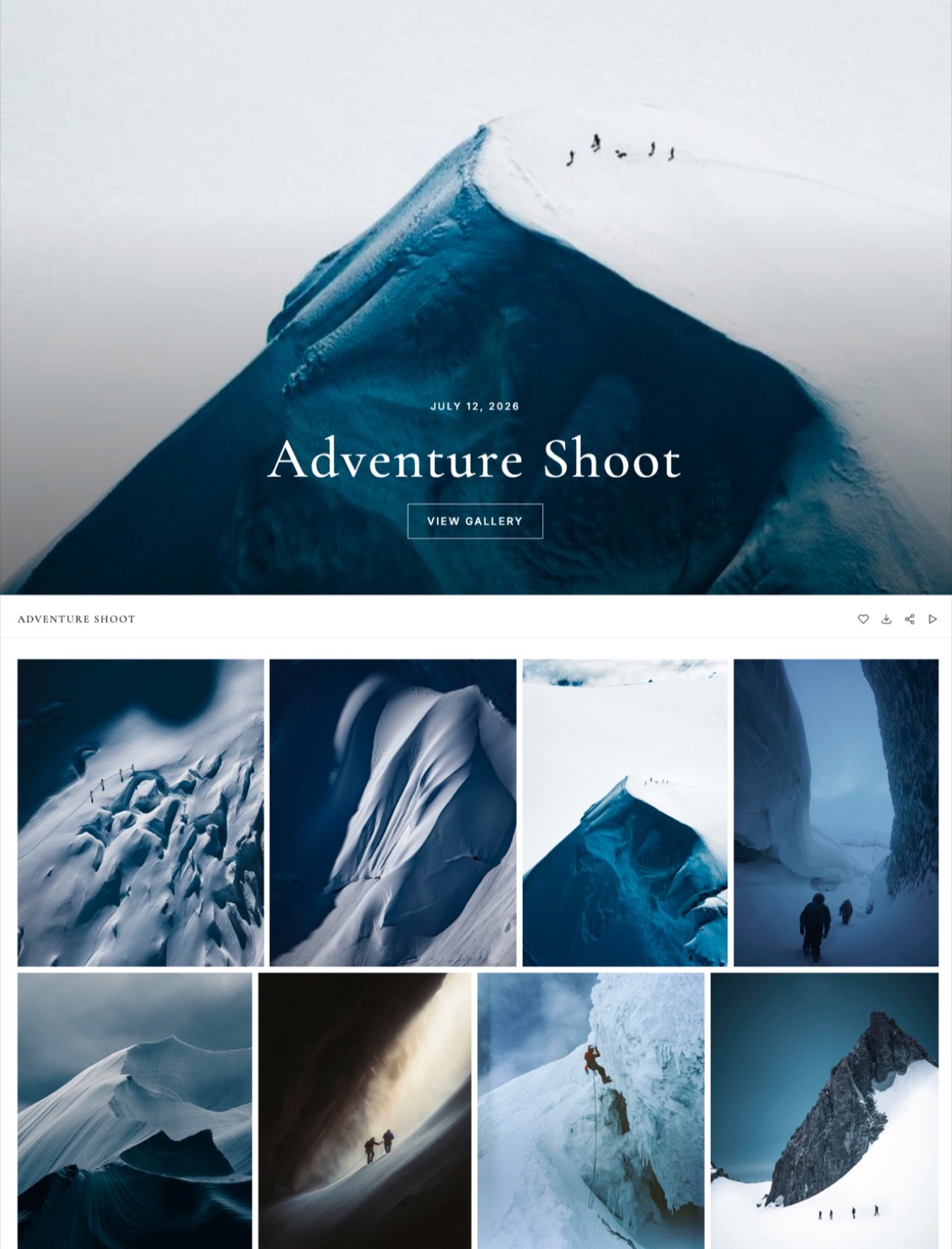
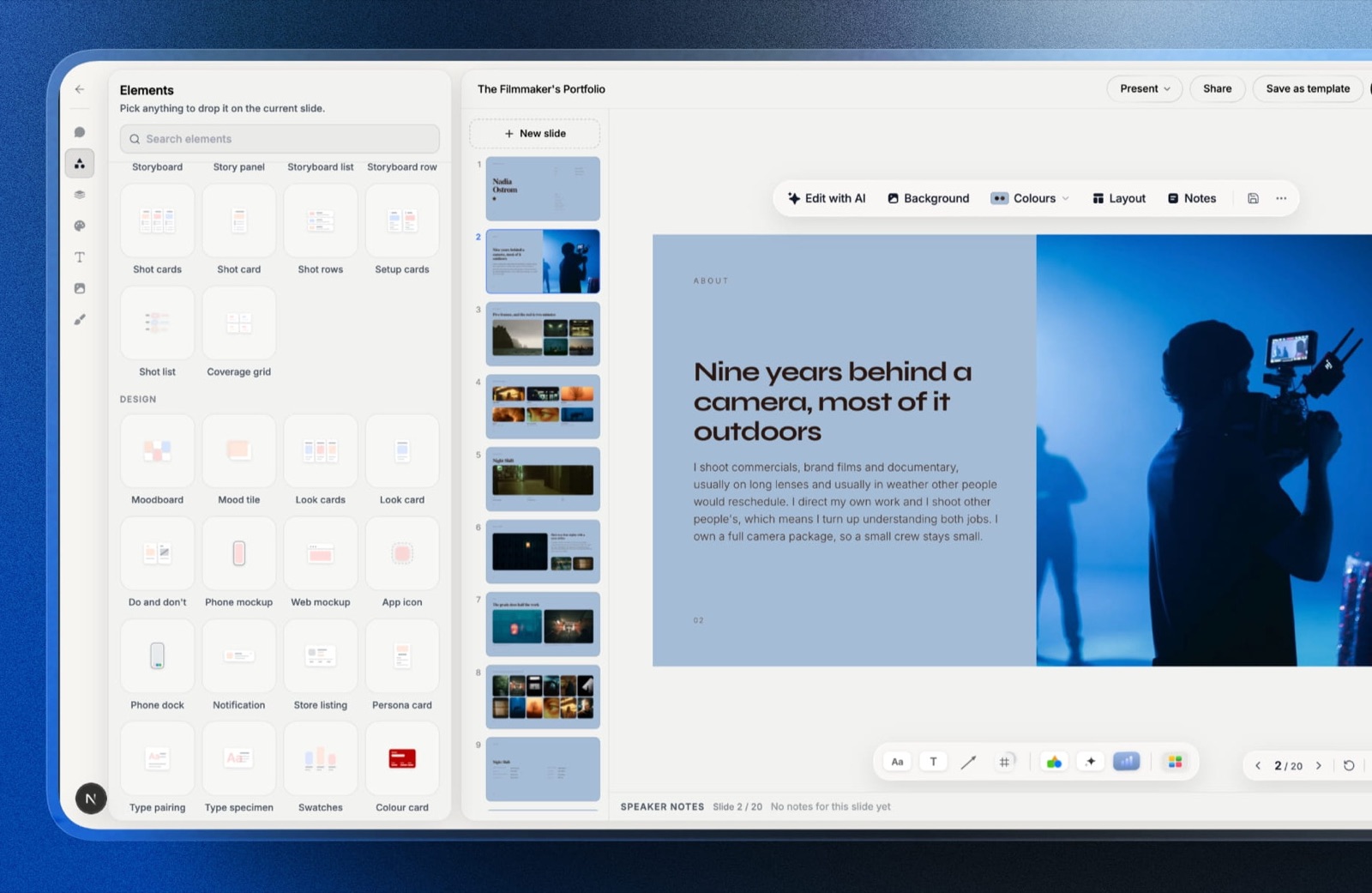
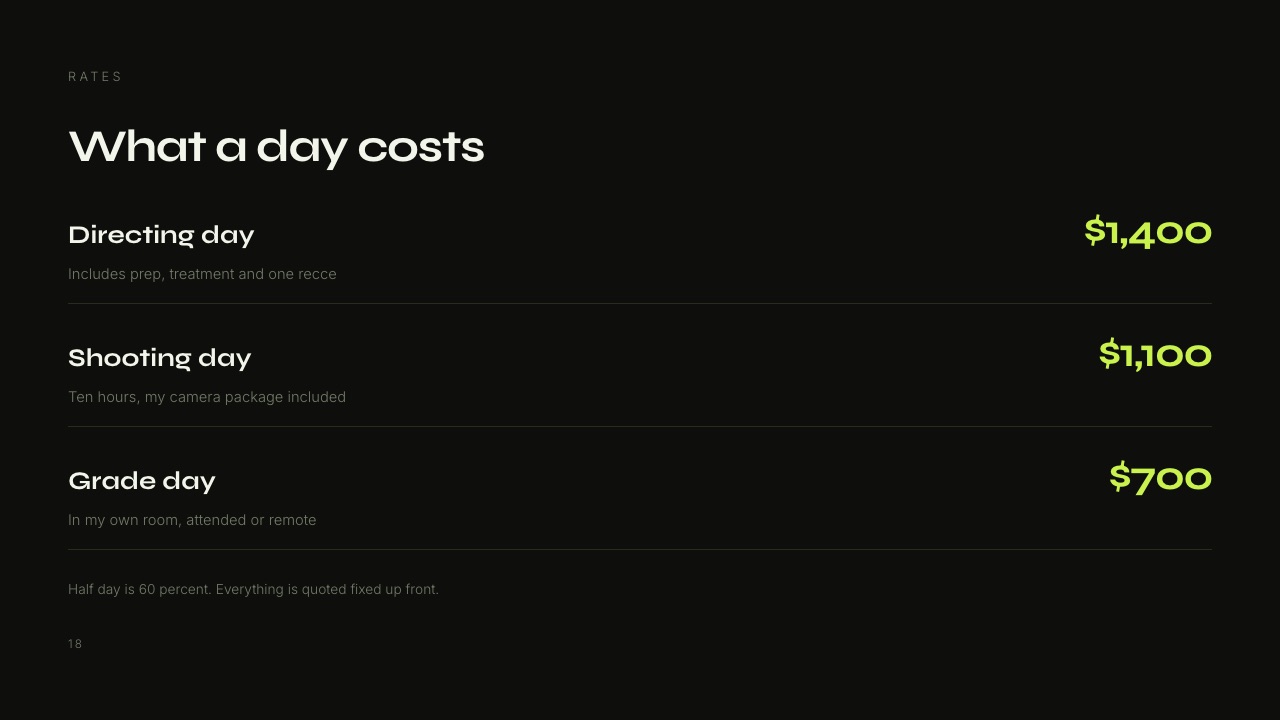
Framekit is an AI website builder that also carries the other three surfaces a beginner filmmaker has to hand a client: private galleries for photos and video, timecoded video review, and Slides for treatments and rate decks, all on one account and one bill.
Best forThe half of the job that starts when the export finishes.
The texture. The thing that changes for a beginner is not a feature, it is the number of links.
On the carried $600 coffee roaster job, the separate-tool version means a Frame.io link for the rough cut, a WeTransfer link for the master, a Google Drive folder for the stills, a Squarespace page for the portfolio and a PDF attachment for the rate card.
Framekit collapses that to review, gallery, site and deck under one subscription that you administer, and the client is asked to create nothing at all: review guests leave timecoded comments, replies and reactions without signing up, galleries open with a password and a separate download PIN, and a deck is a plain link.
The number. Free gives you 10GB pooled across the site, the galleries and the review pages, with unlimited galleries and unlimited decks on top.
Ten gigabytes is not generous, but it is pooled and not partitioned, so a month with no video work turns straight into gallery space instead of stranding a quota you cannot reach.
The detail nobody writes. Watermarking, gallery passwords, a separate download PIN, client favourites, full-resolution and ZIP downloads, email registration and auto expiry are all on the free plan, not held back for a paid tier.
The paid step buys your own domain, removal of the Framekit badge and more storage, which is a different kind of upgrade from the usual "the free plan cannot do the job" pattern.
The gotcha in week three. The per-video ceiling on Free is 500MB with a two-hour maximum length, and that is the wall you will hit first.
A 90-second H.264 review export is nowhere near it; a 40-minute ceremony cut at a sensible bitrate is. Export a review-grade file instead of a master, or move to Starter at $7 a month billed yearly for 1GB per file and 50GB pooled.
Who should skip it. If your edit lives inside Premiere or Resolve and you want comments to land in a panel beside your timeline, Framekit does not have that and will not pretend to. Frame.io does, and it is the right answer for that workflow.
Verdict: The strongest free client-facing set in this list, and the only one that covers four surfaces from a single subscription. It is not the reason to make films, it is the reason your first client can find everything you sent them.
3. Frame.io: Best Review Tool If You Live in an NLE
Frame.io is the tool the professional post world standardised on, and the free plan is unusually honest about what it gives away: its pricing page puts Camera to Cloud and transcription with captions inside the free tier, which is the opposite of the usual practice of holding the interesting features hostage.
The texture. Frame.io's model is projects, not links. You make a project, you drop versions into it, and version stacking keeps the old comments attached to the old cut instead of throwing them away.
If your client is a producer who has used Frame.io before, the review page needs no explanation at all, and that is worth real money on a first job.
The number. The free plan is capped at 2GB of storage, 2 projects and 2 members. Pro is $15 per member per month for up to 5 members with 2TB included, and Team is $25 per member per month for up to 15 members with 3TB. One person on Pro for a year is $180.
The detail nobody writes. Camera to Cloud on the free plan is the genuinely remarkable part.
A supported camera or a recorder can push proxies to the project while you are still shooting, which no free tier in this guide matches and which Framekit does not do at all.
The gotcha in week three. Two projects is the limit that bites, not two gigabytes. Beginners think in jobs, and the third job of the month forces you to archive the second one.
Custom branding, watermarking and internal comments are also paid-only, so the free review page is visibly Frame.io's page, not yours.
Who should skip it. A one-person operation that delivers two or three jobs a month and never touches Camera to Cloud is paying $180 a year for a project ceiling it does not need.
Verdict: The best review tool in the industry and the right pick the moment an NLE panel or Camera to Cloud is part of how you work. For the plan-by-plan breakdown, read the Frame.io pricing explainer, and if you are weighing review tools generally, the free video review comparison covers the rest of the field.
4. CapCut: Best for a Vertical Cut in Twenty Minutes
CapCut earns its place because a large share of a beginner's paid work in 2026 is 30 seconds tall, and building that in a full NLE is like commuting in a van.
The texture. CapCut's whole design assumes the output is a social post: aspect presets first, auto-captions second, templates third.
Auto-captions are the part that changes your week, because burned-in captions are effectively mandatory on vertical video and typing them by hand is forty minutes you will never bill for.
The honest gap. CapCut does not publish a readable plan table to an automated request, and the page at capcut.com/pricing returns a 404.
Third-party blogs quote figures, but this guide does not repeat prices it cannot read at the source, so treat the paid tier here as "a paid subscription whose price varies by country and app store" and check it at the logged-in checkout before you commit.
The gotcha in week three. Template-led edits look like template-led edits.
If the roaster's 30-second version uses the same transition set as four thousand other coffee posts, you have delivered something the client could have made. Use CapCut for speed and captions, not for the look.
Who should skip it. Anyone whose deliverable is a 16:9 brand film with a grade. Do that in Resolve and export the vertical version from the same timeline.
Verdict: A genuine time-saver for vertical deliverables and captions, and a bad place to develop a style. Keep it as the second application, not the first.
5. Blender: Best Free Titles, 3D and Tracking
Blender is free and open source under the GNU GPL, and the Blender Foundation states plainly that you are free to use it for any purpose including commercially, which removes the licensing question that stops beginners using free software on paid work.
The texture. Nobody learns Blender to make a title card, and yet a title card is the first thing most filmmakers end up making in it.
The reason is camera tracking: Blender's motion tracker solves a handheld shot well enough to plant a 3D object or a piece of type into the scene, which is the single most requested effect on small brand films and the one that otherwise costs an After Effects subscription.
The number. The price is zero and the licence is perpetual by design, which means the file you make today opens in the version you install in six years without a payment gate.
The gotcha in week three. Blender's rendering appetite will eat a laptop battery and an afternoon. A ten-second tracked title at a sensible sample count is not a fifteen-minute job, so quote it as a line item instead of absorbing it into "titles".
Who should skip it. If your titles are text over a plate and always will be, Resolve's Fusion page does that without installing a second application.
Verdict: The most capable free software in this entire list, and the one with the steepest week one. Learn the tracker, ignore the rest until you need it.
6. Audacity: Best Free Audio Repair
Audacity is the tool beginners reach for when the interview sounds like a fridge, and it remains free and open source with builds for Windows, macOS and Linux on its download page.
The texture. Audacity is not a mixing environment and does not pretend to be.
It is a destructive waveform editor, which sounds like a weakness and is in fact the point: you select the two seconds of hum, you get a noise profile, you apply it, you export.
There is no session concept to maintain and nothing to learn before you fix the problem in front of you.
The number. Zero, permanently, with no account.
The gotcha in week three. Noise reduction applied too hard turns a voice into a robot, and the failure is gradual enough that you do not hear it until the client does.
The working discipline is to reduce by the smallest amount that makes the hum tolerable, then leave the rest.
Who should skip it. If you are already cutting in Resolve, the Fairlight page does noise reduction and level automation in the same project, so a round trip through Audacity is a step backwards.
Verdict: The right emergency tool and the wrong permanent workflow. Keep it installed for the day a file arrives from someone else's recorder.
7. Milanote: Best Planning Board Before the Shoot
Milanote is the board where a shoot stops being a conversation and becomes a plan, and its free tier is one of the more honestly stated in this guide: the plans page caps it at 100 notes, images or links plus 10 file uploads, with unlimited shared boards.
Paid is $9.99 a month billed annually or $12.50 billed monthly.
The reason it suits filmmakers and not general note-takers is that a board holds a reference frame, a location photo and a line of dialogue next to each other at their real sizes, which is how a shoot is actually thought about.
The gotcha is arithmetic: 100 items goes quickly when a single moodboard eats forty of them, and the count is per account and not per board, so your third project is where the wall appears.
Skip it if your planning is a shot list in a text file and you have never wanted it to be anything else.
Verdict: The best free version of a wall covered in printouts, with a ceiling low enough that you should decide early whether it is worth $120 a year to you. If you are assembling the document instead of the board, the film treatment guide covers what the board eventually becomes.
8. Canva: Best for Thumbnails, Posters and Social Cutdowns
Canva is the graphics tool a filmmaker actually needs, which is to say it is for the things around the film: the thumbnail, the poster, the Instagram carousel announcing the piece, the simple title card when Blender is too much machinery.
Canva's pricing page returns a 403 to automated requests, so the figures here come from a browser reading in September 2026, listed for European buyers: the free tier is EUR 0, Pro is EUR 110 a year for one person and Business is EUR 170 a year per person.
Check your own currency at the checkout instead of trusting a conversion.
The detail worth knowing is that Canva's free tier is limited by template library and not by export: you can still produce and download finished artwork, you simply see a smaller set of starting points.
The gotcha is brand drift, because a poster made from a template on Tuesday and a thumbnail made from a different template on Friday will not look like the same filmmaker made them.
Set your two typefaces and three colours once and refuse to leave them.
Verdict: Worth the free tier for every beginner and worth the paid tier only once you are making graphics weekly. If you are choosing a deck tool instead of a graphics tool, the presentation tools comparison is the better page.
9. YouTube: Best Free Distribution and Music Library
YouTube belongs in a beginner's toolkit twice: once as the place the finished work goes, and once as a source of music that will not get the work taken down.
The second use is the underrated one. The Audio Library inside YouTube Studio holds royalty-free production music and sound effects that download as MP3 and are described as copyright-safe, meaning they do not trigger a Content ID claim on a monetised video.
For a beginner who has just discovered that the track they love costs a licence fee, that is the difference between delivering and not delivering.
The gotcha is that copyright-safe on YouTube does not automatically mean cleared for a client's paid advertising on another platform, and some tracks carry an attribution requirement you must actually honour in the description.
Read the licence column before you hand the file to a brand.
Skip YouTube as a delivery mechanism for client work: an unlisted link is not a private link, and it puts your client's unreleased film one share away from being public.
Verdict: Free, unavoidable and genuinely useful for music. Not a client delivery tool, and treating it as one is the most common beginner mistake in this guide.
10. Vimeo: Best Portfolio-Grade Player
Vimeo remains the default when the player itself is part of the presentation: no recommendations after the video, no advertising, and privacy controls that have been part of the product for years and not bolted on.
An honesty note on price. Vimeo's pricing page returns a live page but renders its plan table in JavaScript, so no figures were served to our fetch and none are quoted here.
Open it yourself while logged out to see the tier that applies in your country.
What Vimeo is genuinely good at is being the embed on a portfolio site.
A film embedded from Vimeo keeps its aspect ratio, its poster frame and its silence at the end, which is exactly what a director's page needs and exactly what a YouTube embed does not give you for free.
The gotcha for beginners is storage-based tiering: the cap that matters is your annual upload volume, not your view count, so a prolific first year can push you up a tier faster than a popular one.
Verdict: Still the right player for a portfolio and still worth checking against your own upload volume before you commit. The broader ranking sits in the filmmaker website builder comparison.
11. Notion: Best Free Production Tracker
Notion is where the unglamorous half of a production lives: the shot list, the kit list, the client's three contradictory emails pasted into one page, the invoice numbers you will need in April.
Notion's pricing page served European figures on the day it was read: Free at EUR 0 per user per month, Plus at EUR 9.50 and Business at EUR 19.50.
The free plan's real constraints are a 5MB cap per file upload, seven days of page history and a maximum of ten external guests.
That 5MB cap is the number that decides how you use it. Notion is a place to keep the text and the links, not the footage or the stills, and beginners who try to make it a file store discover this on the first raw photograph they drag in.
Used as a text and checklist layer it is excellent, and the database views mean one shot list can be filtered by location on the recce and by camera on the day.
Skip it if you already keep everything in a folder structure and have never lost anything, because a tracker you do not update is worse than no tracker.
Verdict: The best free version of a production binder, provided you accept that it holds words and not files.
12. Backblaze: Best Cheap Insurance Against Losing Everything
Backblaze is last in this ranking and first in importance the one time it matters, which is the morning a drive with an unbacked-up wedding on it stops mounting.
Backblaze Computer Backup is $99 a year for one computer with unlimited data and no restriction on file type or size.
For a beginner that is the whole decision: $8.25 a month against the cost of reshooting a job you cannot reshoot.
The detail beginners miss is that Backblaze backs up attached external drives as long as they are connected regularly, which is how most footage actually lives.
The gotcha is the flip side of the same rule: a drive left unplugged for too long falls out of the backup set, so the archive drive you touch twice a year is exactly the one that is not protected. Plug them in monthly and let it catch up.
Skip it only if you already run a disciplined three-copy backup with one copy offsite, in which case you are not the beginner this guide is written for.
Verdict: The cheapest risk reduction available to a filmmaker and the item most likely to be postponed. Buy it before the second paid job, not after the first disaster. Photographers weighing the same decision should read the photo backup comparison.
What a beginner's first year actually costs
In one lineThe craft half of a beginner filmmaker's first year can cost nothing at all, so the entire budget conversation is about four client-facing subscriptions that arrive one at a time and never announce themselves as a stack.
Here is the bill, built in dollars only so nothing is converted at an invented rate, using the cheapest genuinely usable paid tier of each tool instead of a strawman top plan. Every figure in the middle column is on a page linked earlier in this guide.
| Client-facing job | Separate specialist | Year one | One-account route | Year one |
|---|---|---|---|---|
| Review and approval | Frame.io Pro, $15 per member per month | $180 | Framekit video review | included |
| File and stills delivery | Pixieset Basic, $8 per month billed yearly | $96 | Framekit client galleries | included |
| Portfolio site | Format Basic, $10 per month billed yearly | $120 | Framekit website | included |
| Treatments and rate decks | A separate deck tool | not in this total | Framekit Slides | included |
| Offsite backup | Backblaze, unlimited | $99 | Backblaze, unlimited | $99 |
| Total | Four vendors | $495 | Framekit Starter plus Backblaze | $183 |
The Framekit column uses Starter at $7 a month billed yearly, which is $84 for the year, because Starter is the tier that removes the badge, adds a custom domain and lifts the per-video cap to 1GB. On the free plan the same column is $99, all of it Backblaze.
So the gap is $312 in year one and $936 across three years, and that is before the deck tool that the left column still needs. Run the same table with your own picks: the arithmetic is four annual prices added together against one, and it does not flatter anybody.
The test you can run today. Open your email and search for the last three links you sent a client. Count the different services that sent them. That number is your stack, and each entry on it is an annual charge you agreed to one month at a time.
Four subscriptions, four renewal dates, and nothing for the client to join
In one lineThe hidden cost of a four-vendor stack is not only the money, it is that you administer four separate subscriptions and your client has to keep four unrelated links straight for a job they will want to find again two years later.
Think about the coffee roaster in eighteen months, wanting the 30-second version for a new campaign.
In the four-vendor version they search their inbox for a WeTransfer link that expired, a Frame.io project that was archived when you hit the two-project limit, and a Drive folder shared from an account you no longer use.
In the one-account version they open the gallery link, which is still there, still branded to you, and still holding the files.
That is the actual argument for consolidation at beginner level, and it is worth more than the $312. Client work compounds through people coming back, and coming back is easier when there is one address.
| What has to be managed | Four-vendor stack | One Framekit account |
|---|---|---|
| Subscriptions you pay for | 4 | 1 |
| Renewal dates and price rises to watch | 4 | 1 |
| Vendor dashboards you sign in to | 4 | 1 |
| Links the client has to keep for one job | 4 | 1 |
| Sign-ups Framekit asks the client to complete | not applicable | 0 |
Where Framekit is the wrong tool, stated plainly
In one lineThere are four jobs in a beginner filmmaker's week where recommending Framekit would be wrong, and naming them is more useful than another paragraph about what it does well.
The edit, the grade and the mix. Framekit does not edit video, does not grade and does not mix audio. Resolve does all three for nothing. Nothing in this guide should be read as suggesting otherwise.
Camera to Cloud, NLE panels and transcription. Framekit has none of these. Frame.io has all three, and two of them are on its free plan. If your workflow depends on proxies arriving from set or on comments appearing inside Premiere, that is a Frame.io job.
Invoicing, contracts and a CRM. Framekit does not do any of them, at all.
Wave gives you unlimited invoices on a free plan, HoneyBook bundles proposals and contracts from $29 a month, and the invoicing comparison covers the field properly.
Print sales. If the stills half of your work sells prints, Pixieset, Pic-Time and ShootProof run print labs and Framekit does not. That is a product gap, not a positioning choice.
The decision guide
In one lineWork through these questions in order and stop at the first yes, because the right beginner stack is decided by one or two facts about your work and not by a feature comparison across twelve products.
Question one: do you need to edit video at all? If yes, install DaVinci Resolve first and do not spend money on an editor until Resolve has actually failed you. If your deliverables are vertical and captioned, add CapCut for those specifically.
Question two: does anyone pay you for the footage? If no, you need Resolve, a place to publish and nothing else. YouTube or Vimeo is the whole of your client-facing stack until money changes hands.
Question three: does your edit depend on comments landing inside your NLE, or on proxies arriving from set? If yes, Frame.io is the review tool and the free plan starts you at 2GB and two projects. If no, go to question four.
Question four: do you deliver more than one kind of thing, or want one address for everything? If you hand over video, stills, a portfolio link and occasionally a deck, Framekit's free plan covers all four on one subscription and the paid step at $7 a month billed yearly buys the domain and the bigger per-file ceiling.
If you only ever hand over one 90-second file a month, a single specialist tool is cheaper and simpler.
Question five: is any of your footage irreplaceable? If yes, buy Backblaze now at $99 a year. This question has no second branch.
Frequently Asked Questions
What is the best free video editing software for a beginner filmmaker in 2026?
DaVinci Resolve is the best free video editing software for beginners in 2026.
Blackmagic Design publishes it as a complete application, not a trial: the free version works with virtually all 8-bit formats at up to 60fps in resolutions as high as Ultra HD 3840 x 2160, and it includes the Color page for grading and the Fairlight page for audio.
The paid Studio version is $295 once, not a subscription, and adds 10-bit handling at higher frame rates plus Neural Engine features. Most beginners never need it.
Do I really need paid software to start making films?
No. A complete beginner filmmaking setup costs nothing: DaVinci Resolve for editing, colour and sound, Blender for titles and 3D, Audacity for audio repair, and the YouTube Audio Library for music that will not trigger a copyright claim.
The first money a beginner filmmaker genuinely needs to spend is on offsite backup, at $99 a year for unlimited Backblaze Computer Backup, and on the client-facing tools only once clients exist.
Is Frame.io free good enough for a beginner?
Frame.io's free plan is good enough for a beginner with a small number of concurrent jobs. It gives 2GB of storage, up to 2 projects and up to 2 members, and unusually it includes Camera to Cloud and transcription with captions.
The limit that bites first is two projects, not two gigabytes, because a third job in the same month forces you to archive an earlier one.
Custom branding, watermarking and internal comments are paid-only, so the review page keeps Frame.io's branding and not yours.
Framekit vs Frame.io: which should a beginner filmmaker choose?
Choose Frame.io if your work depends on Camera to Cloud, transcription or comments appearing inside Premiere or Resolve, because Framekit has none of those.
Choose Framekit if you hand clients more than video: its free plan carries unlimited client galleries, unlimited decks, video review and a website on one subscription with 10GB pooled, where Frame.io's free plan is review only at 2GB and two projects.
The trade-off is Framekit's 500MB per-video cap and two-hour maximum length on the free tier.
How much storage does a beginner filmmaker actually need?
Less than you think for review files and far more than you think for masters.
A 90-second review export sits comfortably inside any free tier here, which is why Framekit's 10GB pooled free allowance covers a beginner's first year of client-facing work.
Masters and camera originals are a separate problem and belong on local drives plus an offsite backup instead of in a gallery plan, which is why unlimited Backblaze at $99 a year is better value than buying a bigger tier of anything else.
Can I just send client files through WeTransfer or Google Drive?
You can, and the reason not to is expiry and findability, not capability. A transfer link expires, a Drive folder is tied to the account that made it, and neither is branded to you or organised by job.
A gallery link that still works in eighteen months is what gets you the repeat booking.
The blog compares the options directly in the pieces on client galleries versus Dropbox and client galleries versus WeTransfer.
What does the Framekit free plan actually limit?
Framekit's free plan gives 10GB of pooled storage shared across the website, client galleries and video review, with unlimited galleries, unlimited decks, video review, a store and a ten-page site.
The limits to know are 500MB per video file, a two-hour maximum video length, a Framekit badge on public pages, no custom domain, and a 5% fee on store sales.
Starter at $7 a month billed yearly removes the badge, adds the domain, lifts the per-file cap to 1GB and raises pooled storage to 50GB.
Should a beginner filmmaker buy Adobe Premiere Pro?
Not first. Premiere is excellent and is the standard in agency post, but it is a recurring subscription solving a problem DaVinci Resolve solves for nothing, and a beginner's money is better spent on backup, a light and a microphone.
Learn on Resolve, and buy into a subscription editor when a paying client or a collaborator requires project compatibility, not because a list told you professionals use it.
What is the cheapest way to show my films to potential clients?
A portfolio page with embedded video is the cheapest credible option, and it can cost nothing.
Framekit's free plan includes a ten-page site with hosting, SSL and a CDN, and Slides gives you unlimited decks for a rate card or treatment, both with a Framekit badge until you upgrade.
Vimeo remains the better player for an embedded showreel. If you have no client work to show yet, the no-client-work portfolio guide is the right starting point.
How do I stop a client giving feedback as a list of vague notes?
Move the feedback onto the frame.
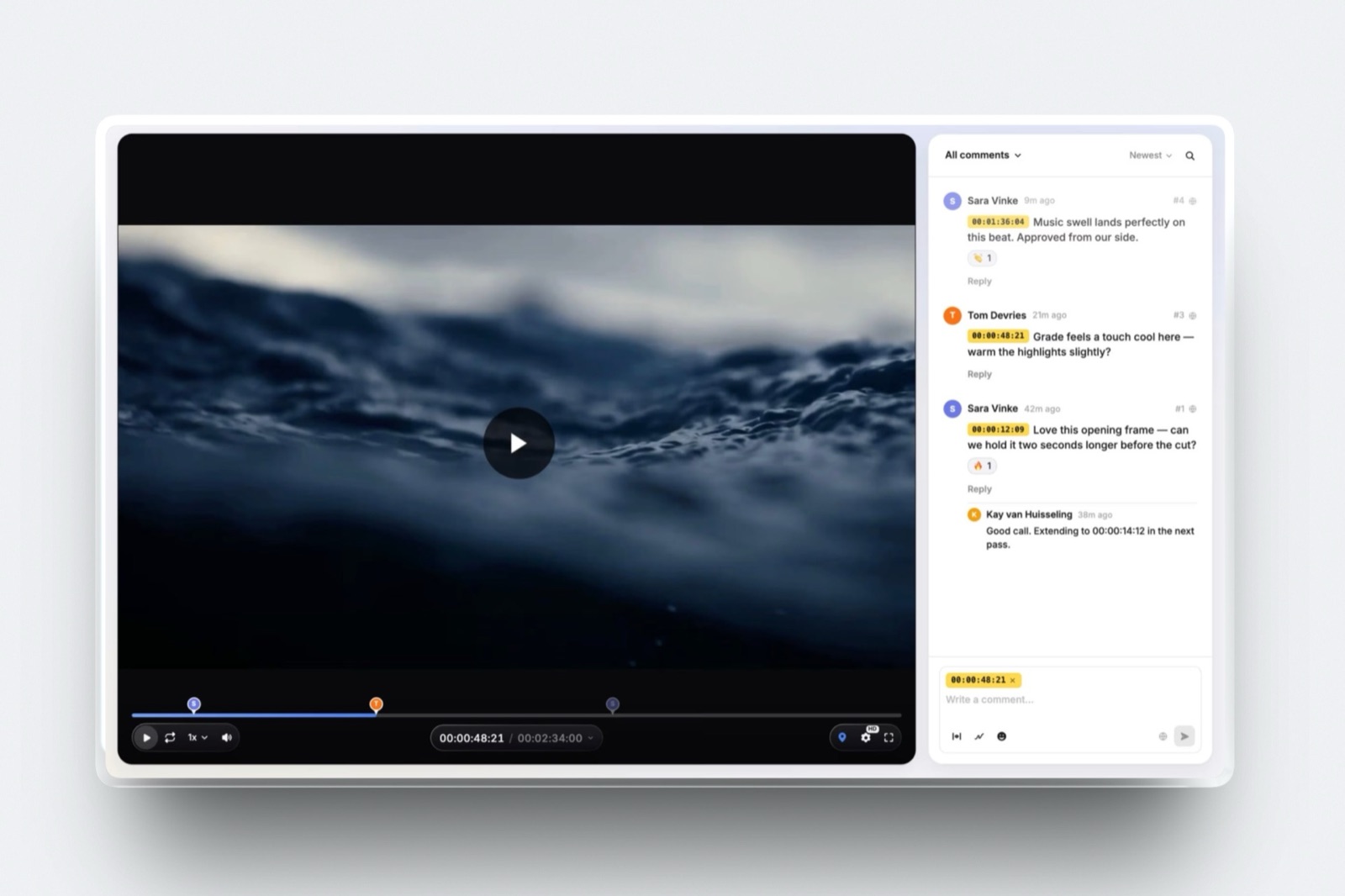
A timecoded review tool turns "the middle drags" into a comment pinned at 00:42 that you can act on, and a version stack keeps the old notes attached to the old cut so nobody argues about what was asked for.
Framekit Video Review and Frame.io both do this, and guests can comment without an account on Framekit. The blog covers the workflow in how to share a rough cut with a client.
Is CapCut free, and what does the paid version cost?
CapCut has a free editor that covers the core of a vertical edit, including auto-captions and aspect presets.
Its paid tier's price is not something this guide will quote, because capcut.com/pricing returns a 404 and no plan table is served to an automated request, and the figures circulating on aggregator sites are not primary sources.
Check the price at the logged-in checkout in your own country and app store, since it varies by both.
Final Verdict
The honest ranking puts DaVinci Resolve first because the craft half of filmmaking has been free and professional for years, and no client-facing tool, ours included, changes that.
Install Resolve, learn the Cut page in a weekend, and spend nothing on an editor for the next two years.
Framekit is second because the client-facing half is where a beginner's money quietly goes, and one account covering review, galleries, a site and decks beats four subscriptions at $495 a year for the same jobs.
The free plan is a working plan with stated limits and not a countdown, which is the property that matters when you are not yet earning.
Where Framekit losesit does not edit, grade or mix, it has no Camera to Cloud, no NLE panel and no transcription, and it does not do invoicing, contracts or a CRM at all.
A filmmaker whose entire workflow runs through a Premiere panel should take Frame.io and not look back, and a filmmaker who needs a print lab should be on Pixieset or Pic-Time.
Framekit is not for you if the only thing you ever hand over is a single video file, because one specialist tool is cheaper than a suite you use a quarter of.
The beginner's rule, in one sentence: pay nothing for the craft, pay attention to the client-facing half, and buy the backup before you buy anything else.
Related readingthe video editing software comparison, free video review tools, website builders for filmmakers, how to make a demo reel and how to get clients as a videographer.
Once the first job is booked, the workflow guides matter more than the tool list: setting up a video review workflow and delivering final video files to clients cover the two steps beginners improvise most.