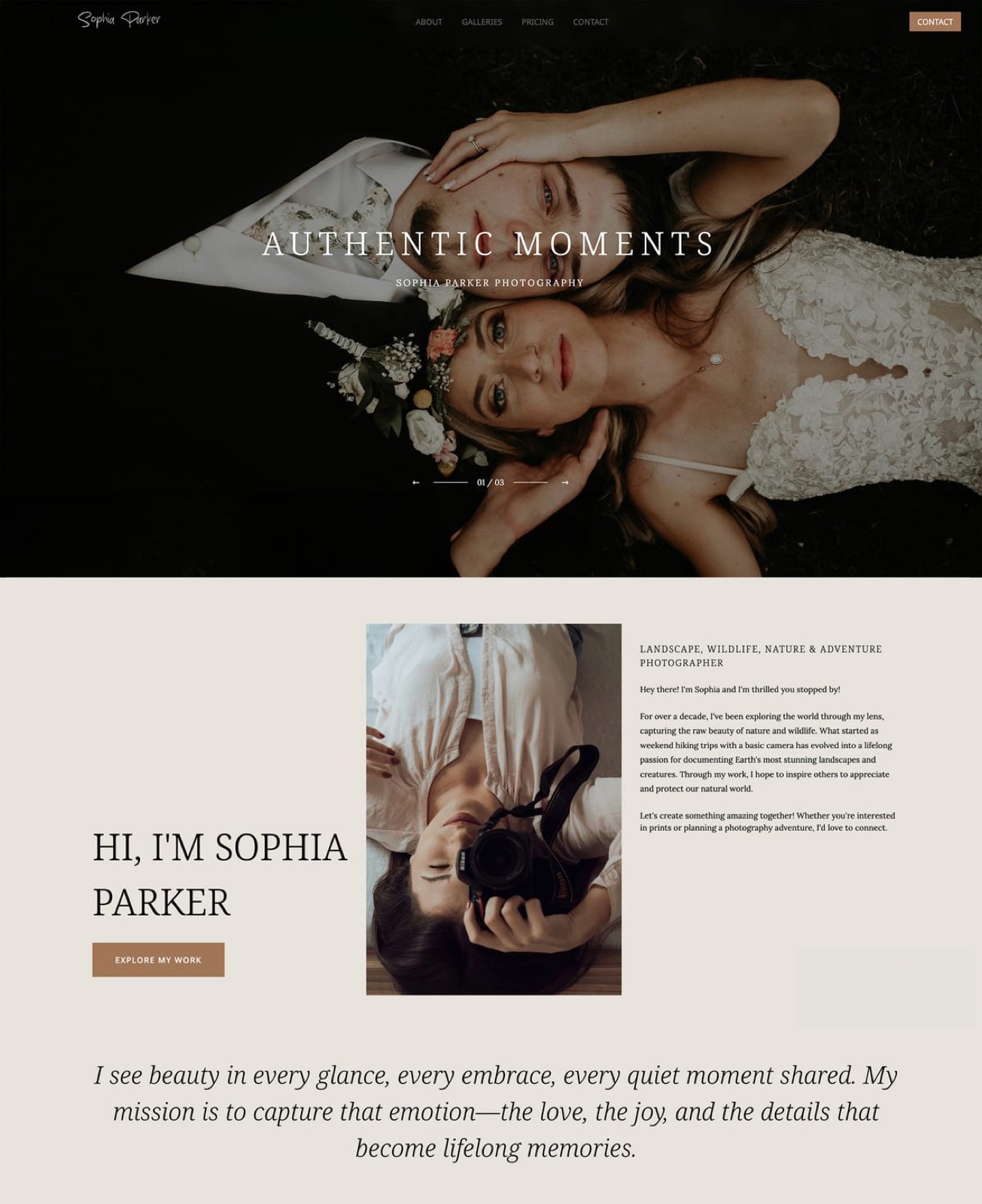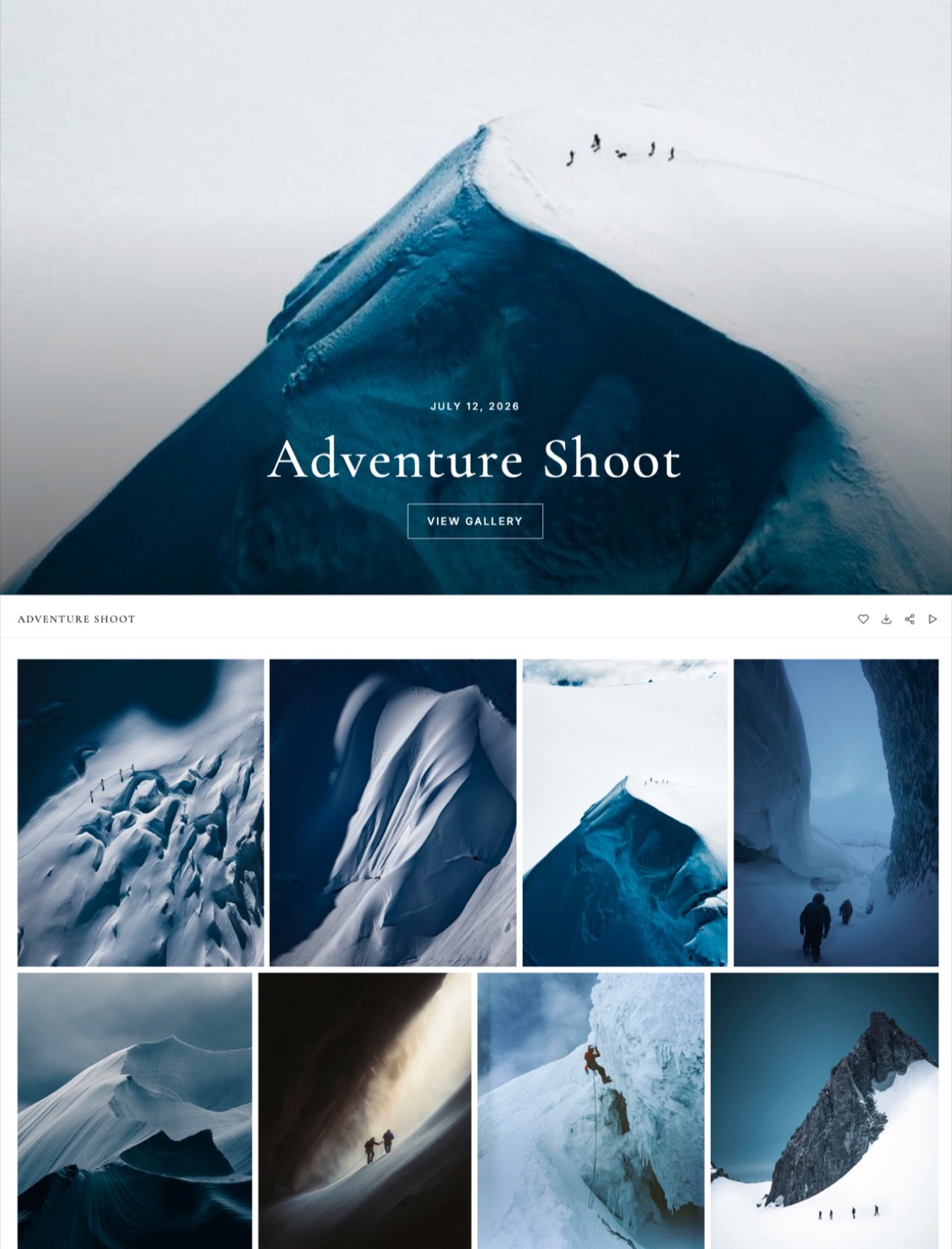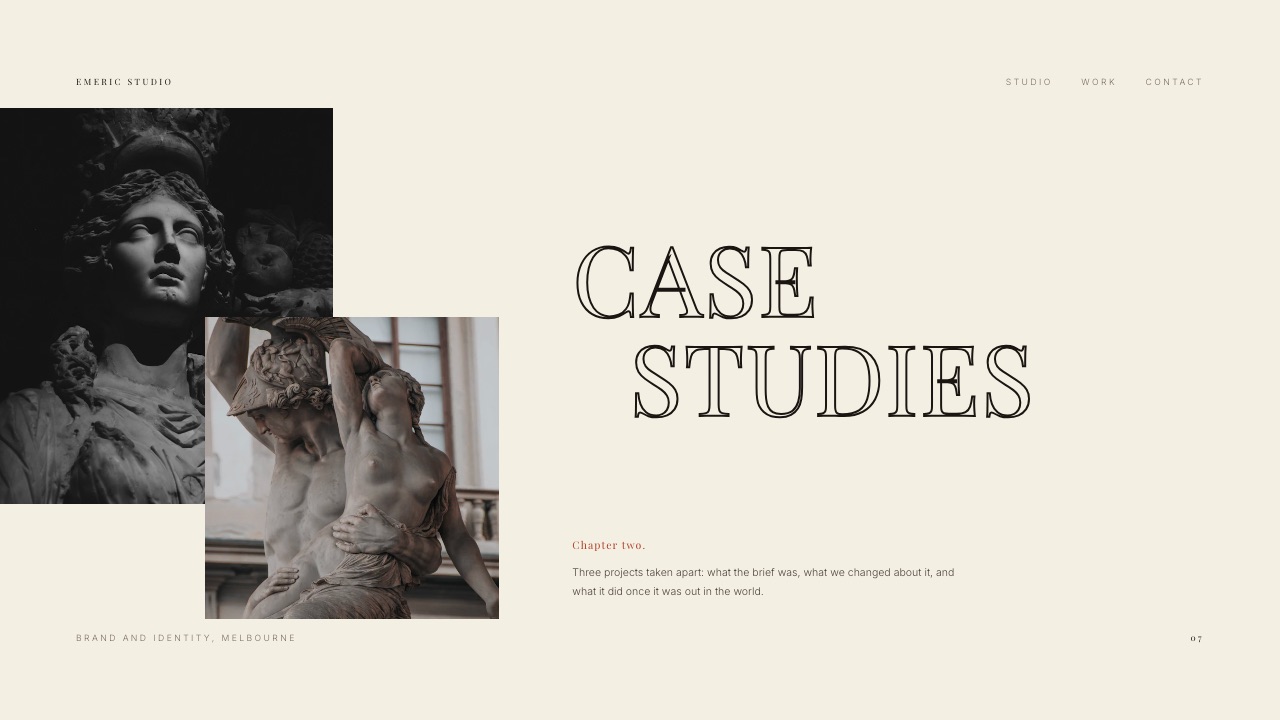
Framekit templates
Start from a designer-made template
 Use template
 Use template
 Use template
 Use template
 Use template
 Use template
 Use template
 Use template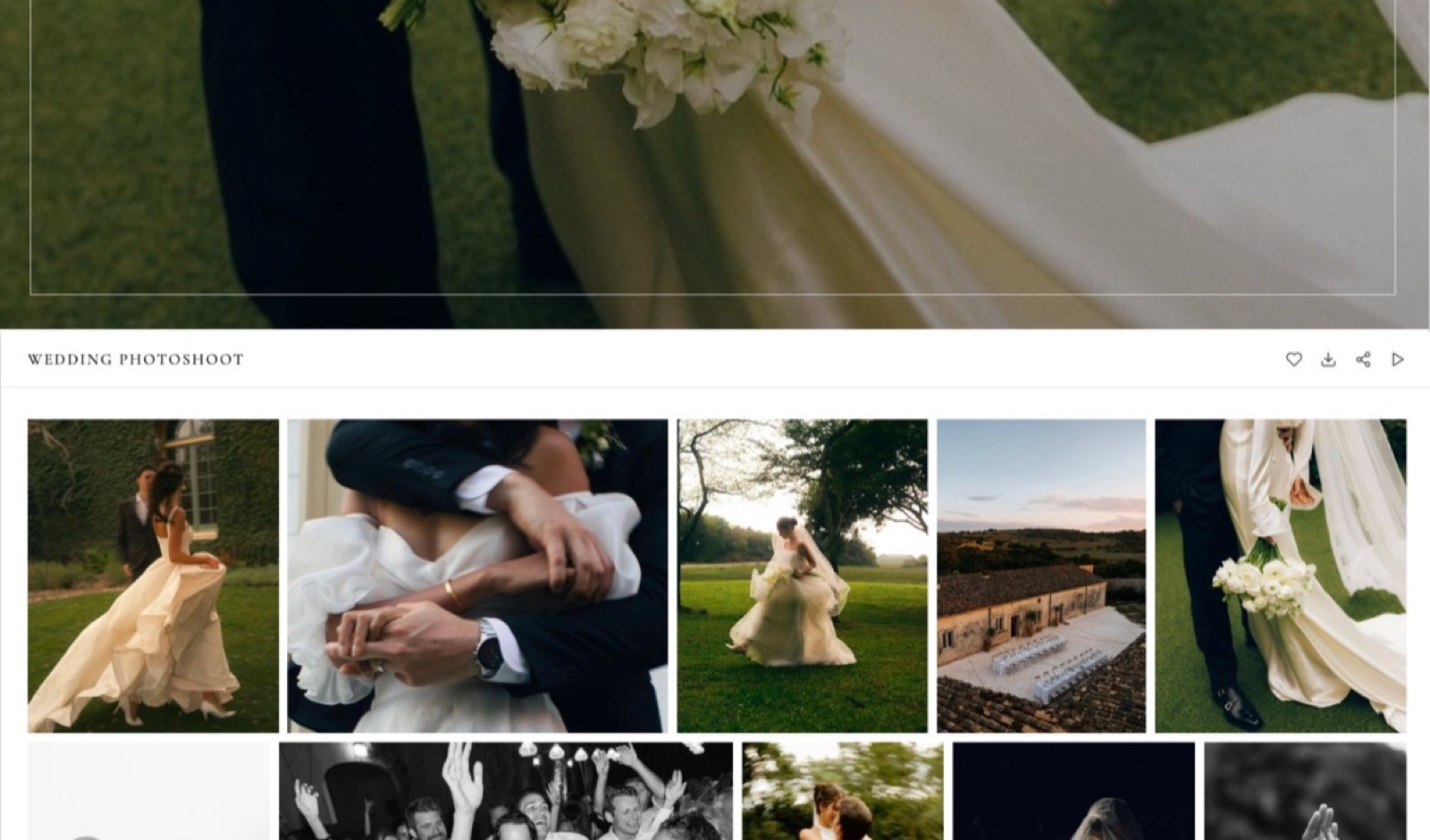
Free software for photographers divides cleanly into two halves that behave nothing alike.
On the develop side, darktable, RawTherapee and GIMP are free permanently because they are open source, and nobody will ever email you about an upgrade.
On the delivery side, free means a tier with a ceiling, and the ceilings are lower than most photographers realise until a Sunday night upload stops halfway.
Here is the number that makes the point. One ordinary delivery, 40 full-resolution JPEGs at 8MB each, is 320MB. Pixieset's free plan holds 3GB, which is about nine of those galleries in total, ever.
ShootProof's free plan carries photos only, no video, with unlimited galleries, and its own plans page states the cap two ways: 100 photos in one table and 3GB in another, so between two and a half and nine of those same galleries.
A free photography tool is software that does professional work on a permanent no-cost plan rather than on a trial, a category that now covers raw development, retouching, backup and client gallery delivery.
Framekit is the strongest free plan for client delivery because unlimited galleries come with watermarking, a gallery password, a separate download PIN, client favourites, email registration and auto expiry on the free tier, with 10GB of pooled storage behind them, which is 32 deliveries of 40 full-resolution files at 320MB each.
The trade-off is the Framekit badge, no custom domain until you pay and no print lab at all, so photographers whose income includes prints should be on Pixieset or ShootProof.
For the develop side, darktable and RawTherapee are the free raw processors worth learning, GIMP and Photopea cover pixel editing, and Google's 15GB free account is backup, not delivery.
Full disclosure: Framekit is our product, so the fair way to read this list is to check the free-tier table against each vendor's own pricing page, all of which are linked. Prices and limits were read at the source on 22 September 2026. Pixieset, ShootProof and CloudSpot all sell prints, which Framekit cannot do at any price, and that is stated in each of their sections, not tucked into the verdict.
How these free plans were compared, and what is not claimed
Every figure here belongs to one of three groups, and separating them is the only way a free-tier comparison stays useful for longer than a quarter, since free plans are the first thing a vendor changes.
Read at the source. Storage limits, photo caps, commissions and trial lengths come from each vendor's own pricing page, read on 22 September 2026 and linked at the claim.
Pixieset, CloudSpot, ShootProof and SmugMug all publish theirs in dollars, and darktable, RawTherapee, GIMP and Photopea publish their licences and capabilities.
Calculated. The delivery-capacity arithmetic is ours: one gallery of 40 full-resolution JPEGs at 8MB each, which is 320MB, divided into each plan's published allowance at 1,024MB to the gigabyte, so 10GB is 10,240MB and 3GB is 3,072MB.
Swap in your own file size and count, because a 45-megapixel camera shooting weddings produces a very different sum.
Not claimed. No tool here was run through a controlled trial, so there are no timings, no image-quality rankings and no scores. Where one product does something another cannot, that is a published capability difference, not a test result.
The free tiers by the numbers
These six figures decide which free plan survives a working month, every one of them is printed on a vendor's own page, and the spread between the smallest published allowance and the largest is a factor of five, from 3GB to 15GB.
- 3GB is Pixieset's free storage, which is nine deliveries of 40 full-resolution files at 320MB each.
- 100 photos in one table and 3GB in another is what ShootProof's plans page says about the same free plan; both tables agree it is photos only, no video, with unlimited galleries.
- 5GB and three galleries is CloudSpot's free tier, with a 15% commission on storefront sales.
- 10GB pooled is Framekit's free plan, shared with your site, with unlimited galleries on top of it.
- 14 days is SmugMug's free trial, because SmugMug has no free plan at all.
- 15GB is what a Google account gives you free across Drive, Gmail and Photos, with no client-gallery features attached.
How many client galleries each free plan actually holds
Storage numbers mean nothing until they are divided by a delivery, so this table converts each published free allowance into the only unit a photographer cares about, which is how many jobs it carries.
The unit is one delivery of 40 full-resolution JPEGs at 8MB each, which is 320MB. If you deliver 150 images from a wedding at 12MB each, that is 1.8GB per job and every number below drops by a factor of nearly six.
| Free plan | Published allowance | Deliveries of 40 files | The catch |
|---|---|---|---|
| Framekit Free | 10GB pooled, unlimited galleries | 32 | Storage is shared with your website |
| Pixieset Free | 3GB | 9 | Storage only, upgrade starts at $8 a month yearly |
| CloudSpot Free | 5GB, up to 3 galleries | 3 live at a time | Gallery count, not storage, is the ceiling |
| ShootProof Free | 100 photos in one table, 3GB photos-only in another | 2 and a half, or 9 | Photos only, no video, galleries unlimited |
| Google account | 15GB across Drive, Gmail, Photos | 48 | No password, no watermark, no expiry, shared with your email |
| SmugMug | No free plan, 14-day trial | Zero after the trial | $20 a month billed annually to continue |
In one lineCounted in deliveries rather than gigabytes, the free tiers in this category range from two and a half jobs to thirty-two, and the two plans that look most similar on paper, CloudSpot and Pixieset, fail for completely different reasons.
1. Framekit: Best free plan for delivering to clients

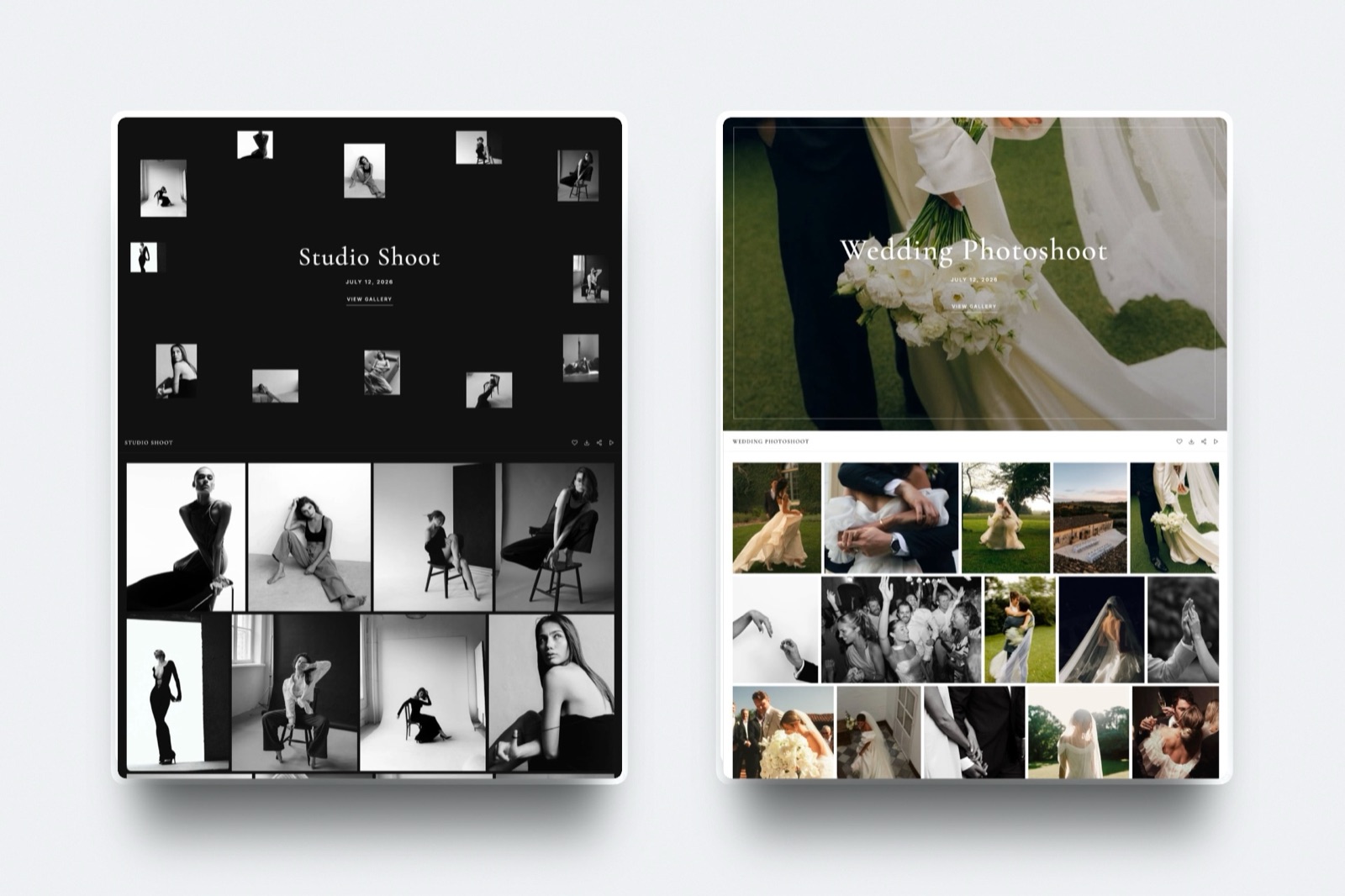
Framekit is an AI website builder that carries client galleries, decks, video review and a digital store on the same free account, which is why a photographer can hand over a job without a second signup.
What is actually freeunlimited galleries, with watermarking, a gallery password, a separate download PIN, client favourites and slideshows, full-resolution and ZIP downloads for the full set or favourites only, email sharing, email registration before viewing, auto expiry and client-exclusive sets.
Photos can be up to 100MB each, which covers full-resolution files from any current camera without a re-export.
The real number10GB of pooled storage, which is 32 deliveries at 320MB each, shared with your website and any video review pages on the same account.
Unlimited galleries on a finite pool is a different promise from unlimited storage, and it is worth reading twice: you can create as many galleries as you like, and the pool is what you manage.
The detail nobody writes aboutthe client creates no account to use any of this, and the gallery password and the download PIN are two separate locks.
A client can be given viewing access without the ability to pull the full-resolution set, which is the exact control you want when a brand wants to share a link internally before the invoice is paid.
The gotcha that bites in week threethe free plan shows a Framekit badge and gives you no custom domain, so the gallery lives on a Framekit address with our name on it.
There is also no print lab, no print store and no print fulfilment on any plan, so a client who wants a framed 40 by 50 has to be sent somewhere else entirely.
Who should skip itwedding and portrait photographers whose average order value depends on prints, and anyone who needs face recognition to sort a school or event shoot, because neither exists here.
Verdict: As a free delivery surface it is the most complete plan in this comparison, because the locks and the expiry that other services treat as paid features are all included. As a print business it does not compete and does not pretend to.
2. Pixieset: Best free gallery if prints are part of the plan
Pixieset is the gallery most working photographers meet first, and its free tier exists as an honest sample of the paid product rather than as a permanent working plan.
The published free tier is 3GB of storage. Above it, Basic is $10 a month or $8 billed yearly with 10GB, Plus is $20 or $16 with 100GB, Pro is $30 or $24 with 1,000GB, and Ultimate is $50 or $40 with unlimited storage.
At 320MB per delivery, the free 3GB is nine galleries before you start choosing which client's work to delete.
What makes the upgrade worth paying for is not the storage, it is the store: a print order placed inside the gallery goes to a lab and arrives at the client's door without you handling a package.
Basic costs $96 a year at $8 a month billed yearly, which is the figure a portrait or newborn photographer weighs against a season of print orders.
The thing to watch is that the storage is gallery storage only. It does nothing for a website, a set of video files or anything else, so it sits beside your other subscriptions instead of replacing any of them.
Verdict: The free tier is a trial with no clock on it, and the paid tier is worth paying for if you sell prints. If you deliver digital files only, you are buying storage and a storefront you never open.
Already at the 3GB ceiling and weighing the alternatives, the Pixieset alternatives comparison prices the whole category.
3. CloudSpot: Best free tier with a storefront attached
CloudSpot's free plan is unusually generous in features and unusually strict in shape, which makes it the most interesting free tier in this list to think about.
The published free plan is $0 a month forever with 5GB of storage, up to three client galleries, email capture, custom watermarks, video links, a social site and a gallery storefront that charges a 15% commission on sales.
Paid tiers run from Entry at $7 a month with 15GB and 15 galleries, through Lite at $17 with 100GB, unlimited galleries and a commission-free print store, to Unlimited at $50.
The ceiling here is the gallery count, not the storage, and that distinction changes how you work.
Three live galleries means archiving or deleting a client's gallery to make room for the next one, which is fine for a photographer shooting once a month and impossible for one shooting weekly.
The 15% storefront commission on the free plan is worth doing the arithmetic on before you rely on it: a $60 print order returns $51, and ten of those a month is $90 a month going to the platform, which is more than the Lite plan that removes the commission entirely.
Verdict: The best-featured free tier in the category and the one most likely to force an upgrade quickly, which is presumably the intention. If you shoot three jobs a month or fewer and want a print store without a subscription, it is a genuine option.
4. ShootProof: Best free plan for a photographer just starting out
ShootProof is built around selling, and its free plan is sized as an introduction to that, not as a working delivery system for a busy studio.
Two things about the free plan are not in doubt, because both of the plan tables on its page say them: it carries photos only with no video formats supported, and client galleries on it are unlimited. The cap is the part that is in doubt.
One table lists Free as 100 photos with an estimated capacity of up to 5GB; the other lists the same plan as 3GB photos-only with an estimated capacity of 1,000+ photos.
Do the arithmetic both ways before you commit to it.
At 320MB per 40-image delivery, the 100-photo reading is two and a half galleries and the 3GB reading is nine, so the honest planning number is a few gigabytes of stills and the reliable one is whatever your own account shows after the first upload.
Paid tiers carry the same doubled labelling.
Starter is $8.33 a month billed annually or $9.99 monthly, described as 1,500 photos in one table and 20GB of photo and video in the other; Standard is $16.67 or $19.99, Professional is $26.67 or $31.99, and Premium is $50 or $60 for unlimited photos.
Counting photos rather than gigabytes is the thing that has always made ShootProof behave differently from everything else here, and it is now only half of what the company publishes.
Under the photo-count reading, file size stops mattering, so a 45-megapixel raw-derived JPEG costs exactly as much of your allowance as a web-sized preview; under the gigabyte reading that same 8MB export eats eight times the allowance of a 1MB web preview.
Two deliveries of 40 images uses 80 of the 100 photos, and 640MB of the 3GB.
Verdict: A fair free sample and a well-priced first paid tier. For a photographer whose business is print and product sales, the Starter plan at $8.33 a month billed annually is one of the cheapest routes into a proper selling workflow.
If the photo cap is what brought you here, the ShootProof alternatives guide covers what the rest of the category offers at the same price.
5. SmugMug: The honest entry with no free plan at all
SmugMug belongs in a free software comparison precisely because it has no free plan, and knowing that before you invest an evening in setup is worth more than another paragraph of features.
The plans page offers a 14-day free trial and then Direct at $20.00 a month billed annually, Portfolio at $23.50 and Pro at $37.00, all with unlimited full-resolution JPEG storage.
Raw file storage is an add-on at $10 a month for the first terabyte and $6 a month for each additional terabyte.
Unlimited JPEG storage is the reason photographers stay for years, and the raw add-on pricing is the reason to read the small print: the headline "unlimited" applies to JPEGs, and an archive of raw files is a separate, metered product.
Verdict: Not free, not pretending to be, and a strong archive if your priority is never deleting anything. At $240 a year for the entry plan it is a storage decision, not a client-delivery decision.
Weighing it against cheaper archives, the SmugMug alternatives roundup is the place to look, and the photo backup comparison covers the pure storage question.
6. darktable: Best free raw developer for a full workflow
darktable describes itself as an open source photography workflow application and raw developer, a virtual lighttable and darkroom, and it is released under the GPL 3.0, which means the version you install today keeps working regardless of anyone's business model.
For a photographer leaving a subscription, the important part is that darktable covers the whole loop: import, cull, develop non-destructively, and export.
Its module list is long and its defaults are conservative, so images tend to look flat until you learn which modules the program expects you to use, and that learning curve is the real price.
Verdict: The closest free equivalent to a full raw workflow, and a serious tool, not a lightweight viewer. Give it a rainy weekend and a set of files you have already edited elsewhere, so you can compare results instead of guessing.
For the paid side of this decision, the photo editing software comparison lines up the subscriptions next to the free options.
7. RawTherapee: Best free control over detail and demosaicing
RawTherapee is a cross-platform raw processing system released as free software under GPLv3, with version 5.13 published on 26 July 2026, and it is the tool for photographers who care about what happens at the pixel level of a raw conversion.
Its distinguishing feature is choice: multiple demosaicing algorithms, non-destructive 32-bit floating point processing, and detail controls that go further than most paid editors expose.
Landscape and architecture photographers who pull files apart in post tend to prefer it, while a wedding photographer facing 800 frames wants fewer decisions per image, not more.
Verdict: Use it for the files that matter, not for the whole shoot. As a specialist raw converter it beats tools that cost money; as a daily driver for 800 wedding images it is the wrong shape.
8. GIMP: Best free pixel editor for retouching
GIMP is developed as community free software under the GNU General Public License, and it remains the default answer for retouching without a subscription: layers, masks, healing, cloning and a plug-in ecosystem two decades deep.
What it is not is a raw workflow, which is the mistake that sends people back to a subscription inside a fortnight. Develop the raw file in darktable or RawTherapee, then bring a 16-bit TIFF into GIMP for the retouching that needs a brush.
Verdict: A capable retoucher with an interface that shows its age, and free in the way that matters: no account, no plan, no renewal.
9. Photopea: Best free editor that opens a PSD in a browser
Photopea runs in a browser tab, states that you can use its premium features without spending anything, and opens the formats that otherwise force a subscription: PSD with full support for opening and saving, plus DNG, CR2, CR3, NEF, ARW, RW2, RAF, ORF and FFF raw files, alongside PNG, JPG, TIFF, PDF and AI.
The practical use is client compatibility. When a designer sends a layered PSD and you do not own the application that made it, this opens it, edits it and saves it back in the same format, which is a problem that otherwise costs a monthly fee to solve.
Verdict: The most useful free tool in this list for one specific emergency, and a genuinely capable editor for everything short of heavy retouching sessions.
10. Google Photos: Best free backup, weakest client delivery
Every Google account comes with up to 15GB of storage shared across Drive, Gmail and Photos, which is 48 deliveries of 40 full-resolution files if nothing else is using it, and it is the free backup layer most photographers already have without having chosen it.
As a delivery surface it fails on the things that make a client gallery a business tool.
There is no watermark, no gallery password, no separate download PIN, no expiry and no client favourites list, so a shared album is a folder of images with sharing settings, not a controlled handover, and the same 15GB is being eaten by your inbox.
Verdict: Keep it as a second copy and stop sending clients album links. A delivery that cannot expire is a delivery you cannot take back.
Which controls each free gallery plan actually gives you
Storage decides how long a free plan lasts, and the control list decides whether it is usable at all, because a gallery you cannot lock, watermark or expire is a shared folder with a nicer grid.
| Free plan | What the vendor publishes about its free tier | What its pricing page does not spell out |
|---|---|---|
| Framekit | Unlimited galleries, watermarking, gallery password, separate download PIN, favourites, slideshows, full-resolution and ZIP downloads, email registration, auto expiry, client-exclusive sets | Nothing about prints, because no print product exists |
| CloudSpot | 5GB, up to 3 galleries, email capture, custom watermarks, video links, a social site, a storefront at 15% commission | Which gallery controls change between tiers |
| Pixieset | 3GB of storage as the free tier's stated difference | Which gallery controls, if any, are limited on Free |
| ShootProof | Unlimited galleries, photos only with no video, and a cap given as 100 photos in one table and 3GB in another | Which of its two free-tier tables is the current one |
| SmugMug | No free plan, a 14-day trial | Not applicable |
The useful reading of that table is not who wins on features, it is who tells you.
Two of these vendors publish a control-by-control free tier, Pixieset publishes one number and ShootProof publishes two that do not match, so with both of those the only reliable way to know what your free gallery can lock, and how much it holds, is to create one and look.
In one lineStorage caps are published everywhere and control lists are not, so before you build a handover process on a free gallery, confirm inside the account that it can carry a password, a watermark and an expiry date instead of assuming it from a pricing page.
What free costs you, written out
Free plans are priced in something other than money, and on the delivery side the currency is your brand, your file sizes and a percentage of what you sell, so here is the bill in full for the plan this guide ranks first.
| What you give up on Framekit Free | What that means to a client | What removes it |
|---|---|---|
| The Framekit badge | Our name appears on your gallery | Any paid plan from $9 a month |
| No custom domain | The link is a Framekit address | Any paid plan |
| 10GB pooled storage | 32 deliveries of 320MB, shared with your site | 50GB on Starter, 300GB on Pro |
| Your own uploaded fonts | Galleries use the standard type | Paid plans |
| 5% store fee on digital sales | $5 on every $100 of presets sold | 3% on Pro, 0% on Business |
| No print fulfilment, on any plan | Print clients go elsewhere entirely | Nothing, use Pixieset or ShootProof |
That last row is not a free-plan limitation, it is a product boundary.
There is no print lab behind Framekit, and no plan adds one, so a photographer who makes 30% of revenue from wall art should read this comparison as a delivery tool ranking and keep a print platform alongside it.
In one lineFree costs you a badge, a domain and a 5% cut of digital sales, and the print gap is permanent rather than a limit you can pay to remove, which is the honest reason this ranking will be wrong for some photographers.
The free stack that runs a small photography business
Assembled properly, the free tools in this list cover everything from card to client, and the sequence matters more than the individual picks because each tool hands off to the next in a specific format.
Back up first. Copy the cards to two places before anything else, and treat a 15GB Google account as the second copy and never as the archive, since it fills fast and shares space with your email.
Cull and develop in darktable or RawTherapee, exporting full-resolution JPEGs at the quality you intend to deliver. Free culling with AI assistance does not exist in this list, and that is a genuine gap worth knowing about.
Retouch the few that need it in GIMP, or in Photopea when a client sends a layered PSD you have to open.
Deliver as a password-protected, watermarked, expiring gallery, with the download PIN held back until the invoice is settled.
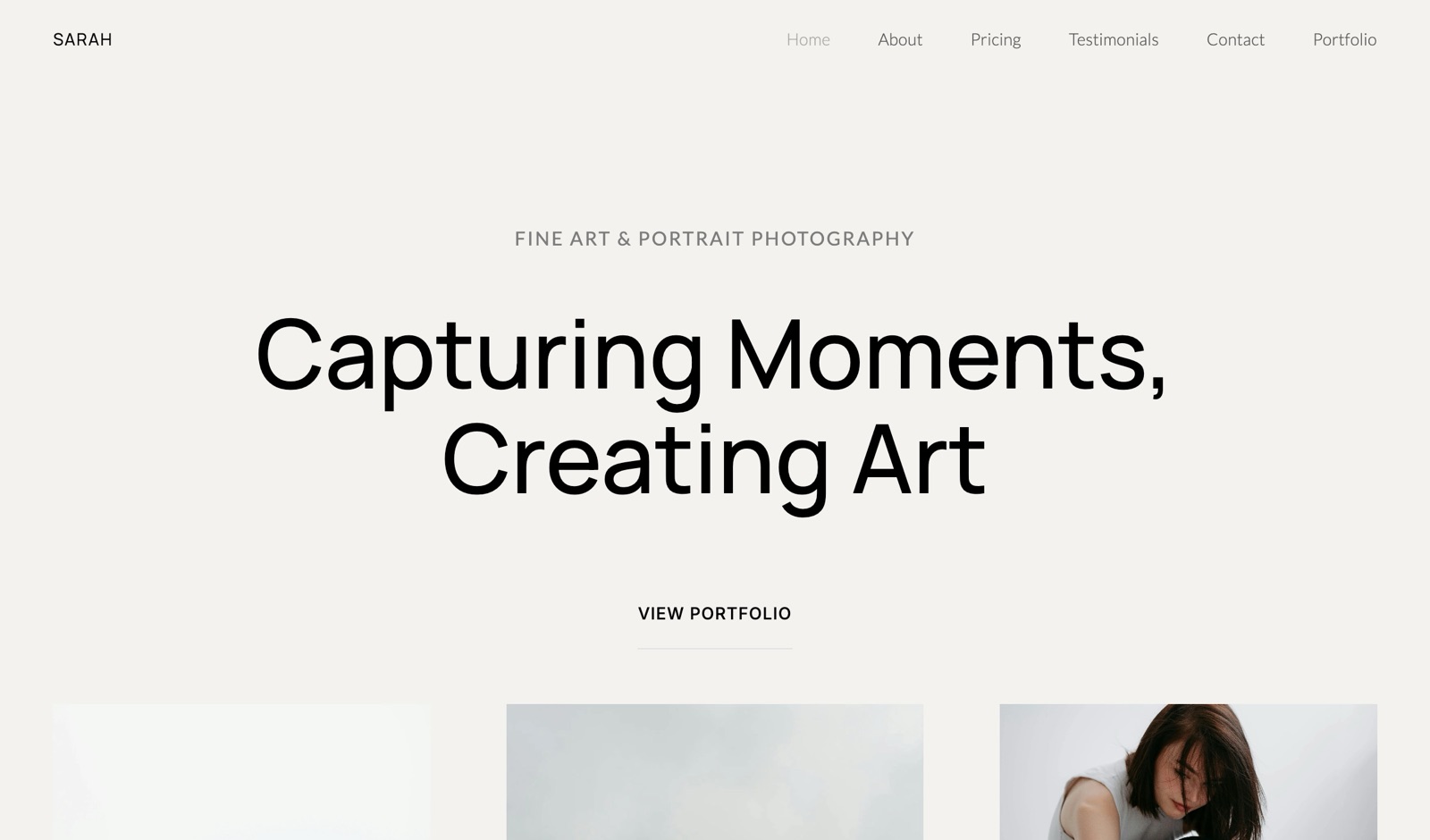
Get hired again with a portfolio site and a simple deck, both of which sit on the same free account as the gallery, so a returning client reaches your work from the same address.
In one lineA photographer can back up, develop, retouch, deliver and market entirely on free software in 2026, and the two real gaps in that chain are AI culling and print fulfilment, neither of which has a credible free option.
How to pick, in order
Run through these five questions in sequence, because the first one about print revenue rules out Framekit and a Google account outright, and no later question in this list changes the answer as decisively.
Do prints make you money? If yes, your gallery decision is between Pixieset, ShootProof, CloudSpot and Pic-Time, and the free tier is a trial rather than a destination. If no, keep reading.
How many jobs are live at once? Three or fewer and CloudSpot's free plan works; more than three and its gallery cap ends the experiment in week two.
How much do you deliver per job? Under 100 photos in total across the account and ShootProof's free plan holds on either of the two caps it publishes; a 40-image gallery every fortnight is 320MB a time, or 8.3GB a year, and you want a tier that states its storage once and in one unit.
Does the client need to see your name and only your name? If yes, a paid plan is the answer on any of these platforms, because every free tier in this category brands your delivery with somebody else.
Are you also selling files? If yes, compare the cut rather than the plan: 5% on Framekit Free against 15% on CloudSpot's free storefront is a $10 difference on every $100 you sell.
In one linePrint revenue decides the first fork, live gallery count decides the second, and only after those two does anything else about a free plan matter enough to change the answer.
Frequently Asked Questions
What is the best free software for photographers in 2026?
The best free software for photographers in 2026 depends on the half of the job you mean: darktable and RawTherapee are the best free raw developers, GIMP and Photopea are the best free pixel editors, and Framekit is the best free client delivery plan, with unlimited galleries, watermarking, passwords, a download PIN and auto expiry on 10GB of pooled storage.
All four of the editing tools are open source and permanently free, never trial-limited.
How big is Pixieset's free plan?
Pixieset's free plan includes 3GB of storage, which at a typical delivery of 40 full-resolution JPEGs at 8MB each is nine galleries in total.
Paid plans start at $10 a month, or $8 a month billed yearly, for 10GB, and the top Ultimate plan is $50 a month, or $40 billed yearly, for unlimited storage.
Is ShootProof really free?
ShootProof has a genuine free plan, it carries photos only with no video formats supported, and client galleries on it are unlimited.
The cap is published two ways on the same plans page: one table says 100 photos with up to 5GB of estimated capacity, the other says 3GB photos-only with 1,000+ estimated photos.
At 320MB per 40-image delivery that is between two and a half and nine galleries, so treat the free tier as an introduction to a selling workflow and check the figure inside your own account before you plan around it.
Does CloudSpot's free plan let me sell prints?
CloudSpot's free plan includes a gallery storefront and charges a 15% commission on sales made through it, alongside 5GB of storage and a limit of three client galleries.
The commission disappears on the Lite plan at $17 a month, which also raises storage to 100GB and removes the gallery cap, so heavy sellers reach the point where the free plan costs more than the subscription.
Can I use free software for a paid client job?
Yes. darktable, RawTherapee, GIMP and Photopea carry no restriction on commercial output, and a free client gallery with a password, a watermark and an expiry date is a professional handover.
The two compromises are branding, since every free delivery tier shows someone else's name, and print fulfilment, which no free plan in this comparison provides without a commission.
Is Framekit free forever or a trial?
Framekit's free plan is permanent rather than a trial, and it includes unlimited client galleries, unlimited decks, video review, a digital store and a 10-page website on 10GB of pooled storage.
What you pay for is removal of the Framekit badge, a custom domain, larger storage and file caps, your own uploaded fonts and a lower store fee, which is 5% on Free and 0% on the Business plan.
Which free plan holds the most client galleries?
Framekit holds the most, because galleries are unlimited on every plan and the constraint is the 10GB pool, which is 32 deliveries of 40 full-resolution files.
Pixieset's 3GB holds nine of the same galleries, CloudSpot caps you at three live galleries regardless of its 5GB, and ShootProof allows between two and a half and nine because its page states the free cap as 100 photos in one table and 3GB in another.
For a wider look at the category, see the free client galleries roundup.
Is there free software that culls photos for me?
No credible free option exists for AI culling in 2026, which is the clearest gap in an otherwise complete free workflow.
Culling tools that rate focus, eyes and expression across thousands of frames are paid products, and the honest free alternative is a fast manual pass with star ratings in darktable.
The paid options are compared in the culling software guide.
Is GIMP a real replacement for a paid editor?
GIMP is a genuine replacement for the retouching half of a paid editor, with layers, masks, healing and cloning under the GNU General Public License, and it is not a replacement for a raw workflow.
The working pattern is to develop raw files in darktable or RawTherapee, export a 16-bit TIFF, and use GIMP only for the brush work that needs a pixel editor.
What should I use to back up photos for free?
A Google account's 15GB shared across Drive, Gmail and Photos is the most common free backup and it is a second copy, not an archive, because it fills quickly and competes with your inbox for space.
Treat any free cloud tier as one leg of a three-copy rule and keep an external drive as the other, and compare the paid archives in the photo backup guide.
Final Verdict
The develop side of free photography software is finished work: darktable, RawTherapee, GIMP and Photopea will take a raw file to a delivered JPEG at professional quality with no subscription and no expiry date, and the only real cost is the fortnight it takes to learn them.
The delivery side is where free tiers are decided, and counted in actual client galleries the range is wide: two and a half to nine deliveries on ShootProof depending on which of its two published caps you read, three live galleries on CloudSpot, nine on Pixieset and 32 on Framekit's 10GB pool, with the locks that make a handover professional included at no cost.
That is why Framekit takes first place for free delivery specifically.
Where Framekit losesthere is no print lab, no print store and no print fulfilment on any plan, so a photographer whose average order value depends on wall art is better off on Pixieset, ShootProof or Pic-Time and should treat this ranking as wrong for their business.
Framekit also does not cull, does not do face recognition for school and sports work, does not invoice and does not book clients, and the free plan puts our badge on your gallery until you pay.
Start with a free raw developer and a free delivery plan, and let a specific ceiling rather than a marketing page decide what you eventually pay for.
Related readingthe best free tools for photographers, the best client gallery platforms, how to deliver photos to clients, print fulfilment options and free website builders for photographers.