Framekit templates
Start from a designer-made template
 Use template
 Use template
 Use template
 Use template
 Use template
 Use template
 Use template
 Use template
The pictures were good. The marketing manager said so twice on the day.
Six weeks later you have not been rebooked, and the reason has nothing to do with the pictures: legal could not sign off the usage because the licence said "social media", the e-commerce team could not use the hero because it arrived at 1440 pixels wide, and two shots the product manager expected were never on any list.
That is how a brand shoot from pitch to delivery is actually graded.
The person who hired you is measured on whether the assets fit the channels and whether the terms clear internal review, so the run of the job is decided by the three documents around the frames and not by the frames themselves: the licence, the signed shot list and the delivery specification.
A brand shoot is a commissioned photography or video session that produces a defined set of assets for a company's own marketing channels, under a written licence that states how long, where and in what media those assets may be used.
The licence is not an appendix to the job. It is half of what the client is buying, and on the $4,800 shoot carried through this guide it is a $1,200 line of its own.
Run the job as eight documented steps and treat the licence, the signed shot list and the delivery specification as deliverables in their own right, because those three are what decide whether the assets can actually be used and therefore whether you are booked again.
Price usage separately from shoot days, get the shot list approved in writing before the call sheet goes out, approve looks on set and not in the edit, send selects before finals, and export to each destination's published specification instead of one master size, which on the $4,800 job below meant four folders and not one.
Framekit covers three of the eight steps on one account from $0, the treatment, the selects gallery and any motion review; contracts, licences and invoices belong in a dedicated tool; Frame.io is the right call when Camera to Cloud or an editing-suite panel is part of the job.
Full disclosure: Framekit is our product and appears at three of the eight steps below, so weigh the recommendation accordingly and check the alternatives named alongside it. Outside figures were read on the owner's own page in September 2026 and are linked where they are used. Framekit does no licensing, no contracts and no invoicing at all, it runs no print lab, and its deck links carry no password and report exactly one number, a total view count, all of which matter in this workflow and are said plainly below.
How this guide was researched
This is a procedure assembled from seven published sources, five platform and government specifications plus two vendor pricing pages, and a set of judgement calls that are marked as such so you can argue with the right parts.
Read at the source. Every specification and legal point quoted below was read on the owner's own page in September 2026 and linked at the point of use: Shopify's product media requirements, Meta's published Instagram media specifications, Google's guidance on images in search, the US Copyright Office circular on works made for hire and its summary of what copyright protects, plus Pixieset pricing and Frame.io pricing.
Calculated. The carried job is a one-day skincare brand shoot at a fee of $4,800 producing 40 finished stills and one 30 second vertical cut, licensed for paid social and the brand's own site in one territory for twelve months.
Every figure in the licence and delivery sections is arithmetic on that $4,800, shown so you can rerun it.
No invented rate card. There is no published, authoritative multiplier for usage pricing.
Rate tables circulate widely and none of them is stood behind by a body that would defend the numbers, so this guide gives you the five variables to price and one worked example instead of a table of figures somebody made up.
The copyright points below are United States law. If you work elsewhere, the structure of the licence still applies but the two work-made-for-hire situations below are US rules and may not be your default, so check your own jurisdiction before you copy the wording.
The brand shoot process by the numbers
These are the six published figures that shape what you shoot and what you export, and each one comes from the platform's own documentation and not from a blog post repeating it.
- 8 MB and 1440 pixels: Meta's stated maximum file size and maximum width for an Instagram image, in JPEG, with a minimum width of 320.
- 4:5 to 1.91:1: the aspect ratio range Meta says an Instagram image must sit inside, which is the constraint your framing has to respect on the day.
- sRGB: the one colour space Meta specifies for Instagram images, noting that images in other colour spaces "will have their color spaces converted to sRGB".
- 5000 x 5000 px, 25 megapixels, 20 MB: Shopify's published ceilings for a product image, with 2048 x 2048 named as Shopify's best-displaying size for square product shots.
- 300 MB and 15 minutes: Meta's maximum file size and duration for a Reel, with 9:16 recommended.
- 2 situations: the only two ways a work becomes a work made for hire under US law, according to the Copyright Office circular, which is why the licence decides ownership on everything else.
Step 1. Pitch a deck that prices usage separately from days
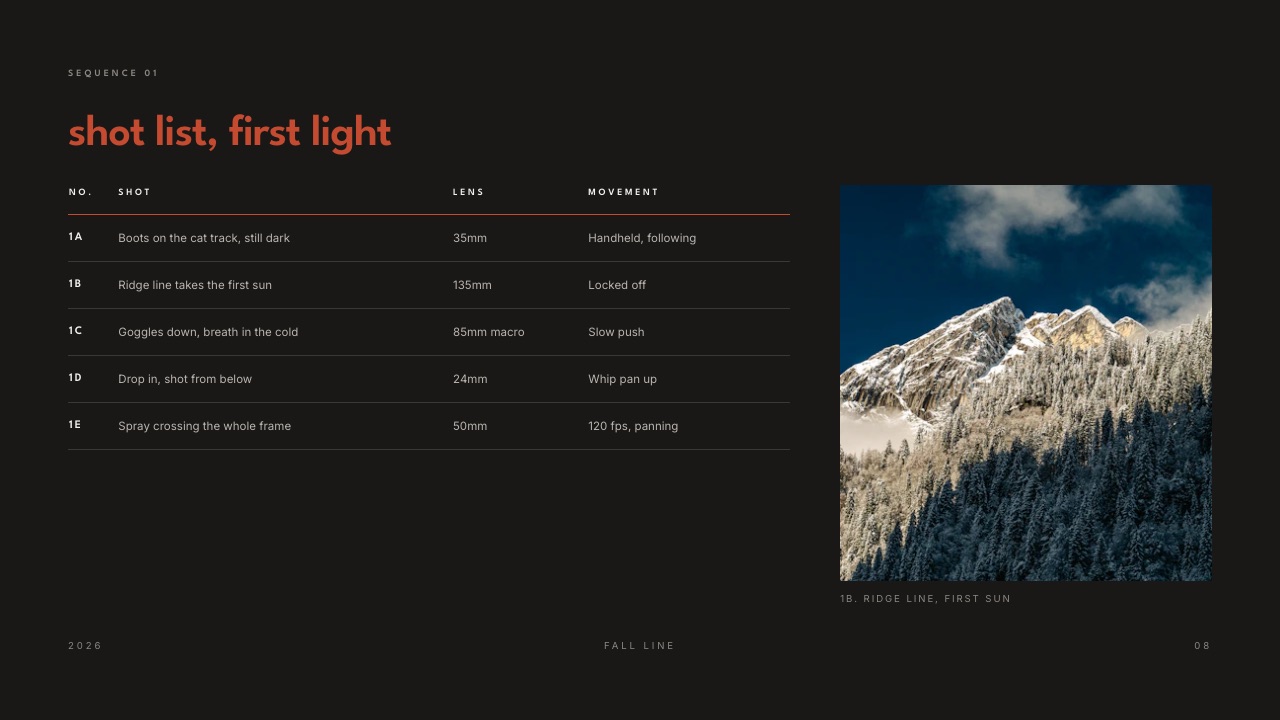
Send a pitch deck that quotes the shoot day and the usage licence as two separate lines, because a single number invites the client to compare you on day rate alone and hides the $1,200 line that varies most between one job and the next.
Eight to twelve slides is the whole deck. What the shoot is for in one sentence. The look, in six to eight reference frames. The deliverables, counted. The shot list in outline. The schedule. The team.
The quote, split into three lines: production, shoot day and licence. And what happens next, with a date.
Splitting the $4,800 into three lines matters commercially and it matters in the conversation.
A client who wants the pictures for a landing page for a year is buying something different from a client who wants them on paid social across three markets in perpetuity, and if both are quoted as "a day of photography" you will lose money on the second one and lose the job to someone cheaper on the first.
The thing that goes wrongthe quote arrives as a separate PDF from the treatment, so the client reads the creative and the price in two different moods and sends the price to procurement without the argument attached.
Keep the quote inside the deck, on one slide that names what each of the three numbers buys.
The concrete exampleon the $4,800 skincare job the deck split it as $1,200 production and pre-production, $2,400 shoot day with retouching, and $1,200 for 12 months of paid social and owned site in one territory.
The $1,200 licence line is the one that got discussed, which is exactly what it is there for. How to make a pitch deck covers the structure in more depth, and how to price photography covers what goes in each line.
In one lineQuoting production, shoot day and licence as three lines instead of one turns the price conversation into a scope conversation, which is the only version of that conversation you can win without discounting.
Step 2. Write the licence in plain words before the contract goes out
Describe the licence in five plain sentences before anybody drafts a contract, because "social media use" is not a licence, it is a gap that gets filled in later by whoever is most confident, and that is rarely you.
Start from what the law actually assumes.
The US Copyright Office says a work becomes a work made for hire in only two situations: when an employee creates it as part of their regular duties, and when a specific type of work is created under an express written agreement with the party commissioning it.
Absent those two, the photographer is the author and owns the copyright, and what the client receives is whatever the licence grants.
The Copyright Office also lists the owner's exclusive rights, which include the right to reproduce and distribute copies and "the right to authorize others to exercise these exclusive rights".
A licence is you exercising that last right, on the five terms in the table below.
| Licence variable | What it means in plain words | If you leave it blank |
|---|---|---|
| Term | How long the client may use the images, as a date range | The client reasonably assumes forever, and you have no renewal to sell |
| Territory | Which countries the assets may run in | A regional campaign becomes a global one at no extra cost |
| Media | The exact channels: owned site, paid social, email, print, out of home | Someone puts it on a billboard and is genuinely surprised you mind |
| Exclusivity | Whether you may license the same images elsewhere | Non-exclusive unless stated, so make it 1 of the 5 written lines |
| Editing rights | Whether the client may crop, retouch or composite | You see your work rebuilt and cannot point at anything |
The thing that goes wrongthe licence is agreed verbally on the day and none of the five lines is ever written down. Six months later the brand is acquired, the marketing manager leaves, and the new team has no record of what they bought.
Put the five lines in the contract and repeat them in the delivery email, which costs $0 and settles it twice.
The concrete examplethe skincare licence read as 12 months from first publication, one territory, owned website and paid social only, non-exclusive, crops permitted but no compositing.
Extending it to print and out of home was quoted later at a further $900, which was only possible because the original had a boundary.
Framekit does not produce any of this paperwork, so the contract and the signature belong in a dedicated tool; the contract and proposal comparison covers the options.
In one lineFive plain sentences covering term, territory, media, exclusivity and editing rights turn a licence from a source of future argument into a product you can price, extend and renew as the brand's needs change.
Step 3. Build the shot list against destinations, then get it signed
Write every shot against the place it will end up instead of against a description of the subject, and get the list approved in writing before the call sheet goes out, because a shot list that nobody signed is a list of your intentions and not an agreement, and on a $4,800 job that distinction decides who pays for the fifth SKU.
The format is two columns and it does the work of ten meetings. On the left, the frame, five kinds in all: hero on white, product in hand, texture macro, founder portrait, flat lay of the range.
On the right, the destination: product page hero, Instagram 4:5, email banner, about page, paid social carousel.
If a shot has no destination it comes off the list, and if a destination has no shot somebody has forgotten something expensive, which on a list of nine destinations is easy to do.
Framekit is an AI website builder whose Slides tool ships ready-made shot list, moodboard and storyboard elements, so the list, the references and the schedule sit in one document, the same one the client approved the look in.
Unlimited decks, speaker notes, a share link and a PDF export are on every plan; the full template library starts on Starter at $9 a month.
The honest limitation is that a Framekit deck link carries no password and reports exactly one number, a total view count, so on a competitive pitch against other photographers, put the deck somewhere with per-viewer tracking and a lock instead.
The thing that goes wrongthe client approves the look and nobody approves the list, so on the day the product manager appears with four SKUs that were never discussed and the schedule collapses. The signature is the protection.
One email saying "approved as attached" is enough, and it is also what lets you charge for the fifth SKU without a fight.
The concrete examplethe skincare list had 14 frames against nine destinations, and two frames served three destinations each because the framing was built for a 4:5 crop from the start.
Those 14 set-ups produced the 40 finished images the contract named. How to write a creative brief is the document that should exist before the list does.
In one lineA shot list written against destinations instead of subjects, and approved in writing before the call sheet, converts the most common on-set argument into a scope conversation that happened seven days earlier.
Step 4. Send a call sheet even for a one-day shoot with four people
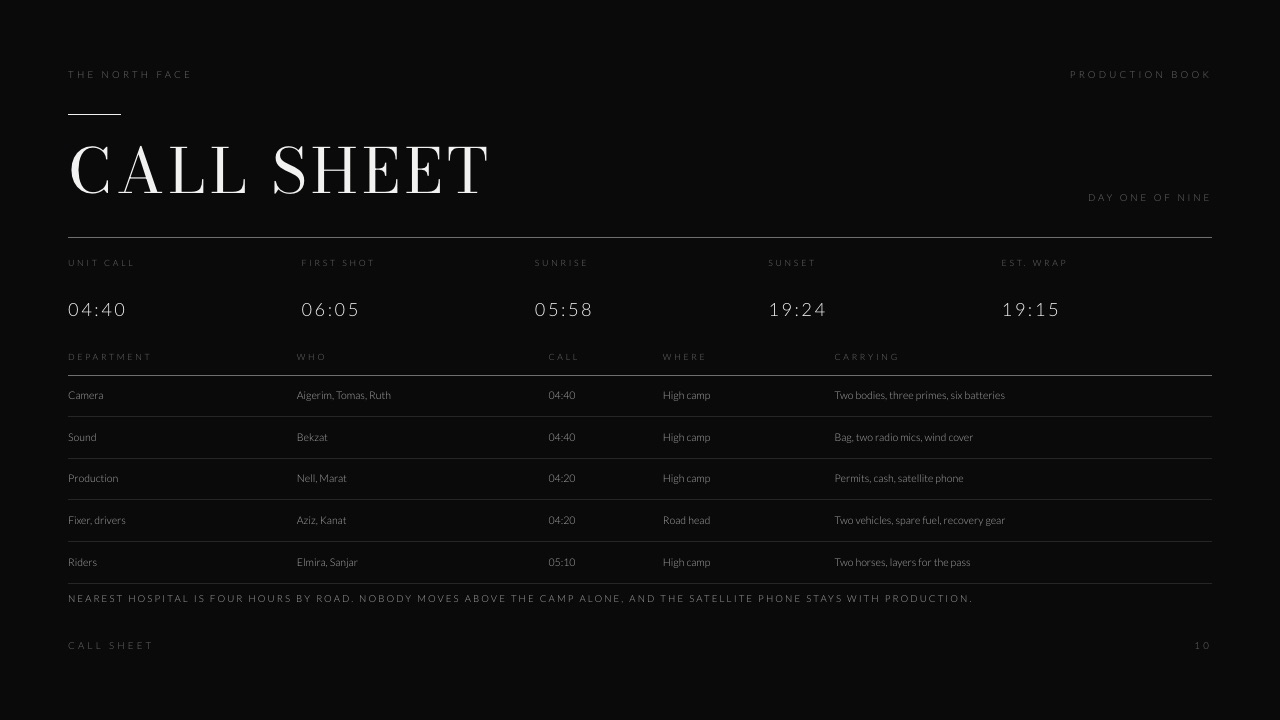
Send a call sheet the day before even for a four person crew, because its real function is not logistics, it is removing every question that would otherwise be asked of you while you are trying to light something.
One page covers it. Date, address and the nearest parking. Call time for each of the four people by name and role. Who is bringing what, all six product items included, and who is responsible for the box.
The running order in three blocks, not exact minutes. Wardrobe or styling notes. Lunch. And two phone numbers, yours and the client's contact.
Of those seven lines, the product line is the one that saves brand shoots specifically. On a skincare job the client is bringing physical stock, and "we thought you had the samples" at nine in the morning costs an hour of daylight. Name the person carrying the box.
The thing that goes wrongthe running order is written as a minute-by-minute timetable, which is wrong by ten o'clock and then ignored for the rest of the day.
Three blocks work better: morning is heroes on white, after lunch is in-situ and lifestyle, last light is the founder portrait. Everyone can see what is next without needing the schedule to be accurate to the minute.
The concrete examplethe skincare call sheet fit on half a page, named four people, and listed the six item product box against the brand's marketing coordinator. The shoot started eight minutes late, which is the same as on time.
In one lineA single page sent the evening before removes the questions that would otherwise arrive while you are setting a light, and of the eight steps here it is the one that costs the least to produce.
Step 5. Approve the look on set, not in the edit
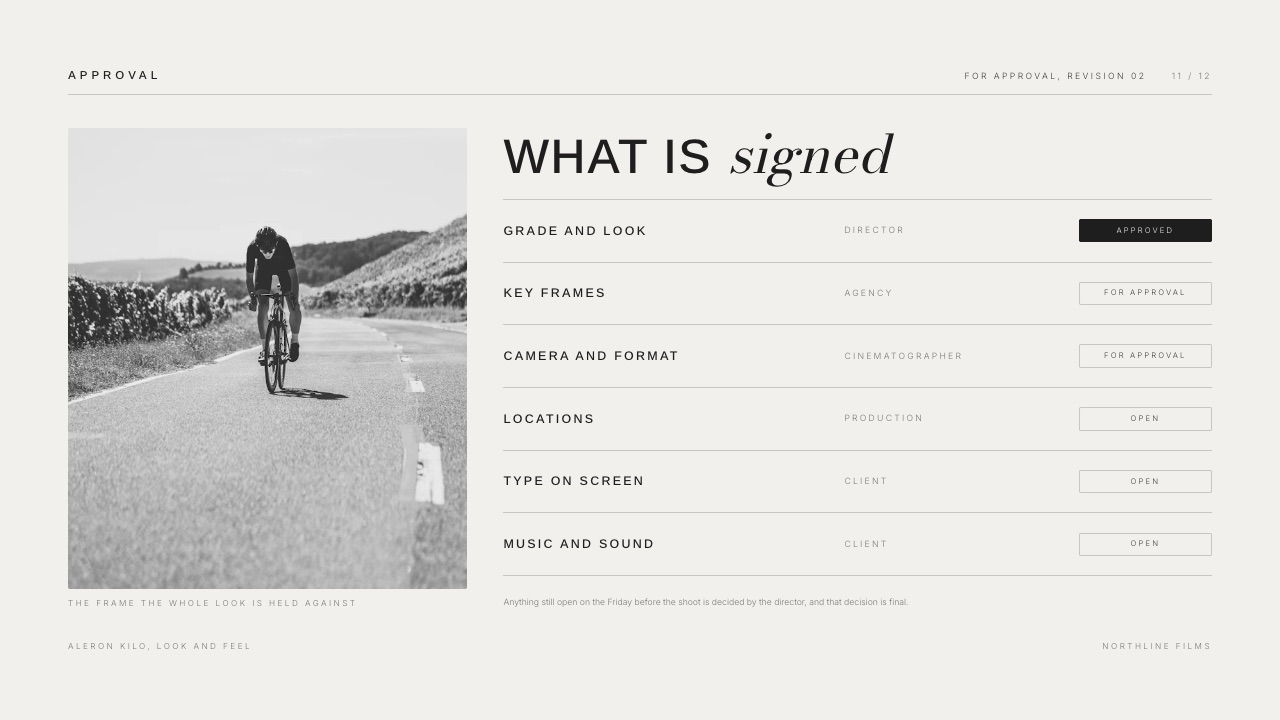
Get the client to sign off each setup while the lights are still up, because a look that is questioned three weeks later can only be fixed by a reshoot, and a look that is questioned while the product is still on the table can be fixed in four minutes.
Tethering to a laptop or an iPad is the mechanism, and two rules of discipline around it are what make it useful.
Show one frame per setup, not a scrolling stream of everything you shot, because a client watching a live feed will start art-directing exposure. Ask a closed question: is this the look for the hero, yes or no. Then move.
Keep a written record of the yes. Any one of three things does it: a note in the shared document, a photograph of the approved frame on the iPad, a line in the day's email at wrap.
It does not need to be formal, it needs to exist, because the whole value of on-set approval is in pointing at it three weeks later.
The thing that goes wrongthe client's most senior person is not on set, and the approval you collected was given by someone with no authority to give it.
Ask at the call-sheet stage who signs off looks, and if that person is not attending, agree that the on-set contact's approval stands. Get that in writing too.
The concrete exampleon the skincare day the marketing coordinator cleared 13 of the 14 setups on the tether, and the 14th, the in-situ bathroom shot, was rejected and relit inside ten minutes. In the edit that rejection would have been a second shoot day at $2,400.
In one lineClosed yes-or-no approval on one frame per setup, recorded in writing while the lights are still standing, converts the most expensive category of post-shoot problem into a ten minute adjustment on the day.
Step 6. Send a selects gallery before you finish anything
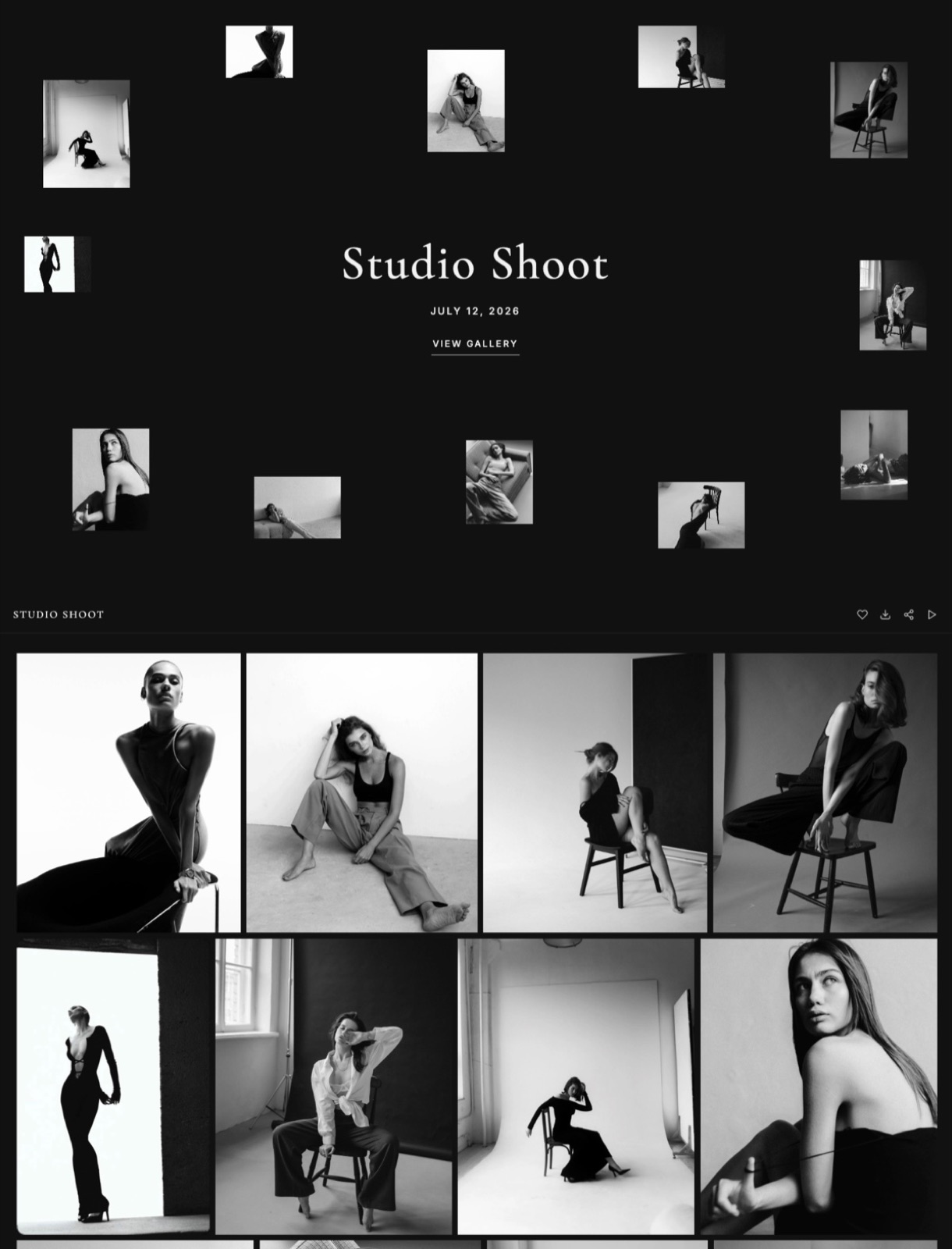
Deliver an unretouched selects gallery within two working days and let the client choose, because retouching 40 images and discovering they wanted a different 40 is the single most avoidable waste of time in a brand shoot.
Make the selects gallery restrictive on purpose, in five ways. Watermarked, low resolution, no downloads, favourites turned on, and a three day deadline for the choice.
The client is picking 40 frames, not collecting 180, and a selects gallery that allows full-resolution downloads becomes the delivery whether you intended it or not.

| Selects and delivery tool | Price read in September 2026 | Controls you get | What it does not do |
|---|---|---|---|
| Framekit Client Galleries | Free $0; Starter $9/mo; Pro $19/mo | Watermarking, password, separate download PIN, client favourites, client-exclusive sets, auto expiry, favourites-only ZIP, on every plan | No print lab or print store, no booking, no invoicing, no face recognition |
| Pixieset Basic | $8/month billed annually, or $10 monthly | Gallery controls plus a custom domain and full resolution download at this tier | 10 GB of photo storage and 30 minutes of HD video at Basic; the free tier charges 15% commission on store sales |
| Frame.io Pro | $15 per member per month | 2TB of storage and frame-accurate comments, with Camera to Cloud on every plan | Built for moving image review, not photo selection or print-ready delivery |
| A shared cloud folder | Bundled with a storage plan | Almost none | No favourites, no watermark, no expiry, and no record of what was chosen |
The thing that goes wrongthe client stars 90 images out of 300 because starring is free. Cap it in the instruction and not in the tool: say the licence covers 40 finished images, ask for exactly 40 favourites, and say what each extra one costs. The number in the contract does the work.
The concrete examplethe skincare selects gallery held 180 frames, watermarked, with downloads off and a three day deadline.
The client favourited 44 and paid $35 each for the 4 extra finished images, $140 on top of the fee, and retouching started on the right pictures. How to create a client gallery covers the setup, and client galleries for branding photographers compares the platforms properly.
In one lineA watermarked, download-locked selects gallery with favourites and a three day deadline moves the choosing decision to the client before you spend a week retouching 40 images, and it caps the deliverable at the number in the contract.
Step 7. Export to each destination's published specification
Export a set per destination instead of one master size, because a marketing team cannot use a file that a platform will resize, recompress or reject, and the published specifications for the five places your pictures are going cost $0 to read.
Here are the four specifications, each from the platform's own documentation.
Meta specifies Instagram images as JPEG at 8 MB maximum, a minimum width of 320 and a maximum width of 1440, inside an aspect ratio range of 4:5 to 1.91:1, in sRGB, noting that other colour spaces are converted.
Shopify allows product images up to 5000 by 5000 pixels or 25 megapixels with a file size under 20 MB, and names 2048 by 2048 as its best-displaying size for square product shots.
Meta's Reels specification is 300 MB maximum and 15 minutes maximum, with 9:16 recommended.
Google, for images on a website, supports JPEG, PNG, WebP, AVIF, GIF, BMP and SVG, and advises descriptive filenames, noting that "my-new-black-kitten.jpg is better than IMG00023.JPG".
| Destination | What to export | Why that number |
|---|---|---|
| Instagram feed | JPEG, sRGB, under 8 MB, 1440 px wide, cropped inside 4:5 to 1.91:1 | Meta's own published maximums and ratio range |
| Instagram Reels | Under 300 MB, under 15 minutes, 9:16 | Meta's stated file size and duration ceilings, with 9:16 recommended |
| Product page | 2048 x 2048 square, under 20 MB, well inside 25 megapixels | Shopify names 2048 square as its best-displaying size |
| Website and email | sRGB JPEG or WebP, descriptive filenames, alt text supplied | Google supports both formats and asks for short descriptive filenames |
| Archive master | Full resolution, uncompressed, your own naming convention | Nothing publishes a spec for this, which is why you set one |
The thing that goes wrongyou deliver one folder of 6000 pixel masters and consider the job done. The social team downsizes those 6000 pixel files badly, the e-commerce team crops them in a browser, and your work goes out looking worse than it left you.
Delivering the two extra crop sets yourself is not generosity, it is quality control on your own portfolio.
The concrete examplethe skincare delivery was four folders against 44 finished images, the 40 in the contract plus the 4 paid extras: masters, product page squares, 4:5 social crops and the vertical cut.
Building the 4:5 crops was fast because the framing had been planned for them at step 3, which is what makes the shot list and the export specification the same decision made twice.
In one lineExporting one set per destination, built from each platform's published maximums, is what makes the assets usable on the day they land instead of a month later after somebody else has resized them badly.
Step 8. Close with a wrap email that restates the licence
Finish with one email of six lines that restates the licence, names what was delivered and says how long the files stay online, because the brand shoot that comes back as a problem is always the one where the terms lived in a conversation and not in a document anybody can find.
Six lines. What was delivered and the count of each. Where it lives, and the password. The expiry date on that gallery. The licence, restated in the same five plain sentences from step 2. The final invoice with a due date.
And a request for permission to publish the work yourself, asked on day one of delivery because the client is as pleased as they will ever be.
If the job included motion, the 30 second cut has its own closing state.
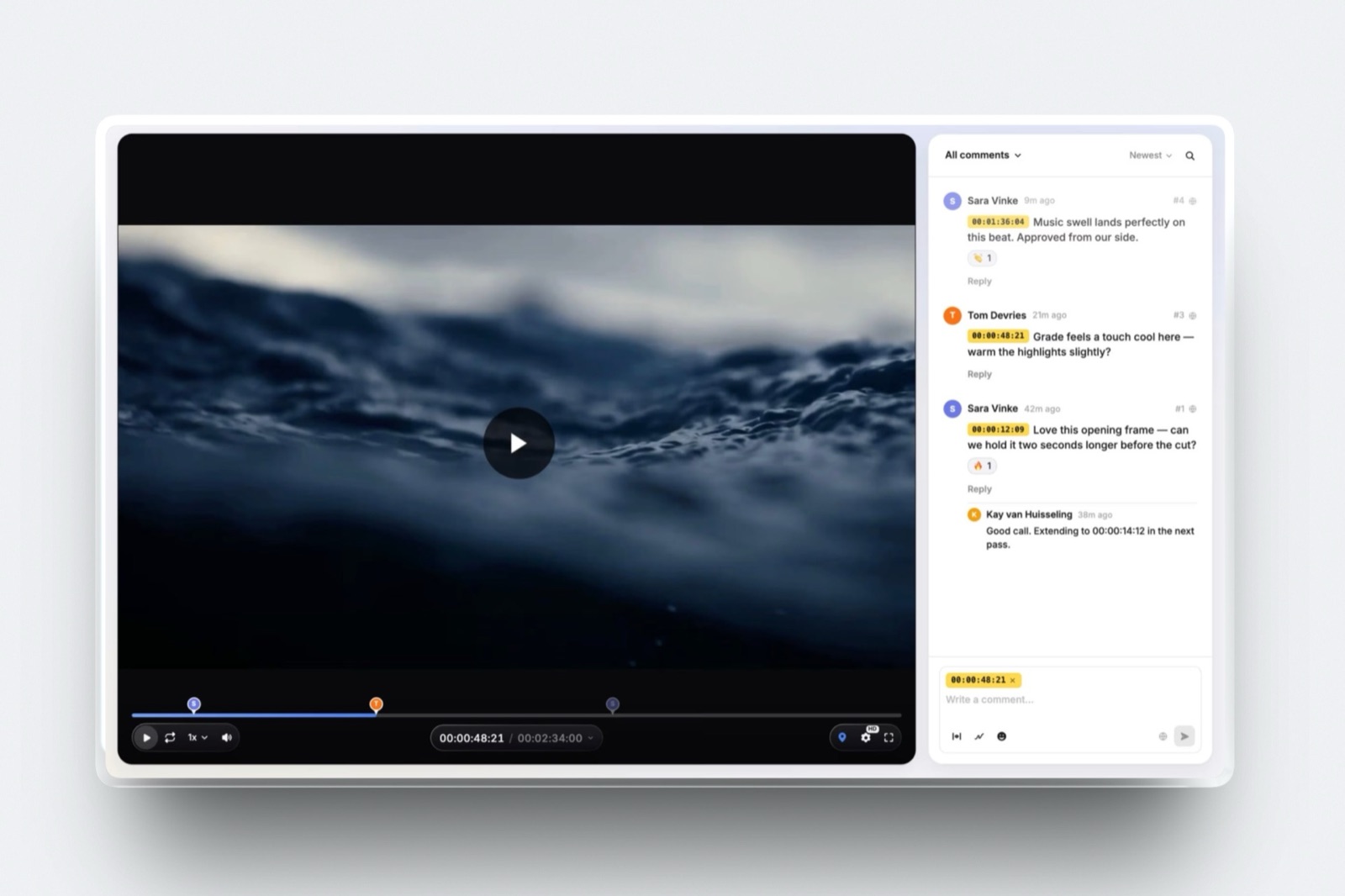
A review page that records an explicit approval is where that lives, and Framekit Video Review carries approval statuses with guests commenting without an account, up to a 2 hour maximum per video and a per-video upload cap of 500MB on Free rising to 3GB on Business.
If the edit involves Camera to Cloud or an editing-suite panel, that stage belongs in Frame.io instead, which lists Camera to Cloud on all three of its published plans and ships panels for Premiere, Final Cut Pro and Lightroom.
The thing that goes wrongthe expiry date is never stated, so the gallery sits in your 10GB of free storage indefinitely and the client assumes permanent hosting. Say 90 days, or 12 months, and say what a re-upload costs after that.
The concrete examplethe skincare wrap email listed 44 finished images in four folders and one vertical cut, a 90 day gallery window, the five licence sentences, a final invoice of $2,540 being the $2,400 balance of the $4,800 fee after a 50% deposit plus $140 for the 4 extra images, due in 14 days, and one sentence asking to publish.
The permission came back the same afternoon. How to deliver photos to corporate clients covers the handover in more detail.
In one lineA six line wrap email restating the delivery, the hosting window, the licence and the invoice closes the job in a place both sides can find later, and it is also the most reliable moment to get publishing permission.
Which parts of this to skip, and when
Work down these five questions in order and stop at the first yes, because the eight steps above are the full version and a small job that runs the full version is wasting time the client is not paying for.
Is the fee under $1,000 with a single destination? If yes, keep the licence sentences, the shot list and the delivery specification, and drop the call sheet and the selects gallery.
The licence is never one of the parts to cut, because it is the part that still has consequences 12 months after the money is spent.
Is there an agency between you and the brand? If yes, the shot list sign-off has to come from the agency and the licence has to name the end client explicitly, since the agency is not the party using the images, which makes it two signatures and not one.
Get both in writing and expect the approval chain to add five working days.
Is there motion as well as stills? If yes, the cut needs its own approval state instead of being mentioned inside the stills conversation, and if the edit depends on Camera to Cloud or an editing-suite panel, that stage belongs in Frame.io, where both appear on all three published plans.
Does the brand want to sell prints of the work? If yes, the delivery platform question changes entirely and Framekit is the wrong answer, because we sell digital files only and run no print lab.
Pixieset, ShootProof or Pic-Time handle the fulfilment, and Pixieset's Basic tier starts at $8 a month billed annually.
A one-day shoot for a brand's own channels, no agency, stills and one short cut? Then run all eight steps as written. That is exactly the shape they were built for, and the whole set of documents costs about two hours spread across three weeks.
Frequently Asked Questions
What is a brand shoot?
A brand shoot is a commissioned photography or video session that produces a defined set of assets for a company's own marketing channels, delivered under a written licence stating how long, where and in what media those assets may be used.
It differs from editorial or event work in that almost every frame has a named destination agreed in advance, with 14 of them on the job costed in this guide, and it differs from stock in that the client is buying specific usage and not an open licence.
The paperwork around it is part of the deliverable, and on the $4,800 job in this guide it is a $1,200 line.
Who owns the photographs from a brand shoot?
In the United States, outside two defined situations the photographer is the author and copyright owner, and the client receives whatever the licence grants.
The Copyright Office states that a work is made for hire in only two situations: when an employee creates it in the course of their regular duties, and when a specific type of work is created under an express written agreement with the commissioning party.
If a contract you are asked to sign transfers copyright or declares the work made for hire, that is a different and more expensive deal than the $1,200 licence in this guide, and it should be priced as one.
What does a usage licence actually cover?
A usage licence covers five things: the term, meaning how long; the territory, meaning where; the media, meaning which channels; exclusivity, meaning whether you may license the same images to anyone else; and editing rights, meaning whether the client may crop, retouch or composite.
"Social media" is not one media definition, it is two, because it does not distinguish between a brand's own feed and paid placement. Write each of the five as a plain sentence in the contract and repeat all five in the delivery email.
How long should a brand shoot licence run?
12 months from first publication is a common starting point for a brand's own channels and paid social, because it lines up with how marketing budgets are planned and it gives you a natural renewal conversation.
There is no authoritative standard, and anyone quoting you an industry-wide number is quoting a convention and not a rule, which is why this guide prices 12 months and shows the arithmetic.
What matters more than the length is that the end date exists, because a licence with no end date is a copyright transfer that you were not paid for.
What goes on a brand shoot shot list?
Two columns: the frame on the left and its destination on the right. A typical one-day product shoot runs to 12 to 16 setups covering heroes on white, product in use, texture detail, a range group, and any people or founder portraits.
Every row needs a destination, such as product page hero, Instagram 4:5 or email banner, and any row without one comes off the list. Get the finished list approved in writing at least one day before the call sheet goes out.
Do you need a call sheet for a one-day brand shoot?
Yes, and the reason is not logistics, it is question deflection: a one page sheet sent the evening before answers everything that would otherwise be asked of you while you are lighting a setup.
It needs seven lines: the address and parking, call times by name, who is bringing the product, a running order in blocks and not minutes, styling notes, lunch and two phone numbers.
On product shoots the one line naming who carries the stock is what saves the morning.
Should you show pictures to the client on set?
Yes, on your terms. Tether and show one frame per setup with a closed question, is this the look, yes or no, instead of letting the client watch a live stream and art-direct every exposure.
Record the yes in writing the same day, because an approval you cannot point at three weeks later is not an approval.
Also confirm before the day which one person has authority to approve a look, since an approval from someone without it is worth $0 when a director sees the edit.
How many images should you deliver from a one-day brand shoot?
Deliver the number in the contract, which for a one-day shoot is commonly somewhere between 30 and 60 finished images from twelve to sixteen setups, and price additional selects individually.
Fixing the count in writing is what stops a selects gallery turning into a request for 90 retouched frames, because starring images is free for the client and retouching them is not.
Say what each extra finished image costs, $35 on the job in this guide, in the same sentence as the included number.
What file specs does a marketing team need?
They need one set per destination, built from each platform's published limits, instead of one master size.
Meta specifies Instagram images as JPEG in sRGB at up to 8 MB and a maximum width of 1440, inside a 4:5 to 1.91:1 ratio range, and Reels at up to 300 MB and 15 minutes with 9:16 recommended.
Shopify allows product images up to 5000 by 5000 pixels or 25 megapixels under 20 MB and names 2048 square as the best-displaying size.
Supply descriptive filenames and alt text for anything going on a website, the two things Google's own image documentation asks for.
What should the brand shoot wrap email say?
Six things: what was delivered and the count of each, where it lives with the password, the date the gallery expires, the licence restated in the same plain sentences that were in the contract, the final invoice with a due date, and a request for permission to publish the work yourself.
Send it on the one day the client is happiest, which is the day they get the files. Almost every dispute about a finished brand shoot traces back to one of those six lines never being written down.
Final Verdict
Price usage separately from days, write the licence as five plain sentences, get the shot list signed before the call sheet, send a one page call sheet, approve looks on set with a closed question, deliver a watermarked selects gallery with a deadline, export to each destination's published specification, and close with a wrap email that restates the licence.
Eight steps, about two hours of documents, and a job that clears internal review instead of stalling in it.
Verdict: The licence, the signed shot list and the per-destination export are the three deliverables that decide whether a brand shoot gets used and whether you get rebooked, so build the workflow around those and not around the shoot day.
Where Framekit loses is everything contractual and everything printed, and step 2 of the eight above sits entirely outside it.
We do no licensing, no contracts, no e-signatures and no invoicing, which means the single most important document in this entire guide has to be produced somewhere else.
We run no print lab, so a brand that wants prints belongs with Pixieset, ShootProof or Pic-Time, from $8 a month billed annually.
Our deck links carry no password and report exactly one number, a total view count, so a competitive pitch against other photographers is better served by a deck tool with per-viewer tracking.
And if the motion half of the job depends on Camera to Cloud, an editing-suite panel or transcripts, Frame.io is the right tool for that stage from $15 per member per month, and we have none of those three features.
Related readinghow to price photography is the pricing half of step one, how to write a creative brief covers the document that should exist before the shot list, how many photos to deliver to clients settles the count question, how to brand your client gallery covers the delivery surface, and client galleries for wedding photographers is the same delivery problem in a different market.
Filmmakers running the same shape of job should read the complete client workflow for filmmakers, and the days after the shoot are covered in what to send a client after a photo shoot.