Framekit templates
Start from a designer-made template
 Use template
 Use template
 Use template
 Use template
 Use template
 Use template
 Use template
 Use template
Creatives conflate two very different products under the word "course." One is a structured video course - lessons, modules, a student who logs in, watches, and progresses toward completion - and it needs a real platform to host the video, sequence the lessons, and track students.
The other is a downloadable resource - a preset pack, an ebook, a template bundle - which is not a programme at all and belongs in a simple store on a site you own.
Pick the wrong tool for which one you actually have, and you either overpay for a heavy platform to sell a PDF, or try to run a real course through a checkout that cannot host a single video lesson.
This guide is about the first product: selling genuine online teaching, where students enroll and learn. We ranked the 9 best tools for it, and we are honest about our own place in the list, which is last.
Framekit sells downloadable digital products beautifully, but it is not a platform - it does not host video lessons, sequence modules, track student progress, or run a learner login, so for a real course it is the wrong tool and a dedicated platform wins.
We say that plainly and rank accordingly. Every platform's 2026 pricing was re-verified in July, and several changed this year.
An October 2026 edit replaced an earlier claim that we built the same course in every tool, and corrected Podia's trial to the 14 days its pricing page now lists.
Thinkific's plans were re-read on 12 October 2026 as well: Basic, Start and Grow, with no Expand tier, priced in euros to our read.
If students log in, watch lessons, and progress, you need a platform - not a checkout.
A tool to sell online teaching is a platform that hosts your video lessons, organizes them into modules, tracks student progress, and takes payment, so learners enroll, watch, and complete a structured course in one place rather than downloading loose files.
The best tool to sell online teaching in 2026 is Kajabi for creators who want an all-in-one platform with courses, email, and marketing funnels together, while Teachable and Thinkific are the best simpler, more affordable picks for a focused course.
For courses plus a community, Skool and Podia lead.
An honest note, since one of the tools below is our own: Framekit is not a platform - it sells downloadable products like presets and ebooks from a site you own, not video courses with lessons and students.
For a real course, choose a dedicated platform, and we rank ours last here for exactly that reason.
Framekit sells your downloadable products - presets, LUTs, ebooks, templates - from a store on your own site, and the free plan needs no credit card.
Full disclosure: Framekit, ranked #9 - last - below, is our own product, and we put it last deliberately. Selling online teaching means hosting video lessons, sequencing modules, tracking students, and running a learner login, and Framekit does none of those. It sells downloadable digital products, which is a different job. For a real course, a dedicated platform like Kajabi, Teachable, or Thinkific beats us outright, and we rank them first because that is the honest order. We re-verified every price in July 2026. If you are selling a programme, buy one of the eight tools above ours, not Framekit.
If you are already on Teachable and weighing a move, the arithmetic is worth checking first: the best Teachable alternatives finds that Teachable's own Starter plan, at 7.5% per sale, is more expensive at fifty students than almost every alternative to it.
How We Compared These Course Platforms
We held each tool's published features, help docs and pricing against the same course - video lessons, a couple of modules, a quiz, and a checkout - without building it anywhere, and scored each on what selling a programme actually requires:
Course features. Video hosting, modules and lessons, drip scheduling, quizzes, completion certificates, and student progress tracking.
Ease and student experience. How much work building a programme involves, as each vendor documents it, and what the learner's experience offers.
Fees. The monthly price plus any platform transaction fee on top of payment processing.
Beyond courses. Whether it also does email, community, or memberships, since many creators want more than lessons.
Who it fits. The creator and course size each platform serves best.
We follow one creator through the guide: a photographer who wants to teach a paid editing class and also sell preset packs. We re-verified every price in July 2026 and flag the platforms that changed plans this year.
What Comparing 9 Course Tools Showed
- A real course needs video hosting, lessons, and student tracking, which is why a checkout or download tool cannot do the job and a dedicated platform is required.
- The all-in-one leaders bundle email and marketing with courses - Kajabi at a premium, Podia more affordably - while the focused tools like Teachable and Thinkific do courses well for less.
- Fees changed in 2026: Kajabi raised all plans and dropped its entry tier, Teachable's cheapest plan carries a 7.5% cut, and Thinkific removed its long-standing free plan.
- Community-led course selling grew, with Skool and Mighty Networks pairing courses with a member community, though both keep a transaction fee.
- 0 of the 9 that sell only downloads belong at the top for courses - we rank our own such tool, Framekit, last, because a programme is not a download.
The 9 Best Tools to Sell Online Courses in 2026
How the ratings work: each tool is scored on course features, ease, fees, and extras like email and community. Kajabi leads on all-in-one breadth; the download-focused tool here, Framekit, ranks last because selling what you teach is not the job it does.
| Tool | Video Lessons + Students? | Best For | Our Rating |
|---|---|---|---|
| Kajabi | Yes, plus marketing | All-in-one teaching business | 9.1/10 |
| Teachable | Yes | A simple, focused course | 8.9/10 |
| Thinkific | Yes, course-focused | Course-first creators | 8.7/10 |
| Podia | Yes, plus downloads | Classes and downloads together | 8.5/10 |
| Skool | Yes, community-led | Courses with a community | 8.3/10 |
| LearnWorlds | Yes, interactive | Interactive, certified courses | 8.2/10 |
| Mighty Networks | Yes, community-first | A membership community | 7.9/10 |
| Gumroad | Basic lessons only | The simplest lightweight course | 7.6/10 |
| Framekit | No - downloads only | Selling presets and ebooks | 7.3/10 |
Pricing re-verified July 2026. Watch transaction fees on entry tiers and note Kajabi, Teachable, and Thinkific all changed plans this year. Confirm current pricing before buying.
1. Kajabi: Best All-in-One Course Business
Our rating: 9.1/10
Kajabi is the most complete platform for building a programme business, bundling course hosting with email marketing, sales funnels, landing pages, and a full website in one place.
A serious creator can run the whole operation - from first lead to final sale to the lesson a student watches - without stitching separate tools together, and the polish shows in both the builder you work in and the experience the student gets.
For a creator who wants marketing and courses unified under one login, it is the category leader, and nothing else here matches its breadth.
That completeness comes at a premium, and the premium rose in 2026. After its first major pricing change in nearly a decade, the entry-level Kickstarter plan was discontinued, so the cheap way in is gone and this is a paid decision from the start.
Best forA creator building a whole course-and-marketing business - courses, email, and funnels - inside one platform.
Key features:
- Course hosting with modules, lessons, quizzes, and student progress tracking
- Built-in email marketing and automation
- Sales funnels and a landing page builder
- A website and blog alongside the programmes
- Communities and coaching products in the same account
The real numberthe suite replaces an email tool, a funnel builder, and a class host at once, so a creator who uses all of it can see the bundled price undercut the separate stack - but a creator who only needs to host lessons pays for a lot they never open.
PricingBasic $179 a month, Growth $249, and Pro just under $500, billed monthly, with the old Kickstarter entry tier discontinued (Kajabi pricing).
Pros:
- Everything in one platform, with no tools to connect
- Polished curriculum builder and student experience
- Deep marketing, email, and funnel tools around the programme
Cons:
- The most expensive option here by a wide margin
- You pay for marketing features a class-only creator will not use
- No cheap entry tier now that Kickstarter is gone
Skip it ifyou want a focused, affordable course tool; Teachable or Thinkific delivers the programme for far less.
Verdict: Kajabi is the best all-in-one for a creator building a whole course-and-marketing business in one platform. Visit Kajabi
2. Teachable: Best for a Simple, Focused Course
Our rating: 8.9/10
Teachable is the popular, approachable way to launch a class. The builder is clean, the student experience is good, and the path from idea to published lessons is short, which is why so many first courses ship on it.
It does not try to be a whole marketing suite - it focuses on building and selling a class well, and for a creator who wants exactly that, the focus is the appeal rather than a limitation.
The catch is the fee on the cheapest plan. Teachable restructured its plans in 2026 into Starter, Builder, Growth, and custom tiers, and the entry Starter plan carries a platform transaction fee that the higher plans remove entirely, on top of standard payment processing.
Best forA creator who wants to launch one focused course quickly, without paying for marketing tools they do not need.
Key features:
- A clean curriculum builder with modules and lessons
- A polished student and checkout experience
- Coaching products offered alongside courses
- Graded quizzes and completion certificates on higher tiers
- A fast path from draft to a published, paid course
The real numberStarter's 7.5% platform fee is the number to watch - on real volume it quietly outweighs the price gap up to Builder, so a creator selling steadily is usually better off on the fee-free plan than the cheaper one.
PricingStarter $39 a month with a 7.5% transaction fee, Builder $89 and Growth $189 with that fee dropped to zero, all on top of payment processing (Teachable pricing).
Pros:
- Quick, approachable course setup
- Fee-free selling on Builder and above
- A polished experience for students
Cons:
- The cheapest plan's 7.5% cut adds up fast
- No bundled email or marketing suite
- No free plan any more
Skip it ifyou want a bundled email and marketing suite around the programme; Kajabi or Podia includes more.
Verdict: Teachable is the best pick for a creator who wants to launch a focused course quickly, watching the entry-tier fee. Visit Teachable
3. Thinkific: Best for Course-First Creators
Our rating: 8.7/10
Thinkific is a class-first platform built around a strong curriculum builder and a generous approach to fees.
It charges 0% platform transaction fees on every plan in its primary markets, so you keep more of each sale than on tools that skim the entry tier, and across a year of steady enrollments that difference is real money.
If your priority is building good courses rather than running marketing funnels, Thinkific keeps the focus where you want it.
One change stings: Thinkific removed its long-standing free plan in 2026, replacing it with a 30-day trial, so the free on-ramp creators once relied on is gone and this is now a paid-only decision.
Best forA programme-first creator who wants strong building tools and zero platform fees, and does not need a bundled marketing suite.
Key features:
- A strong, flexible curriculum builder with modules and lessons
- 0% platform transaction fees on every plan in primary markets
- Quizzes, assignments, and completion certificates
- Student progress tracking and drip scheduling
- A programme-focused interface without marketing clutter
The real numbera 0% platform fee means a $200 course sale loses only payment processing, not a platform cut on top, so over a year of enrollments that gap becomes the deciding difference between plans, not a rounding error.
Pricingthe pricing page served us euros on 12 October 2026: Basic at 39 euro a month billed annually or 53 monthly, Start at 79 or 107, and Grow at 159 or 213, with a custom Plus tier above them; there is no free plan, only a 30-day free trial.
Pros:
- 0% platform transaction fees on every plan
- A strong, course-first builder
- A clean, distraction-free student experience
Cons:
- The free plan is gone, so it is paid-only now
- The entry price is higher than Teachable's Starter
- Lighter on marketing than an all-in-one like Kajabi
Skip it ifyou want an all-in-one marketing suite rather than a class-first tool; Kajabi bundles more around the lessons.
Verdict: Thinkific is the best course-first platform for creators who want strong course tools and zero transaction fees. Visit Thinkific

4. Podia: Best for Classes and Downloads Together
Our rating: 8.5/10
Podia is the most versatile pick for a creator who sells more than just courses.
It handles courses, digital downloads, webinars, email marketing, and a community in one clean platform, which fits the exact creator in our example - one who teaches an editing class and also sells preset packs - because both products live under one login instead of across two tools.
Nothing here is the deepest at any single job, but the range in one affordable place is the point.
For a creator whose catalog is mixed, that breadth saves both money and the hassle of connecting a class tool to a separate store, which is why Podia suits sellers as much as teachers.
Best forA creator selling both classes and downloadable products who wants one affordable platform for the whole catalog.
Key features:
- Courses with modules, lessons, and drip scheduling
- Digital downloads sold alongside the programmes
- Built-in email marketing
- A community space for members
- Webinars hosted in the same platform
The real numberthe Mover plan's 5% transaction fee eats into margin on every sale, so a creator selling steadily upgrades to Shaker to zero the Podia fee out and keep everything but payment processing.
PricingMover $42 a month with a 5% transaction fee, Shaker $84 with the Podia fee removed, and Earthquaker $150, leaving only payment processing.
Podia removed its free plan in October 2024 and now offers a 14-day trial instead (Podia pricing).
Pros:
- Courses, downloads, email, and community in one tool
- An affordable entry point for a mixed catalog
- Shaker removes the platform fee entirely
Cons:
- The Mover plan's 5% fee cuts margin
- Not the deepest course-specific tooling here
- Less marketing depth than Kajabi
Skip it ifyou need the deepest course-specific features like advanced quizzes, assessments, and certificates; LearnWorlds specializes there.
Verdict: Podia is the best tool for a creator selling both classes and downloadable products from one affordable platform. Visit Podia
5. Skool: Best for Courses With a Community
Our rating: 8.3/10
Skool pairs a class with a member community in one place, and that pairing made it one of the fastest-growing platforms of the last two years.
The logic is simple: engaged communities finish what they start and stay subscribed, so wrapping a course in a discussion feed and a leaderboard lifts completion and retention in a way a lonely lesson library never does.
It is refreshingly minimal, which is both its charm and its ceiling.
For a creator whose course lives or dies on engagement rather than production polish, the community-first model fits better than a heavier platform would.
Best forA creator building a course around an engaged community, who values participation over deep course features.
Key features:
- A member community feed built around the programme
- Simple course hosting with modules and lessons
- Points and leaderboards that drive engagement
- One unified space for lessons and discussion
- A deliberately simple, fast setup
The real numberthe Hobby plan's 10% plus 30-cent transaction fee is steep, so any real sales volume pushes you to the $99 Pro plan quickly, where the fee drops to 2.9% and the math turns in your favor.
PricingHobby $9 a month with a 10% plus 30-cent transaction fee, and Pro $99 with the fee dropped to 2.9% (Skool pricing).
Pros:
- Class and community in one engaged space
- Very simple to run
- Community drives completion and retention
Cons:
- The Hobby plan's 10% fee is steep at volume
- No advanced course features or marketing funnels
- Minimal by design, so power users outgrow it
Skip it ifyou want advanced course features or marketing funnels; Skool is minimal on purpose.
Verdict: Skool is the best platform for a creator building a course around an engaged community. Visit Skool
6. LearnWorlds: Best for Interactive, Certified Courses
Our rating: 8.2/10
LearnWorlds specializes in serious, interactive course delivery.
Interactive video, quizzes, assessments, SCORM support, and completion certificates make it the pick for educators and businesses that need real learning outcomes, not just video playback.
Where most tools here treat a course as content behind a paywall, LearnWorlds treats it as instruction to be measured, which is exactly what accredited or assessment-heavy programs require.
That depth is overkill for a simple how-to course, but for training that has to prove someone actually learned something, its feature set leads this list.
Best forAn educator or business selling interactive, assessment-heavy courses that need certificates and measurable outcomes.
Key features:
- Interactive video with in-video questions
- Quizzes, assignments, and graded assessments
- SCORM support for formal training content
- Completion certificates for accredited programs
- A course player built around active learning
The real numberthe Starter plan's $5 fee per course enrollment punishes exactly the success you want, since every new student costs you $5 on top, so a growing course needs Pro Trainer, where the enrollment fee disappears.
PricingStarter $29 a month plus $5 per course enrollment, Pro Trainer $99 with the enrollment fee removed, and Learning Center higher for larger operations (LearnWorlds pricing).
Pros:
- The deepest interactive and assessment features here
- SCORM and certificates for formal, accredited training
- A learning experience built for real outcomes
Cons:
- The Starter plan's $5-per-enrollment fee punishes growth
- Overkill for a simple, single course
- More complex to set up than a minimal tool
Skip it ifyou want a simple course or a marketing suite; this is a specialist learning tool, not a general one.
Verdict: LearnWorlds is the best platform for interactive, certificate-driven courses with real assessments. Visit LearnWorlds
7. Mighty Networks: Best for a Membership Community
Our rating: 7.9/10
Mighty Networks is community-first.
It builds courses into a broader membership network of members, events, and content, which suits a creator whose real product is an ongoing community with courses living inside it, rather than a standalone course with a comment section bolted on.
If the subscription people renew is access to the network and to each other, and the courses are one benefit among several, this is the tool shaped for that.
It is capable and well-built, but it is priced for a membership business, not a first course, and it makes one choice worth flagging up front.
Best forA creator whose core product is a membership community, with courses as one part of the offering.
Key features:
- A membership network with members, spaces, and events
- Courses built into the community
- Live events and content feeds in one place
- Member profiles and discussion around the courses
- Tools aimed at ongoing membership rather than one-off sales
The real numberMighty Networks never removes its transaction fee entirely - Launch keeps 2% and Scale still takes 1% - so unlike most platforms here, there is no plan where the platform cut reaches zero, and that fee rides along on every sale for good.
PricingLaunch is $95 a month billed monthly or $79 a month on annual billing, and Scale is $215 monthly or $179 annually, with the page offering two months free for paying yearly (Mighty Networks pricing).
Launch keeps a 2% transaction fee and Scale halves it to 1%.
Pros:
- A genuine membership network, not just a course
- Events, content, and community in one platform
- A strong fit when community is the real product
Cons:
- A transaction fee on every plan, never reaching zero
- A pricier entry than a course-first tool
- Too much platform for a standalone course
Skip it ifyour product is a standalone course rather than a community; a course-first tool costs less and fits better.
Verdict: Mighty Networks is the best pick when the community is the product and courses live inside it. Visit Mighty Networks
8. Gumroad: The Simplest Lightweight Course
Our rating: 7.6/10
Gumroad can sell a lightweight course - a bundle of videos and files behind a single purchase - with almost no setup and no monthly fee.
It is the fastest way to find out whether people will pay for your teaching before you commit to a real platform: you upload the videos, set a price, and share a link the same afternoon.
What it is not is a true teaching platform, and it is refreshingly honest about that.
There is no real lesson structure, no student progress tracking, and no learner login, so a buyer receives files rather than a guided course. For a small, simple video product that is fine; for a growing course it is a ceiling you will hit.
Best forA creator testing a small, simple video product fast and cheap, before committing to a dedicated platform.
Key features:
- Sells a video-and-files bundle behind one purchase
- No monthly fee, so no subscription to justify
- Same-day setup with a shareable link
- A simple checkout that handles the sale
- Pay-as-you-sell pricing with a per-transaction cut
The real numberGumroad charges 10% plus 50 cents per transaction with no monthly fee, and card processing of 2.9% plus 30 cents on top, so on a $30 course you keep about $25.33 - cheap to start, but the percentage only drops (to 5% plus 50 cents) after $20,000 of sales in a calendar month, rather than the way a platform's fee does once you upgrade.
Pricingno monthly fee; a flat 10% plus 50 cents per sale.
Pros:
- No monthly fee and no subscription risk
- The fastest way to test demand for a course
- Almost nothing to set up
Cons:
- No lesson structure, progress tracking, or student login
- The 10% per-sale cut never falls with volume
- Not a real platform as the course grows
Skip it ifyou are building a structured course with lessons and students; graduate to Teachable or Thinkific once demand is proven.
Verdict: Gumroad is the simplest way to sell a lightweight class and validate demand before moving to a real platform. Visit Gumroad
9. Framekit: For Selling Downloads, Not Courses

Our rating: 7.3/10
Here is the honest one. Framekit is an AI website builder with a digital-product store, and it is on this list to be clear about what it is not: it is not a teaching platform.
It does not host video lessons, sequence modules, track student progress, run quizzes or certificates, or provide a learner login.
If you are selling a real course where students enroll and learn, Framekit is the wrong tool, and one of the eight platforms above is the right one. We rank ourselves last here for exactly that reason.
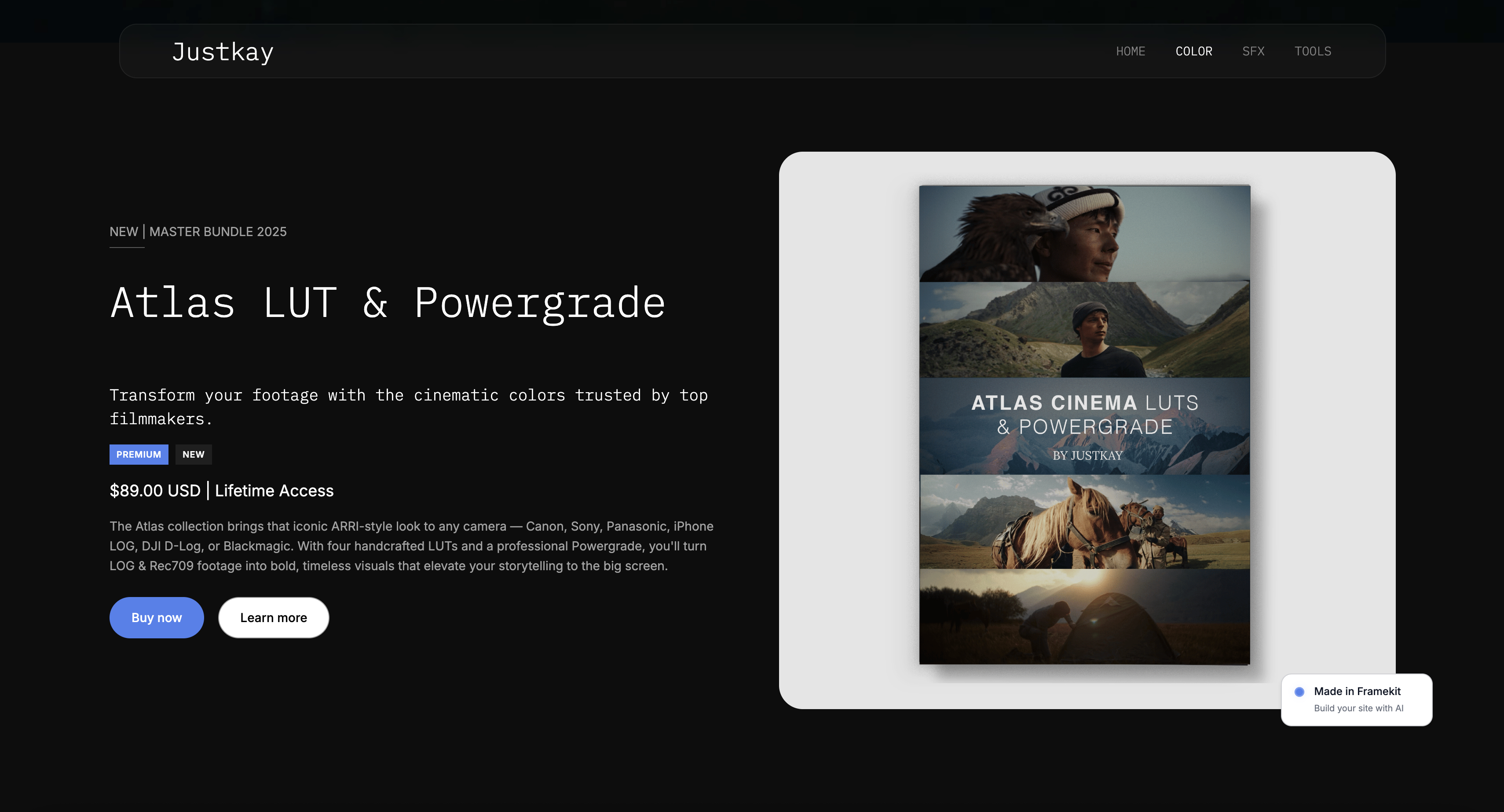
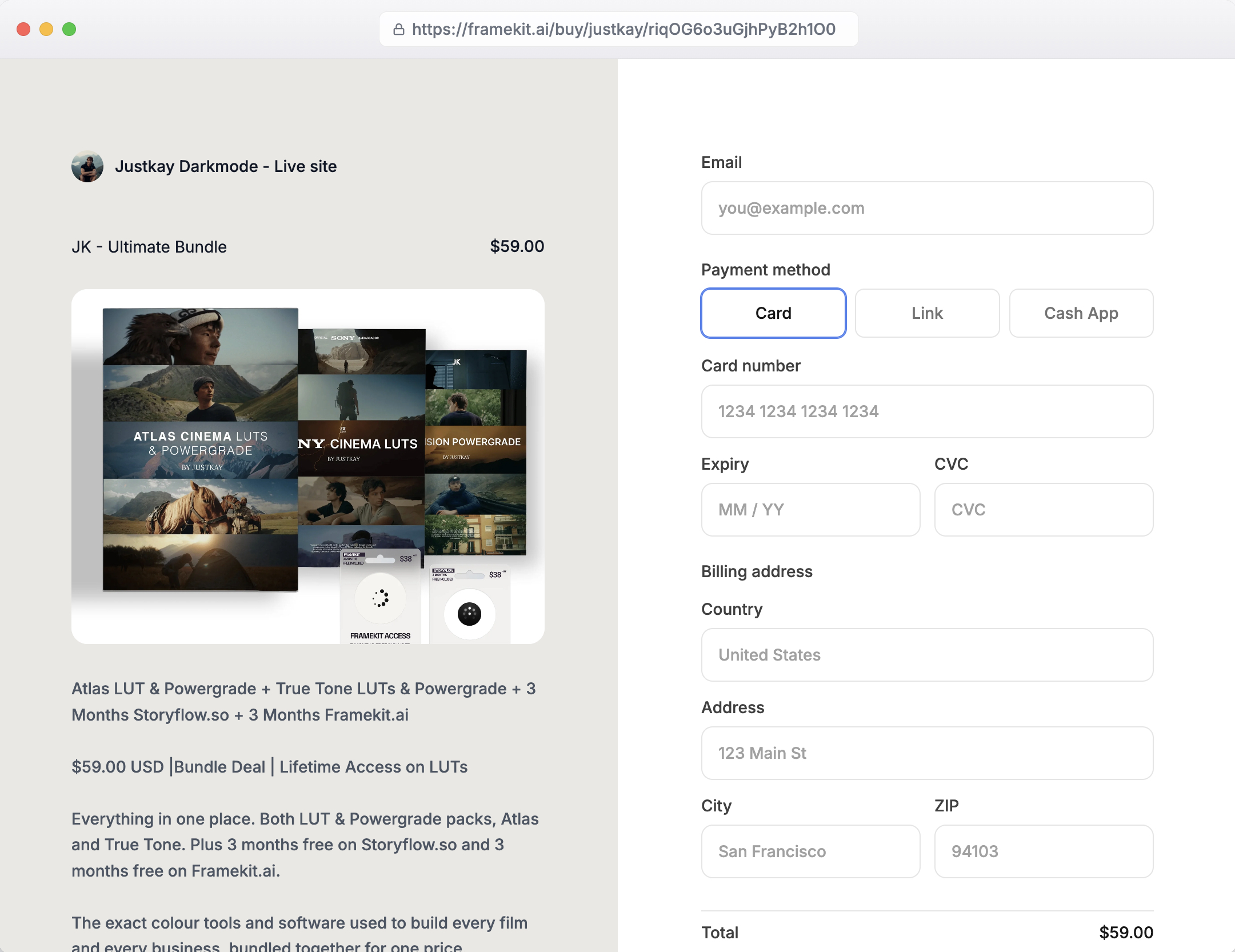
What Framekit does do is sell downloadable digital products - presets, LUTs, ebooks, templates - from a store on a site you own (on your own domain from Starter), keeping most of each sale.
For the creator in our example, that is the other half of the plan: teach the editing course on Teachable or Podia, and sell the preset packs from your own Framekit site, where you keep the margin and own the customer.
A download is not a course, and a course is not a download.
Best forA creator selling downloadable products - presets, ebooks, templates - from a site they own, alongside a course hosted elsewhere.
Key features:
- A digital-product store on your own site, with a custom domain from Starter
- Sells presets, LUTs, ebooks, and templates as downloads
- An AI-built website and portfolio around the store
- You keep most of each sale and own the customer list
- A free plan that needs no credit card
The real numberon product sales Framekit's fee runs from 5% on the free plan down to 0% on Business, so a creator keeps more of each download sale than a marketplace leaves them - but this is the money side of downloads, not course enrollments, which Framekit does not sell at all.
Pricing (product-sale fee in parentheses)Free $0 (5%), Starter $9 (5%), Pro $19 (3%), Business $39 (0%).
Pros:
- Sells downloads from a store you own, keeping the margin
- An AI-built site and portfolio around the products
- A genuinely free plan to start
Cons:
- Not a teaching platform - no lessons, students, or progress
- The wrong tool for anyone selling a structured course
- Best paired with a real platform if you also teach
Skip it ifyou are selling a real course with lessons and students - Framekit is not a platform, so choose one of the eight tools above, and run Framekit alongside it only if you also sell downloads.
Verdict: Framekit is not a teaching platform and ranks last here by design; it sells your downloadable products from a site you own, best used alongside a real course tool. See how in our best ways to sell photos online guide, or start free at framekit.ai.
Course Versus Download: The Distinction That Picks Your Tool
In one linea structured video course where students enroll and progress needs a platform, while a downloadable resource like a preset pack or ebook needs only a simple store - and confusing the two is why creators either overpay for a heavy platform or try to run a course through a checkout that cannot host a lesson.
The most expensive mistake in this category is a category error: treating a download as a course, or a course as a download.
If your product is a set of video lessons a student works through - watching, progressing, maybe completing a quiz and earning a certificate - that is a course, and it genuinely needs a platform that hosts video, sequences lessons, and tracks students.
None of that is optional; a checkout link cannot deliver it.
If your product is a file a buyer downloads once - a preset pack, an ebook, a template - that is not a course, and paying $99 to nearly $500 a month for a platform to deliver a PDF is pure waste.
Get the distinction right and the tool almost picks itself. Real course, with students and lessons: a platform from this list. Downloadable resource, bought and downloaded: a simple store on a site you own, at a fraction of the cost.
Many creators sell both - a flagship class and a library of downloads - and the clean setup is a platform for the class and an owned store for the downloads, each doing the job it is built for.
Our best ways to sell photos online guide covers the downloadable-product side in depth.
What Selling a Course Actually Requires
In one lineselling a real course requires video hosting, lesson sequencing, student progress tracking, and a learner login at minimum, plus often quizzes, drip scheduling, and certificates - a specific feature set that separates a true platform from a general store, and the reason a dedicated tool is not optional.
It is worth naming what a platform actually does, because it explains why a general selling tool cannot substitute.
At minimum, selling a course requires hosting the video lessons reliably, organizing them into a sequence of modules and lessons, giving each student a login to track where they are, and taking payment for enrollment.
Beyond that minimum, most serious courses want drip scheduling to release lessons over time, quizzes to check understanding, progress tracking to reduce drop-off, and often completion certificates.
That is a specific, substantial feature set.
A store that sells downloads has none of it, and building it yourself is not realistic, which is why a dedicated platform is the right call for a real course even though it costs more than a simple store.
The platforms in this guide differ in how much they add around that core - Kajabi piles on marketing, Skool adds community, LearnWorlds deepens the learning features - but all of them deliver the course fundamentals a download tool cannot.
When you are choosing, start from the course features you genuinely need, then decide how much surrounding email, community, or marketing is worth paying for.
Our best photography business tools guide places course-selling within the wider creative stack.
How to Choose a Tool to Sell Online Courses: A Decision Tree
Confirm you are selling a real course first, then match the platform to what surrounds it.
Is your product a structured course with video lessons and students, or a downloadable file?
- A downloadable file - preset pack, ebook, template. You do not need a platform; sell it from an owned store like Framekit for a fraction of the cost.
- A real course with lessons and students. Continue below.
What do you want around the course?
- A full marketing and email business in one platform: Kajabi.
- Just a great, focused course for less: Teachable or Thinkific.
- Courses plus downloads in one affordable tool: Podia.
Is community or certification central?
- An engaged community around the course: Skool, or Mighty Networks for a membership-first network.
- Interactive lessons, assessments, and certificates: LearnWorlds.
- Just testing a tiny course fast and cheap: Gumroad, then graduate to a real platform.
Frequently Asked Questions
What is the best tool to sell online teaching in 2026?
Kajabi is the best all-in-one platform, combining courses with email marketing and funnels, ideal for a creator building a whole teaching business, though it is premium-priced at $179 to nearly $500 a month.
For a simpler, cheaper focused course, Teachable and Thinkific lead, and for courses plus a community, Skool and Podia are strong.
The best choice depends on whether you want an all-in-one marketing suite, a focused course tool, or a community-led model, but Kajabi is the most complete for a serious teaching business willing to pay for it.
What is the cheapest way to sell an online course?
Skool's Hobby plan at $9 a month is the lowest monthly price, though its 10% transaction fee makes it costly at volume, and Gumroad has no monthly fee but takes 10% plus 50 cents per sale for a lightweight course.
Among full platforms, Teachable's Starter at $39 a month and Podia's Mover at $42 are affordable entry points, but both carry transaction fees you escape by upgrading.
The genuinely cheapest option depends on your sales volume: low volume favors a per-sale fee, while steady volume favors a higher monthly plan with 0% fees.
Kajabi vs Teachable vs Thinkific - which should I choose?
Choose Kajabi if you want an all-in-one platform with courses, email, and marketing funnels together and will pay a premium for it.
Choose Teachable if you want a simple, popular curriculum builder at a lower price, watching the 7.5% fee on its cheapest plan.
Choose Thinkific if you want a strong course-first tool with 0% transaction fees on every plan, accepting it no longer has a free tier.
All three build and sell what you teach well; the decision comes down to whether you prioritize all-in-one marketing, low cost and ease, or course-focused features with no platform fees.
Do platforms charge transaction fees?
Some do, especially on entry plans. Teachable's Starter charges 7.5%, Podia's Mover charges 5%, Skool's Hobby charges 10%, and LearnWorlds' Starter adds $5 per enrollment - all of which disappear or shrink on higher-tier plans.
Thinkific charges 0% on every plan in primary markets, and most platforms drop their fee to zero above the entry tier, though Mighty Networks keeps a fee on all plans.
On top of any platform fee, you always pay standard payment processing of roughly 2.9% plus 30 cents. Read the transaction fee, not just the monthly price, when comparing.
Is there a free platform in 2026?
Free platforms became rarer in 2026. Thinkific removed its long-standing free plan and now offers a 30-day trial, and Teachable has no free plan either.
The closest to free are Gumroad, which has no monthly fee but takes 10% plus 50 cents per sale, and Skool's low $9 Hobby plan.
Most serious platforms are now paid-only with trials, so a creator wanting to start free typically uses a per-sale tool like Gumroad to test demand, then moves to a paid platform once the course proves itself.
Can I sell a course from my own website?
Yes, in two ways. Most platforms let you embed a course or connect a custom domain, so the course lives under your brand while the platform hosts the video and student system behind it.
Alternatively, if your "course" is really a downloadable resource, you can sell it directly from your own site with a store tool.
What you cannot do well is host a real, structured video course purely from a basic website store - the lesson hosting, student login, and progress tracking need a platform, which you point your domain at rather than replace.
Is Framekit a platform?
No, Framekit is not a platform.
Framekit is an AI website builder with a digital-product store, so it sells downloadable products like presets, LUTs, ebooks, and templates from a site you own, but it does not host video lessons, sequence modules, track student progress, or run a learner login.
For a real course where students enroll and learn, you need a dedicated platform like Kajabi, Teachable, or Thinkific.
Framekit's role for a teacher is selling the downloadable products alongside the course, not hosting the course itself, so the two work together.
What is the best platform for courses plus a community?
Skool and Mighty Networks lead for combining courses with a community. Skool pairs a simple course with an engaged member community and grew quickly because community drives completion, at $9 or $99 a month.
Mighty Networks is community-first, building courses into a broader membership network, from $79 a month on annual billing or $95 monthly. Podia also includes a community alongside classes and downloads at a lower entry price.
Choose Skool for simplicity, Mighty Networks for a membership-centered network, or Podia if you also sell downloads - all three treat community as central rather than an afterthought.
Is Kajabi worth $179 a month?
Kajabi is worth it for a creator who uses its full suite - courses, email marketing, funnels, landing pages, and a website - as one integrated business, since replacing all of those with separate tools could cost more and take more effort to connect.
It is not worth it for someone who only needs to host a course, who would pay for a lot of unused marketing features; Teachable or Thinkific delivers the course for far less.
Judge it by whether you will use the marketing and email tools, not just the course hosting, because that is what the premium buys.
What is the best platform to sell both classes and digital downloads?
Podia is the best single platform for selling both, handling courses, digital downloads, email, and community in one tool from $42 a month.
Alternatively, many creators use a dedicated platform for the class and a separate owned store like Framekit for the downloads, which keeps the download margin higher and the customer yours.
The one-tool approach with Podia is simpler; the two-tool approach optimizes each job. Choose based on whether you value one login or the best margin and ownership on the download side.
Podia vs Teachable - which is better?
Teachable is the more focused, popular curriculum builder with a polished student experience, best if courses are your main product.
Podia is more versatile, adding downloads, email, and community alongside courses, best if you sell more than just courses.
On price, Teachable starts at $39 a month and Podia at $42, both with a transaction fee on the entry tier that upgrading removes.
Choose Teachable for a course-centered business and Podia for a mixed one selling what you teach and downloads together. Both are capable and affordable; the difference is focus versus versatility.
What do I need to sell an online course?
At minimum, you need video hosting for your lessons, a way to organize them into modules, a student login and payment system, and progress tracking so learners know where they are.
Most courses also benefit from drip scheduling, quizzes, and completion certificates. This feature set is why a dedicated platform is necessary - a general store or checkout cannot deliver lessons, log students in, or track progress.
Start by listing the course features you genuinely need, then choose the platform that provides them without paying for surrounding marketing tools you will not use.
Can I sell what you teach on Gumroad?
You can sell a lightweight course on Gumroad - a bundle of videos and files behind one purchase - with no monthly fee and a 10% plus 50-cent charge per sale, which makes it a fast, cheap way to test whether people will pay for your teaching.
But it lacks real course structure, student progress tracking, and a learner login, so it is not a substitute for a true platform as your programme grows.
Use it to validate demand quickly, then move to a dedicated platform like Teachable or Thinkific once the course proves worth building properly.
Final Verdict: The Best Tool to Sell Online Courses
Selling a real online course - lessons, students, progress - needs a dedicated platform, and the right one depends on what you want around the course: marketing, community, or just clean course tools.
Kajabi is the best all-in-one for a creator building a whole course-and-marketing business, while Teachable and Thinkific are the best focused, affordable picks, Podia the best for courses plus downloads, and Skool the best for a community-led course.
Each wins a different creator, and all of them do the course fundamentals a download tool cannot.
Where Framekit loses on this job: anyone selling a real course, because Framekit is not a platform - it sells downloadable products like presets and ebooks from a site you own, and we ranked it last here for exactly that reason.
If you are teaching a course, buy a dedicated platform; if you are also selling downloads, sell those from your own site alongside it.
Confirm whether you have a course or a download first, then pick the platform that fits - and let each product live in the tool built for it.
For more, read our best ways to sell photos online guide, our best photography business tools overview, and the best Gumroad alternatives comparison.
_Course-platform pricing checked against each provider's plans in July 2026; platforms changed plans often this year, so confirm current rates and fees before buying._
If you are leaving Kajabi specifically, the best Kajabi alternatives prices ten of them against one creator doing $4,000 a month, and Teachable vs Kajabi takes the two head to head.
For the two platforms most creators end up weighing against each other, and the email allowance that decides it, see Podia vs Kajabi.
If you are leaving Thinkific specifically, the best Thinkific alternatives prices ten of them against a six-course educator and explains the branding tier that prompts most of those searches.