Framekit templates
Start from a designer-made template
 Use template
 Use template
 Use template
 Use template
 Use template
 Use template
 Use template
 Use template
A wedding photographer who shoots video has a storage problem long before they have a software problem.
Eighteen weddings a year, each with 700 edited stills, a highlight film and a full ceremony-and-speeches edit, comes to 138.4GB and 17.4 hours of finished video.
Only four of the eight plans priced against that season below hold it outright, and the four that fail meter video in hours or in a sub-allowance that empties before the photographs do.
The second problem is prints, and it is the one that decides your shortlist. Prints are real wedding revenue, and no amount of elegant single-link delivery replaces an album order.
So this comparison answers two questions at once: which platform holds an 18-wedding hybrid year, and whether the print line means you should keep paying for a second one anyway.
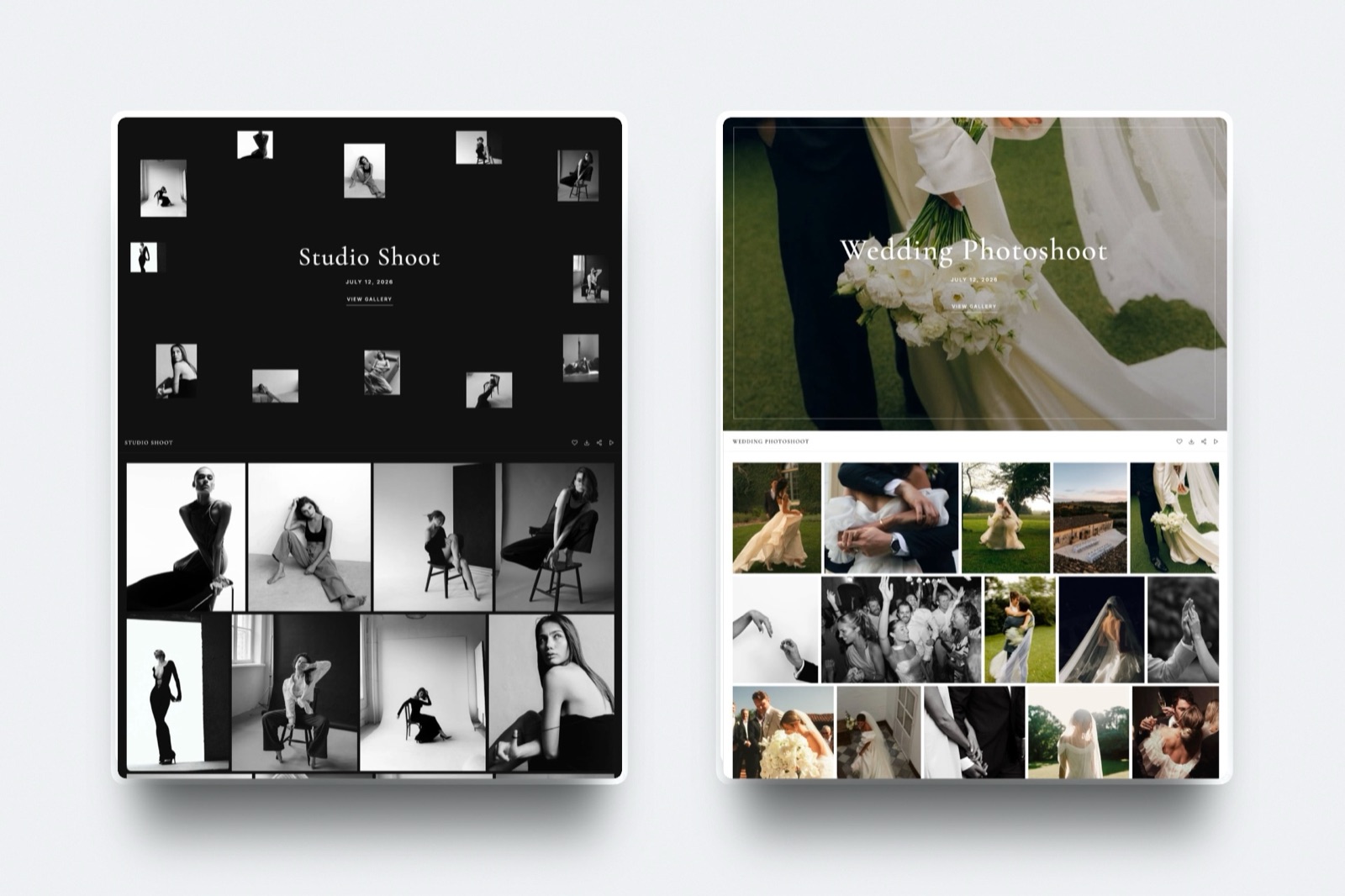
Framekit is the best single place to deliver a hybrid wedding, because the stills and the films sit in one gallery under one password and the couple gets one address, and its 300GB Pro pool holds an 18-wedding year of 138.4GB at $180 billed yearly.
The catch is real: Framekit has no print lab, no print store and no fulfilment, so if prints and albums are part of your revenue you should keep Pixieset, Pic-Time or ShootProof and run two platforms at about $372 a year.
The per-file video cap is 500MB on Free, 1GB on Starter, 2GB on Pro and 3GB on Business, with a 2 hour maximum length, which decides the export preset for your ceremony edit.
- 1FramekitTop pickBest for One Link That Holds the Whole Wedding
- 2PixiesetBest for Print Revenue From the Gallery They Already Open
- 3Pic-TimeBest for Albums and a Designed Sales Experience
- 4ShootProofBest for Contracts and Invoices in the Same Account
- 5ZenfolioBest Single Vendor for a Site, Galleries and a Store
Full disclosure: Framekit is our product, and this is a category where we lose an entire revenue stream to the competition, not a feature. Prints, albums and fulfilment are not something Framekit does at all, and Pixieset, Pic-Time, ShootProof, SmugMug and Zenfolio all beat us on that outright. Every competitor figure below was read on the vendor's own published page in September 2026 and linked where it is used, and none of these products was trialled hands-on for this article. The storage arithmetic is ours, shown in full so you can run it on your own export settings.
How These Numbers Were Put Together
A wedding year is mostly arithmetic, so it matters which figures came off a vendor's page, which were worked out here, and which nobody publishes at all.
Read at the source. Prices, storage allowances and stated limits come from the vendor's own live pages in September 2026, each linked at the point of use: Pixieset's Client Gallery pricing and its file size and format article, Pic-Time's pricing page, ShootProof's plans page, SmugMug's plans page, Zenfolio's pricing page, CloudSpot's pricing page, Frame.io's pricing page and Dropbox's plans page.
Calculated here. Every file size, every yearly total and every per-wedding cost is arithmetic on a stated export bitrate or a stated monthly price. The method is published below and none of it is measured.
Not established. Vimeo's plan table renders in JavaScript and returned nothing readable, WeTransfer's pricing page failed to load for an automated request, and SmugMug's help centre blocks them, so no price or limit from those sources appears here.
The carried wedding throughout is 700 edited JPEGs at about 7MB each, one 5-minute highlight film, one 52-minute ceremony and speeches edit, and one 60-second teaser for social. Eighteen of those make the year.
The 18-Wedding Year in Numbers
These are the figures the rest of this comparison rests on, and every one of them is either printed on a vendor page or a single multiplication away from one.
- 7,690MB: one carried wedding, about 7.69GB, with the ceremony edit exported at 5 megabits per second.
- 138.4GB: eighteen of those weddings, which is the season you are buying storage for.
- 50.2GB: the video portion of that year, which is the number most platforms actually run out of.
- 17.4 hours: the same year measured in running time, which is how Pixieset counts it.
- 1,950MB: the ceremony edit at 5 megabits per second, which fits Framekit Pro's 2GB per-file cap with 50MB to spare.
- $10.67: what a second platform costs per wedding if it is Pixieset Plus at $192 a year across eighteen weddings.
- $372: a year of Framekit Pro plus Pixieset Plus, which is what a hybrid wedding photographer with a print line probably ends up paying.
Sizing a Wedding Before You Buy Anything
In one lineWork out the size of your season before you compare a single price, because a wedding year is the one purchase in this category where the storage arithmetic decides the answer and the feature list barely moves it.
To size a video before you upload it, multiply the export bitrate in megabits per second by the running time in seconds and divide by eight. That is the whole method, and it is the only calculation in this article.
| Deliverable | Count | Export | Size each | Line total |
|---|---|---|---|---|
| Edited JPEGs | 700 | Full resolution | about 7MB | 4,900MB |
| Highlight film | 1 | 5 min at 20 Mbps | 750MB | 750MB |
| Ceremony and speeches | 1 | 52 min at 5 Mbps | 1,950MB | 1,950MB |
| Social teaser | 1 | 60 sec at 12 Mbps | 90MB | 90MB |
| One wedding | 7,690MB, about 7.69GB | |||
| Eighteen weddings | 138,420MB, about 138.4GB |
The ceremony edit is the file that decides everything. At 8 megabits per second it is 3,120MB, which exceeds every gallery cap published anywhere in this comparison. At 6 it is 2,340MB. At 5 it is 1,950MB and fits a 2GB ceiling.
Nothing about the wedding changed between those three numbers, only the export preset.
Run it on your own season. Take last year's wedding count, the length of your longest ceremony edit, and your normal export bitrate.
Two multiplications later you know whether any plan on this page holds your work, which is a better basis for choosing than a feature comparison.
Which Platforms Hold an 18-Wedding Hybrid Year
In one lineRun the season against each platform's published allowance and most of the category falls away immediately, not because the platforms are bad but because full ceremony edits are a volume of video that gallery pricing was never designed around.
| Platform and tier | Annual cost | Holds 138.4GB of stills and film? | Where it runs out |
|---|---|---|---|
| Framekit Pro | $180 | Yes, 300GB pool with 150GB for video | Per-file cap of 2GB, so export at 5 Mbps |
| Framekit Starter | $84 | No | 15GB video allowance holds about 5 weddings |
| Pixieset Plus | $192 | Stills yes at 100GB, video no | 17.4 hours against a stated ceiling of 5 hours |
| Pic-Time Professional | $252 | Stills yes at 100GB, video no | 30GB of video against 50.2GB needed |
| Pic-Time Advanced | $504 | Yes, unlimited photo and 60GB video | Close: 50.2GB inside a 60GB allowance |
| ShootProof Professional | $320.04 | Stills yes at 1000GB, video marginal | 50GB of video against 50.2GB needed |
| ShootProof Premium | $600 | Yes, unlimited photo and 150GB video | Price |
| Zenfolio Advanced | EUR 432 | Yes, unlimited JPEG and 150GB video | 4K only on the top tier |
Two things fall out of that table. The first is that a full ceremony edit is the most expensive thing a wedding photographer can decide to deliver, and almost nobody prices for it.
The second is that the cheapest plan on this page that comfortably holds the whole season is Framekit Pro at $180 a year, and it is also the only one with no print store, which is the trade this entire article is about.
Zenfolio's figure is in euros because that is the currency its page served to a European request, and no exchange rate has been invented to convert it.
1. Framekit: Best for One Link That Holds the Whole Wedding

Framekit is first here because a wedding is the job where two links is hardest to defend. The couple wants the day, not the file types, and one address that opens onto 700 stills, a 5-minute highlight film and a 52-minute ceremony edit is the correct shape for the delivery.
Framekit is an AI website builder whose client galleries carry a wedding's photographs and its films in one place, with video review, a website and a digital store on the same account and one bill.
The texture of it. One collection holds everything. You set a gallery password and a separate download PIN, and the couple opens a link.
They create nothing, sign up for nothing and are never asked for a password they have to invent.
Relatives can be let in with the gallery password without touching the download PIN, which is the control most couples actually want on a wedding set.
Favourites, slideshows, full-resolution and ZIP downloads, favourites-only downloads, watermarking, email registration, auto expiry and client-exclusive sets are on every plan including the free one.
The number to carry. An 18-wedding year at 7.69GB each is 138.4GB, which sits inside Pro's 300GB pooled allowance at $15 a month billed yearly, or $180 a year, with the website's own assets alongside it.
The video portion of that year, 50.2GB, uses 33% of Pro's 150GB video share. That is $10 per wedding for the storage and the delivery.
The detail nobody writes down. The per-file video cap is published: 500MB on Free, 1GB on Starter, 2GB on Pro and 3GB on Business, with a 2 hour maximum length on any single video.
For a wedding photographer that cap is the export brief for the ceremony edit. A 52-minute edit at 5 megabits per second is 1,950MB and fits Pro. At 6 it is 2,340MB and needs Business. At 8 it is 3,120MB and fits nowhere.
The gotcha that arrives in week three. Starter is not a wedding plan.
Its 50GB pool and 15GB video allowance hold about five weddings at these settings before the video sub-allowance runs out, which is fine for a second shooter and not for a season.
The other trap is the 2 hour ceiling, which a full uncut ceremony and reception recording will exceed.
Who should skip it. Any photographer whose package includes prints or albums. There is no print lab, no print store and no fulfilment here, and that is not a gap waiting to be filled, it is a decision.
If more than about $11 a wedding arrives after delivery instead of before it, your primary platform is one of the next four entries and Framekit is the second one you add.
Verdict: The cheapest, cleanest way to hand a couple their whole wedding as one link, and a platform that gives up an entire revenue line to do it.
2. Pixieset: Best for Print Revenue From the Gallery They Already Open
Pixieset is the platform most couples have already seen, and the reason it dominates wedding work is that the gallery and the shop are the same object, so the moment the couple falls in love with an image they can order it.
Where it is genuinely strong. The pricing page lists an integrated gallery storefront on every Client Gallery tier, with online payments, automatic fulfilment, coupons and gift cards.
The free plan carries a 15% commission fee on sales; Basic at $8 a month billed annually and above are commission-free.
The mobile gallery app is included throughout, which matters more at a wedding than at any other kind of job because the couple's families are on phones.
The number to carry. Video is metered in time. Pixieset's announcement of gallery video states a ceiling of up to 5 hours of video depending on plan, and the pricing page lists 30 minutes of HD video storage on Basic, with extra hours sold at $5 a month each.
The carried 18-wedding year is 17.4 hours of finished video. Against a 5 hour ceiling that is 12.4 hours of add-on, or $62 a month, which is $744 a year on top of the plan.
The detail nobody writes down. Pixieset's file size and format article states that video can be downloaded through the gallery but cannot be sold through the integrated store.
So the storefront that makes Pixieset the right wedding platform does not extend to the film. Your motion work is a deliverable here, not a product.
The gotcha that arrives in week three. Video upload is a paid feature and the free tier's 3GB is photo only, so a hybrid wedding photographer cannot rehearse the full workflow before subscribing.
And time metering punishes exactly the deliverable weddings are built around, which is a long ceremony edit nobody wants to compress.
Who should skip it. A wedding photographer whose standard package includes a full ceremony and speeches edit, unless they are willing to budget for hour add-ons.
Already on Pixieset and wondering whether $192 a year still earns its place? Is Pixieset worth it works through the question properly.
Verdict: The strongest print engine in wedding photography attached to the video model least suited to wedding video, which is the contradiction at the centre of hybrid wedding work.
3. Pic-Time: Best for Albums and a Designed Sales Experience
Pic-Time builds the most persuasive gallery in wedding photography, and its sales automations are the closest thing in this category to having someone follow up with the couple on your behalf.
Where it is genuinely strong. The pricing page lists a print store reaching more than thirty global labs with automatic fulfilment and an album builder, and Professional and above add custom products, commission-free sales and self-fulfilment.
Automated marketing campaigns, coupons and gift cards come in below that. For an album-led wedding business this is the best-designed revenue tooling on the page.
The number to carry. Professional at $21 a month billed annually gives 100GB of photo and 30GB of video, annotated as approximately 3 hours.
The carried 18-wedding year needs 50.2GB of video, so Professional does not hold the season. Advanced at $42 a month, with unlimited photo storage and 60GB of video, does, at $504 a year.
The detail nobody writes down. The clips-and-photos-side-by-side gallery carries a beta label on Pic-Time's own pricing page.
None of the other eleven tools here flags its hybrid delivery as beta on the page where it takes payment, which is the more candid choice and worth weighing if that feature is the reason you are buying.
The gotcha that arrives in week three. The free tier's 10GB photo allowance drops to 3GB after a period the same page states as three months in one place and six months in another, and no per-file video cap is published anywhere, so a very large ceremony edit is an unknown until you try it.
Who should skip it. A wedding photographer delivering long ceremony edits on a budget, because the tier that holds the season is $504 a year. ShootProof against Pic-Time is the comparison if those two are your shortlist.
Verdict: The best sales experience in wedding delivery and an expensive place to put a season of long-form video, which makes it a first platform for prints and rarely the whole answer.
4. ShootProof: Best for Contracts and Invoices in the Same Account
ShootProof is the one platform here that treats the paperwork as part of the job, and for a wedding photographer sending contracts and payment schedules months before the day, that is not a side feature.
Where it is genuinely strong. The plans page states that galleries, contracts, invoices, selling, slideshows and video are included in every paid plan instead of staged across tiers, and commission-free sales run throughout.
For a solo wedding business paying a separate contract and invoicing subscription today, that bundle deletes a second line from the budget, so the effective price of the $320.04 tier is lower than the sticker.
The number to carry. Professional at $26.67 a month billed annually, or $320.04 a year, gives 1000GB of photo plus 50GB of video. The carried season needs 50.2GB of video, which is 0.2GB over at these export settings.
That is an uncomfortably precise near-miss, and it means an 18-wedding hybrid year lands on Premium at $50 a month, or $600 a year, with unlimited photo and 150GB of video.
The detail nobody writes down. The storage model changes shape mid-lineup. Starter and Standard combine photo and video in one allowance, at 20GB and 100GB, and Professional splits them into two.
Upgrading is therefore not simply more of what you had, and a photographer whose mix is video-heavy can be worse off on the bigger plan than the arithmetic suggests.
The gotcha that arrives in week three. The free plan lists video formats as not included, so nothing about the hybrid workflow can be evaluated before paying, and 3GB of photo-only storage is 39% of one carried wedding, which is not a trial of a wedding delivery at all.
Who should skip it. A photographer who already has contracts and invoicing elsewhere, because that is a large part of what the price buys. Framekit against ShootProof sets the delivery halves side by side.
Verdict: The most complete wedding business tool on this page and the one whose video allowance runs out closest to the line, which makes reading the tier boundaries carefully the difference between $320.04 and $600 a year.
5. Zenfolio: Best Single Vendor for a Site, Galleries and a Store
Zenfolio is the quiet all-in-one, giving a wedding photographer a real website, unlimited client galleries, proofing and a storefront from one vendor, and it publishes more about its video handling than most of this list.
Where it is genuinely strong. The pricing page served European pricing with a promotion running and prints undiscounted figures of €9 a month for Basic, €20 for Professional and €36 for Advanced.
Every tier includes unlimited client galleries, a custom website, a domain and a logo. Storage is 15GB, 150GB, and on Advanced unlimited JPEG plus 150GB of video, annotated as approximately 10 hours with 4K support.
The number to carry. Advanced is the only tier that holds the carried 18-wedding hybrid year, at €432 undiscounted for the year. It is also the only tier that supports 4K; Basic and Professional list HD.
The detail nobody writes down. The storage line names its accepted formats explicitly, as JPEG, PNG, GIF and HEIC for stills and MP4 and MOV for video.
That is a small courtesy and a rare one, because it tells a videographer before they sign up that a MOV master is acceptable.
The gotcha that arrives in week three. The 10 hour estimate is an annotation on a 150GB allowance and not a limit in itself, no per-file cap is published, and the pricing is served in local currency with discounts that make the real ongoing rate harder to pin down than it should be.
Who should skip it. A photographer who only wants delivery and already has a website, because a good part of what Zenfolio charges for is the site. Zenfolio against Pixieset is the head-to-head worth reading first.
Verdict: The best value single vendor for a wedding photographer who wants one bill for the site, the galleries and the store, provided the top tier is within budget.
6. SmugMug: Best for the Archive a Wedding Studio Accumulates
SmugMug is the answer to a problem wedding photographers have more acutely than anyone, which is that couples come back five years later asking for images nobody wanted to delete.
The plans page lists Direct at $20 a month billed annually, Portfolio at $23.50 and Pro at $37, with unlimited full-resolution JPEG storage on every paid tier, Lightroom sync, watermarking, custom domains and 24/7 human support.
Portfolio adds print and digital download sales with full-service fulfilment, and Pro adds multiple price lists, coupons, packages, client favouriting and download limits.
RAW storage is an add-on at $10 a month for up to 1TB, then $6 a month per additional terabyte.
The gotchathe word video does not appear on the plans page, in any form. No storage figure, no format list, no length limit and no per-file cap, and the support centre blocks automated requests, so a hybrid wedding workflow cannot be assessed from published material.
Verdict: The best long-term home for a decade of wedding stills at $240 a year and an unknown quantity for the films, which makes it a companion to a delivery platform and never a replacement for one.
7. Frame.io: Best for the Film's Revision Round
Frame.io is where the wedding film gets finished, not where it gets delivered, and if you cut with a second editor or send the highlight film to the couple for one round of notes, it is the strongest tool on this page for that conversation.
The pricing page lists Free at $0 with 2GB of storage, up to 2 members and up to 2 projects, including Camera to Cloud and transcription.
Pro is $15 per member per month plus tax with 2TB included, unlimited projects, passphrase-protected shares, share link expiry and comment attachments.
Moving to Team costs $25 per member a month, which raises the pool to 3TB and adds internal comments.
The gotchaFrame.io is not where a wedding ends. There is no print store, no favourites a couple would recognise, no ZIP of 700 full-resolution stills and no gallery.
At $180 a year for one person it is an excellent addition and never the whole answer. Video review tools for wedding videographers covers the specialist field in detail.
Verdict: Buy it for the notes round if your films go through more than one revision, and keep a delivery platform underneath it either way.
8. CloudSpot: Best Studio Manager Attached to a Gallery
CloudSpot is quick and inexpensive, and its studio management side does real work: contracts, e-signatures, questionnaires, scheduling, mini sessions and invoicing with a 2.5% processing rate on the full-suite tiers.
The pricing page starts at 5GB free with 3 galleries and JPEG only, then charges $7 a month for 15GB and 15 galleries on Entry, $17 for 100GB and unlimited galleries on Lite, $34 for 500GB on Pro and $50 on Unlimited.
The footnote defining accepted file types on the higher tiers names JPEG, GIF, TIFF, PNG, PSD and PDF.
The gotchano video container appears in that list. The gallery feature is described as adding video links, and the integrations list covers embedding a Vimeo or YouTube video.
So a wedding film delivered through CloudSpot is hosted by someone else, plays in someone else's player and is governed by someone else's terms.
Verdict: A good gallery and a genuinely useful studio manager that does not hold your wedding films, so choosing it is choosing two platforms by design, not by accident.
9. Vimeo: Best Public Home for the Film the Couple Shares
Vimeo is where a wedding film looks like a film instead of a download, with a clean player, no recommendations pulling the viewer somewhere else, and privacy settings a couple can be trusted to use.
Its plan table renders in JavaScript and returned nothing readable to an automated request in September 2026, so no price, storage figure or upload limit appears in this article. That is a statement about a page, not about the product.
The shape is not in doubt: it presents motion, it is not a stills gallery, and it solves the half of a wedding delivery that a gallery solves less elegantly.
Verdict: The right place for the film the couple posts and the wrong place for the 700 photographs they download, which is why it sits beside a gallery instead of replacing one.
10. Dropbox: Best for the Second Shooter's Cards
Dropbox does the one job on a wedding that no gallery does well, which is moving an entire day of raw files from a second shooter to you without anyone thinking about presentation.
The plans page, served in euros to a European request, lists Basic free at 2GB, Plus at €9.99 a month with 2TB and transfers up to 50GB, Standard at €12 per user per month from 3TB for the team with transfers up to 100GB, and Advanced at €18 per user per month from 15TB.
A password on a transfer and your branding around it are both paid-row features.
The gotchawhat a couple receives is a folder. No favourites, no proofing, no watermark, no print store and no sense that anyone designed the moment. Using it for the client-facing delivery of a wedding is the single most common way a beautiful job ends badly.
Verdict: Essential behind the scenes, wrong in front of the couple, and cheap enough that there is no reason to make it do both.
11. Google Drive: Best Cold Backup for the Season
Google Drive is the sensible third copy of a wedding season, and it is the only service on this page whose published per-file ceiling is measured in terabytes instead of gigabytes.
Google's documentation gives a maximum of up to 5 TB for files other than its own document formats, and lists MOV, AVI, MPEG4 and WMV among the previewable video types.
Storage is sold as Google One, from 15GB free, with 100GB at €1.99 a month, 2TB at €9.99 and 5TB at €21.99 as served to a European request.
Two terabytes at €9.99 a month holds fourteen carried seasons at 138.4GB each, which is the right order of magnitude for a backup.
The gotchathe 15GB free tier is shared with Gmail and Photos, so the first sign that a photographer's backup plan has failed is a bounced email, not a failed upload.
Verdict: A good third copy and never a delivery, which is exactly the role it should have in a wedding business.
12. WeTransfer: Best for the File You Forgot on the Monday
WeTransfer earns its place in wedding work for one situation, which is the speech recording or the extra teaser a couple asks for after the gallery has already gone out.
Its pricing page returned a load error to an automated request in September 2026, so the only figure used here is the one its own meta description states, which is that free transfers go up to 2GB. No paid tier figure is quoted because none could be read.
The gotchatransfers expire, nothing is presented, and a year later there is no record on either side of what was sent. A wedding is exactly the kind of delivery people come back to, which is the opposite of what a transfer is built for.
Verdict: Keep it for the afterthought and never for the wedding.
The Print Question, With Arithmetic
In one linePrints are the reason a hybrid wedding photographer should run two platforms instead of one, and the decision comes down to a single division against last season's numbers that takes about a minute.
Framekit has no print lab, no print store and no fulfilment. That is stated plainly because it is the most important fact in this article for anyone whose packages include albums or wall art.
So the real question is not which platform wins, it is whether the print platform earns its own subscription.
Here is the test. Take the second platform's annual cost and divide it by your wedding count.
| Second platform | Annual cost | Cost per wedding at 18 weddings |
|---|---|---|
| Pixieset Plus | $192 | $10.67 |
| Pic-Time Professional | $252 | $14.00 |
| ShootProof Professional | $320.04 | $17.78 |
| Pixieset Basic | $96 | $5.33 |
If your average print and album margin per wedding clears $10.67, Pixieset Plus alongside a delivery platform pays for itself and everything above that line is profit.
Whether you clear $10.67 is a question about your own last season and not about the platform, and it is the only question in this article that a comparison page cannot answer for you.
Framekit Pro plus Pixieset Plus is $372 a year, or $20.67 per wedding across eighteen.
That is the realistic number for a hybrid wedding photographer who wants single-link delivery and a print line, and it is worth comparing against a single expensive tier such as ShootProof Premium at $600 or Pic-Time Advanced at $504.
Run this on your own accounts. Add up last year's print and album revenue, subtract the lab cost, divide by your wedding count, and compare the answer to the per-wedding figures above. If it loses, drop the print platform.
If it wins, stop treating the second subscription as overhead.
What the Couple Actually Has to Do
In one lineCount the steps you are asking a couple to take in the week after their wedding, because every password they have to invent and every account they have to create is a place where the delivery quietly stops being opened.
On Framekit the couple opens a link, types the gallery password you gave them, and if they want the full-resolution files they type the download PIN. They create no account.
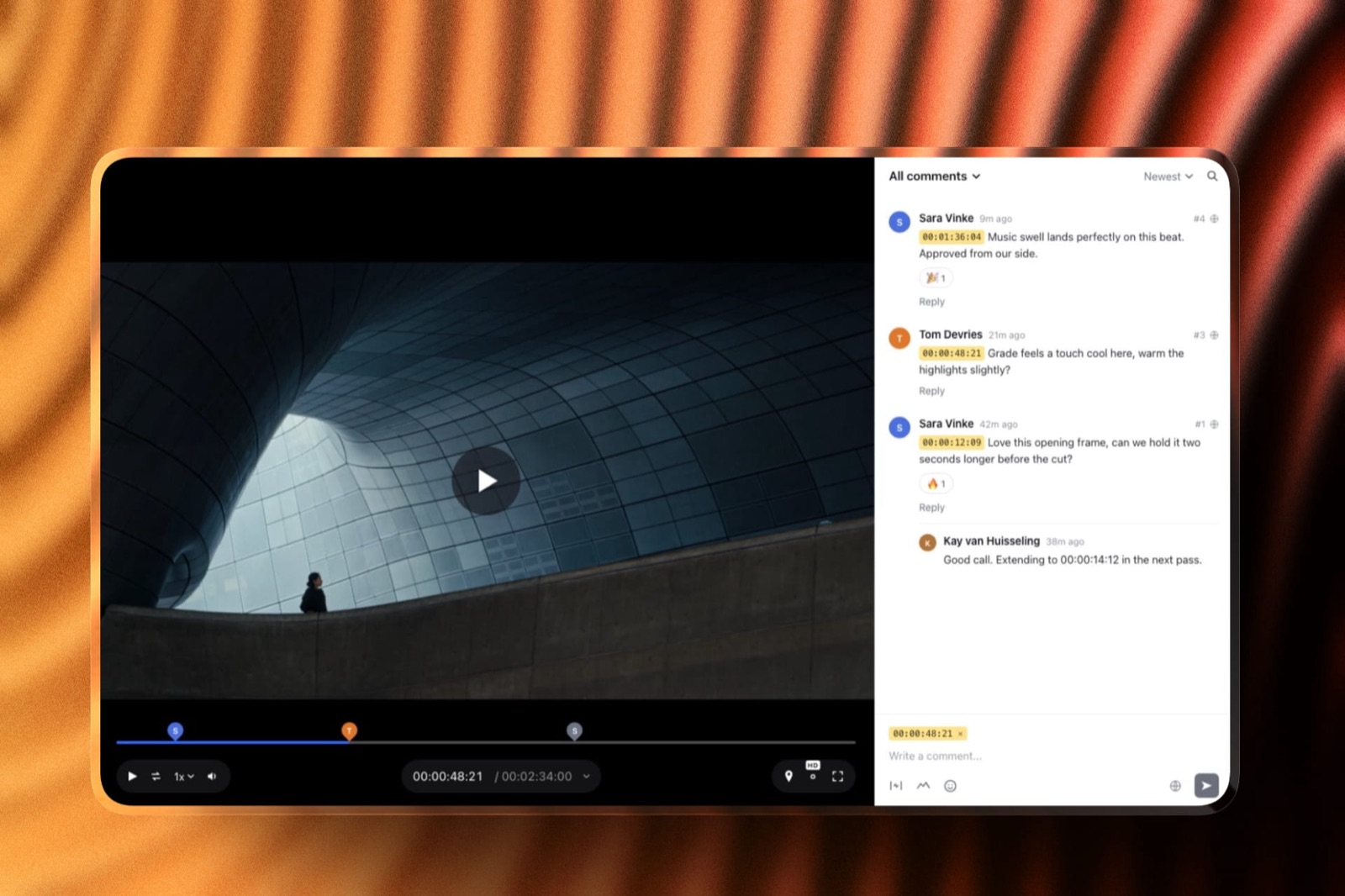
A guest on a video review link can leave timecoded comments and replies without signing up either, which matters if you send the highlight film for one round of notes before the final delivery.
That is the whole client-side experience, and it is roughly the same on Pixieset, Pic-Time, ShootProof and Zenfolio, all of which use gallery passwords instead of accounts.
Where the experience diverges is on the two-platform setup, because now the couple has two links, two passwords and one email that arrives two days after the other.
The practical failure is not confusion, it is order of arrival. The stills go out first because they are ready first, the couple downloads them, tells everyone, and the film lands into an inbox that has already moved on.
A single link removes that failure at the cost of the print store, which is the trade this article keeps returning to because it is the only real one.
Choosing Your Wedding Stack, in Order
In one lineAnswer these in sequence and stop at the first clear yes, because a wedding stack is a decision about revenue first and storage second, and the questions below are written in that order.
Does print and album revenue clear roughly $11 per wedding after lab costs? If yes, your primary platform is Pixieset, Pic-Time, ShootProof, SmugMug or Zenfolio and the question is only which one.
If no, a single-link delivery platform is a straightforward saving.
Do you deliver a full ceremony and speeches edit? If yes, rule out time-metered plans immediately, because 17.4 hours of video a year against a stated 5 hour ceiling is $744 a year in add-ons at $5 an hour.
If no, and your longest file is a highlight film, almost everything on this page works.
Is your ceremony edit over 2GB at your usual export? If yes, either drop to 5 megabits per second, which puts a 52-minute edit at 1,950MB, or budget for Framekit Business at $31 a month billed yearly for the 3GB cap.
If it is over 2 hours in length, no Framekit plan will take it in one piece.
Do you need contracts and invoices in the same place? If yes, ShootProof or CloudSpot's full suite is the answer, because Framekit has none of that and never will.
Do you want the couple to receive one link? If yes, and prints are not part of your revenue, Framekit Pro at $180 a year is the cheapest platform on this page that holds the season and publishes its limits.
Frequently Asked Questions
What is the best software for a wedding photographer who shoots video?
Framekit is the best single platform for a wedding photographer who shoots video, because one client gallery holds the stills, the highlight film and the ceremony edit under one link and the couple creates no account to open it.
Its 300GB Pro pool holds an 18-wedding year of 138.4GB at $180 billed yearly. The decisive limitation is that Framekit has no print store, so a photographer with print or album revenue should pair it with Pixieset, Pic-Time or ShootProof.
How much storage does a wedding photographer who shoots video need?
About 138.4GB a year for eighteen weddings, if each delivery is 700 edited JPEGs, a 5-minute highlight film, a 52-minute ceremony edit exported at 5 megabits per second and a 60-second teaser.
The video portion alone is 50.2GB, which is what most gallery plans run out of first.
Framekit Pro at 300GB, Pic-Time Advanced at 60GB of video and ShootProof Premium at 150GB of video all hold it; Pic-Time Professional at 30GB of video does not.
Can you deliver wedding photos and video in the same gallery?
Yes, on Framekit, Pixieset, Pic-Time, ShootProof and Zenfolio, all of which hold both file types in one client gallery under a single link. Pixieset and ShootProof restrict video upload to paid plans.
CloudSpot embeds video links instead of hosting files, so the film lives with another provider, and SmugMug's plans page does not mention video at all. Framekit is the only one that publishes a per-file video size cap by plan.
Does Framekit sell prints for wedding photographers?
No. Framekit has no print lab, no print store and no order fulfilment, and this is the clearest reason for a wedding photographer to keep a second platform.
Pixieset, Pic-Time, ShootProof, SmugMug and Zenfolio all run integrated print stores with automatic fulfilment. Pixieset charges a 15% commission on its free plan and is commission-free from Basic upward.
If print and album margin clears about $10.67 per wedding, a second subscription at $192 a year pays for itself.
How long should a wedding gallery stay online?
Long enough for the couple to download everything and for relatives to see it, which in practice means three to six months, after which auto expiry is the standard answer to leaving a gallery live forever.
Framekit includes auto expiry on every plan including Free, at 10GB of pooled storage.
The storage arithmetic changes completely depending on your answer: an 18-wedding year at 138.4GB assumes you keep the season live, and expiring older galleries frees space on any byte-metered plan.
Is Pixieset or Pic-Time better for wedding video?
Pic-Time is better for wedding video because it meters video in bytes, giving 30GB on Professional at $21 a month billed annually and 60GB on Advanced, while Pixieset meters in time and starts at 30 minutes on Basic with a stated ceiling of up to 5 hours.
For a full ceremony edit that difference is decisive. Pixieset is better on the print side and is the only one of the two that publishes an answer to the per-file size question, which is that there is no size limit.
What export settings should I use for a wedding ceremony edit?
Work backwards from the platform's per-file cap instead of from a quality target. A 52-minute edit at 5 megabits per second is 1,950MB and fits a 2GB ceiling; at 6 it is 2,340MB and needs 3GB; at 8 it is 3,120MB and fits neither.
To size any file, multiply the bitrate in megabits per second by the running time in seconds and divide by eight. On platforms that publish no cap, export as you normally would and test one upload before the delivery date.
Should I run one platform or two as a hybrid wedding photographer?
Two, if prints or albums are part of your revenue, and one if they are not.
Framekit Pro plus Pixieset Plus is $372 a year, which is $20.67 per wedding across eighteen, and the print platform justifies itself at about $10.67 of margin per wedding.
A single platform that does both delivery and prints, such as ShootProof Premium at $600 a year or Pic-Time Advanced at $504, costs more than the pair and gives up the single-link delivery.
Do wedding clients need an account to view their gallery?
No, on any of the platforms in this comparison.
Framekit galleries open with a gallery password you set, with a separate PIN for downloads and optional email registration if you want to capture addresses, and a guest on a video review link comments without signing up.
Pixieset, Pic-Time, ShootProof and Zenfolio all work the same way. The accounts that multiply in a hybrid setup are the ones you administer and pay for, not the couple's.
What is the cheapest way to deliver a wedding with photos and video?
Framekit Pro at $180 a year billed yearly is the cheapest plan in this comparison that holds an 18-wedding hybrid year of 138.4GB, publishes its file limits and delivers both file types under one link.
Pixieset Basic at $96 a year is cheaper but caps video at 30 minutes, which is one ceremony edit. Pic-Time Beginner at $84 a year gives 5GB of video, about two weddings.
The cheap tiers in this category are photo tiers with a little video attached.
Final Verdict
Framekit is the best single place to deliver a hybrid wedding, because one gallery holds 700 stills and the films from the same day under one link the couple opens without creating anything, and because Pro at $180 a year holds the whole 138.4GB season with a published 2GB per-file ceiling that tells you exactly how to export the ceremony edit.
Where Framekit loses is a whole revenue line, not a feature.
There is no print lab, no print store and no fulfilment, so Pixieset, Pic-Time, ShootProof, SmugMug and Zenfolio all beat us on the part of wedding photography that pays after the delivery instead of before it.
There is no contract tool, no invoicing and no CRM, which ShootProof and CloudSpot include. The 2 hour maximum video length rules out an uncut ceremony recording.
And Starter, at 15GB of video, holds about five weddings, so a season needs Pro.
Framekit is not for a wedding photographer whose packages are built around albums and wall art, unless it is the second platform and not the first.
For a hybrid wedding photographer clearing more than $10.67 a wedding in print margin, the honest answer is both: $180 for the delivery that the couple actually opens, and $192 for the store that turns their favourite frame into a print.
Related readingclient galleries for wedding photographers covers the gallery field in depth, selling prints from a client gallery works through the revenue side, print fulfilment for photographers compares the labs, how long client galleries should stay online affects every storage figure here, and wedding videography pricing sets the revenue against which these subscriptions are small.