Framekit templates
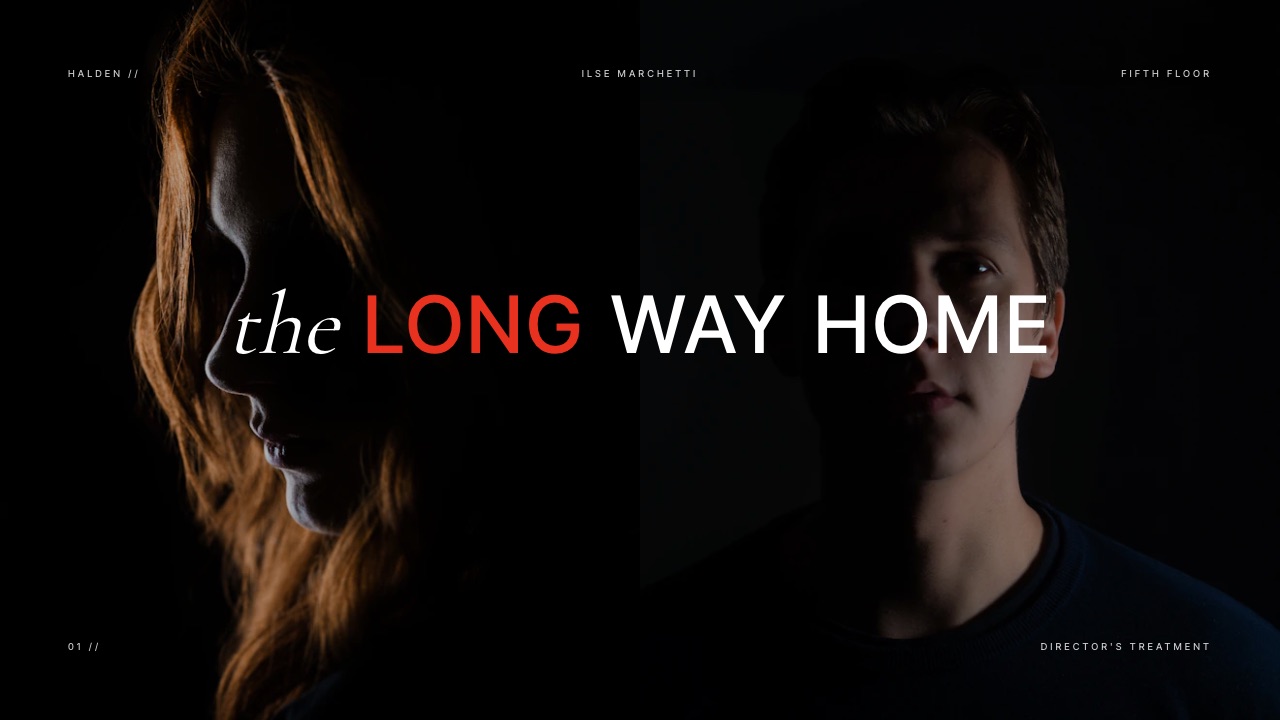
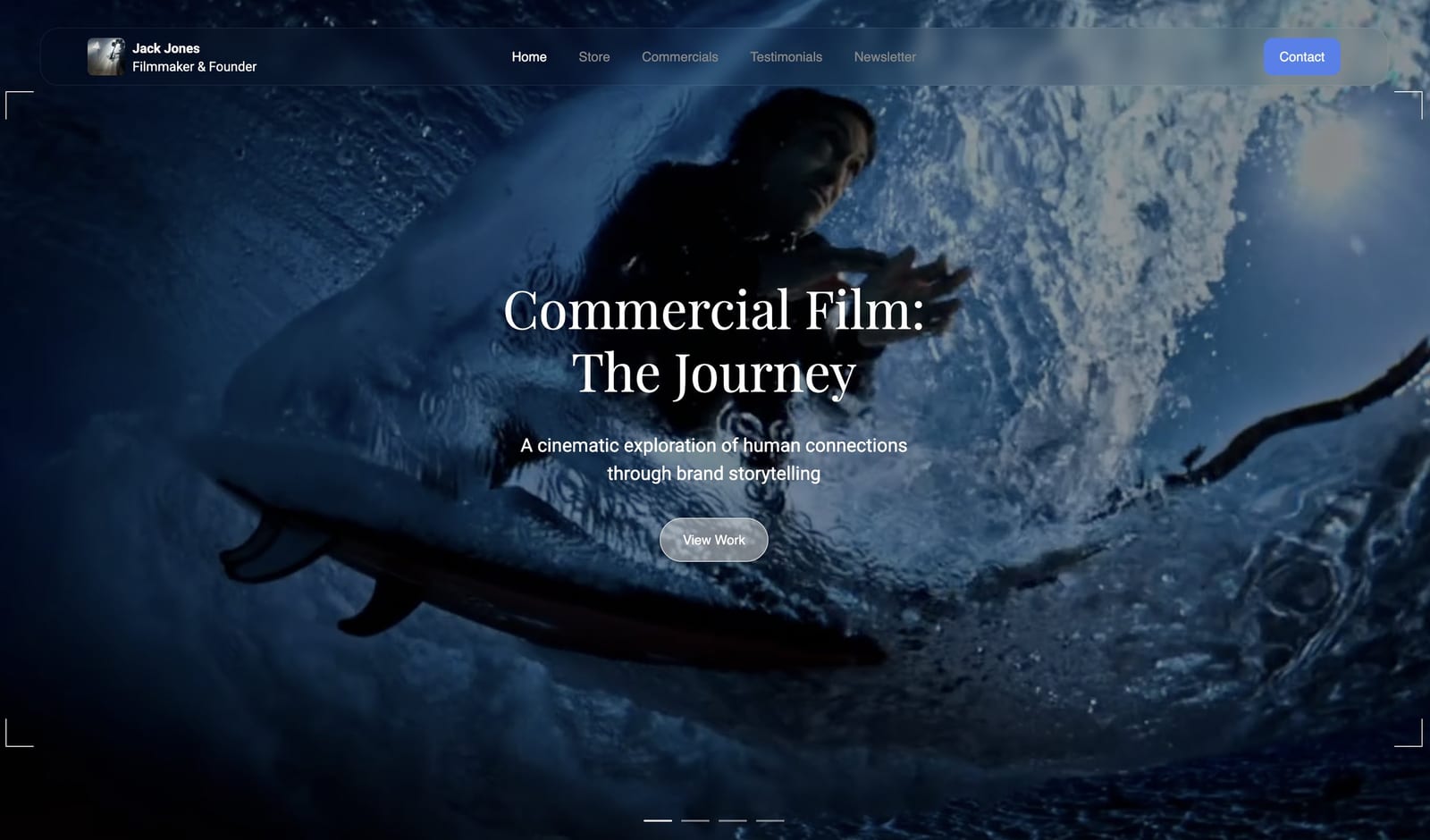
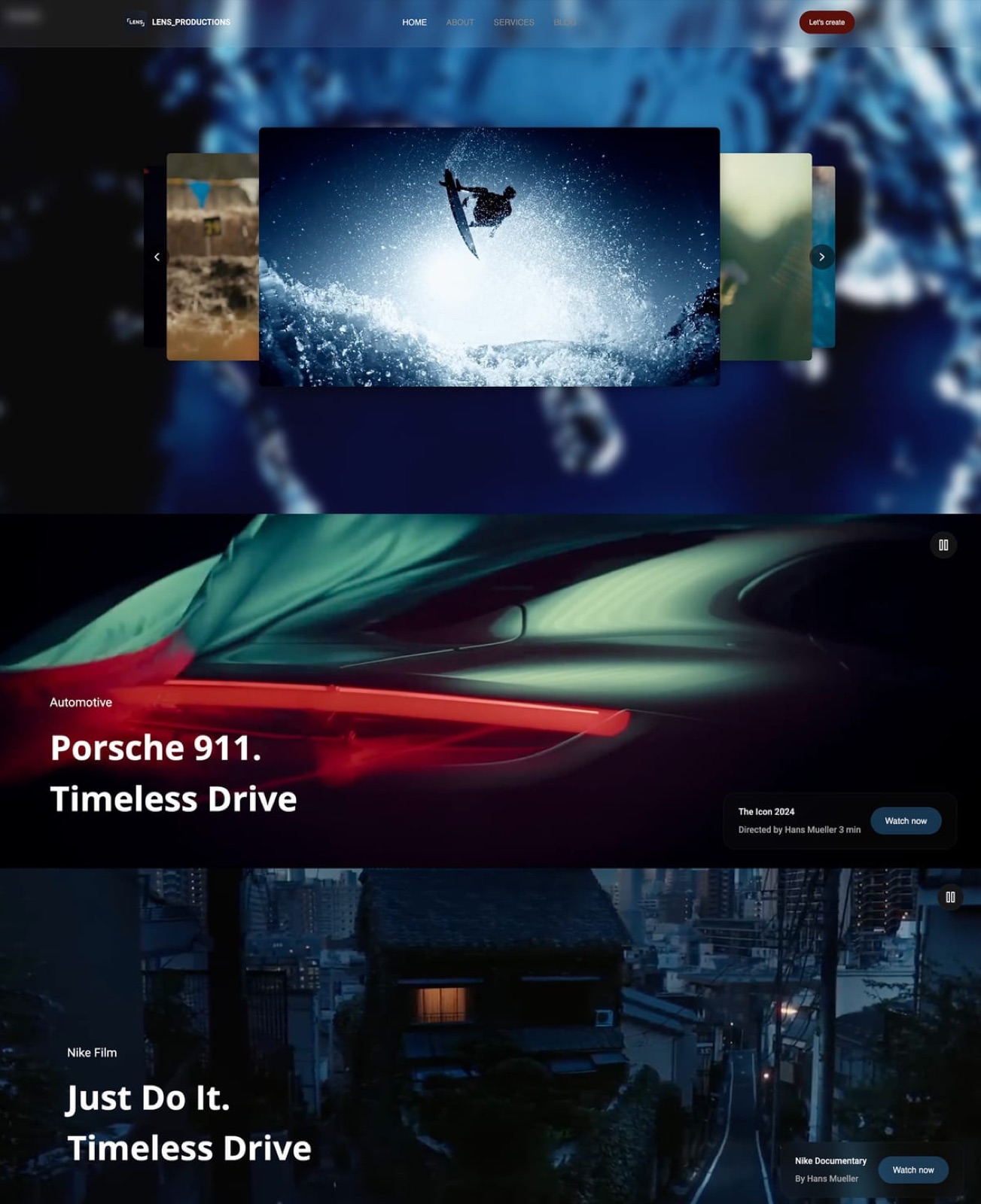
Start from a designer-made template
 Use template
 Use template
 Use template
 Use template
 Use template
 Use template
 Use template
 Use template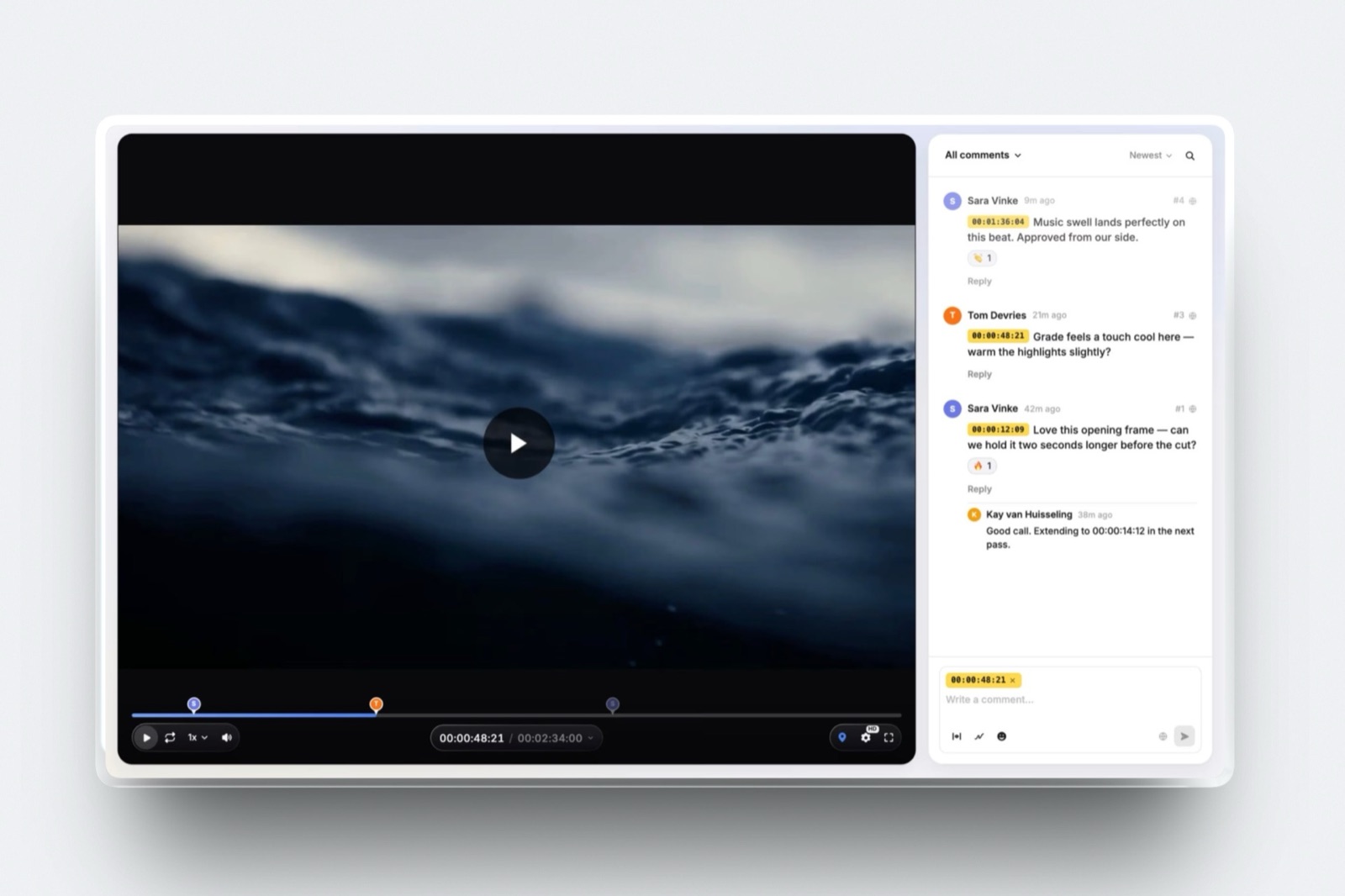
Software for freelance video editors comes in two halves that behave nothing like each other, and most shortlists fail because they mix them.
The first half is the edit itself, where the best tool in the category is free and has been for years. The second half is everything between the export and the invoice, and that is where a solo editor quietly ends up paying four vendors.
Price both halves for one working freelancer and the shape is obvious. DaVinci Resolve costs $0.
A review tool, a hosting account and a portfolio site at their cheapest published tiers come to $39 a month, or $468 a year, across three separate bills, and there is still nowhere to build the rate deck you send with a quote.
A freelance video editor's software stack is the set of five tools between a client's brief and a paid invoice: an editing suite, a way to send a cut for comment, a way to deliver finished files, a website that gets you hired, and a deck that gets you paid what you asked for.
Only the first of those is what people mean when they say video editing software.
Cut in DaVinci Resolve, which is free to download and $295 once for Studio, and run the client-facing half on Framekit, which covers timecoded video review, client galleries, unlimited decks, a portfolio site and a digital store for $19 a month on Pro.
Framekit does not edit video and never will, so the editor is a separate decision.
Take Frame.io instead if you want client notes to appear inside your Premiere or Final Cut timeline, put the finished film on Vimeo Starter at $12 a seat if it needs a permanent home, and keep Dropbox for the 400GB of rushes a client sends you at midnight.
- 1FramekitTop pickBest for the Client-Facing Half of a Freelance Edit Business
- 2DaVinci ResolveBest Editing Suite for a Freelancer at Any Budget
- 3Frame.ioBest If You Want Client Notes Inside the Timeline
- 4Adobe Premiere ProBest for Compatibility With Everyone Else's Project
- 5VimeoBest Permanent Home for Work You Want Seen in Five Years
Full disclosure: Framekit is our own product and it is ranked first here for the client-facing half only, not for editing, which it does not do. Every competitor number below was read on that vendor's own published page in September 2026 and linked. Frame.io's editing-suite panels, Camera to Cloud and transcription are all things Framekit lacks, Vimeo's player is a better home for a finished film than ours, and Resolve is a piece of software we could not build.
Where These Numbers Came From, and What Nobody Measured
Every figure in this guide is one of three kinds of statement, and separating them is the only way a reader can tell which parts to trust and which parts to check against their own situation.
Read at the source. All competitor prices, storage figures and feature claims were read on the vendor's own published pricing page in September 2026, and those pages are linked where their numbers appear.
Two pages served European pricing to a European reader, so those figures are quoted in euros and labelled, not converted at a rate we made up.
Calculated. The annual totals, the two-stack comparison and the break-even between a one-off licence and a subscription are arithmetic on those published prices. The arithmetic is shown so you can drop in your own day rate.
Not claimed. Nothing here was benchmarked, timed or driven through a live client job for this article, and there are no aggregated review scores, because the sites that publish them refuse automated reading.
Adobe's site also refuses automated requests, so the Premiere Pro price appears without a link and is flagged where it is used.
The worked example is one editor: $600 a day, eighteen client jobs a year at around $2,400 each, working alone on a laptop with no studio behind them. Every dollar figure below is priced for exactly that person.
Nine Numbers a Freelance Editor Should Know Before Subscribing
The whole argument in this guide reduces to a short list of published prices, and reading them in one place tends to change what people buy more than any feature comparison does.
- $0: what DaVinci Resolve costs to download, with DaVinci Resolve Studio a one-off $295.
- $275.88 a year: a Premiere Pro single-app subscription at US$22.99 a month on an annual plan, read on Adobe's own plans page in September 2026.
- $299.99: Final Cut Pro for Mac, bought once, with Apple Creator Studio at $12.99 a month or $129 a year as the subscription route.
- $15 a month: one Frame.io Pro member, which is the cheapest tier that can password-protect a share link.
- $19 a month: Framekit Pro, covering review, galleries, decks, a site and a store on one bill.
- $12 a seat a month: Vimeo Starter, with 2TB of storage and a self-serve bandwidth ceiling of 2TB a month.
- $468 a year: the cheapest three-vendor client-facing stack in this guide, before a deck tool.
- 2 hours: the maximum length of a single video in Framekit Video Review, with a 2GB per-video upload cap on Pro.
- 0: the number of editing features Framekit has. It is not an editor and this guide never pretends otherwise.
The Two Halves of a Freelance Editor's Bill
In one lineSeparating the edit suite from the client-facing tools is the single most useful thing a freelancer can do to their software budget, because one half has a free option that is genuinely professional and the other half is where four small subscriptions quietly become a billed day's work.
Here are both halves priced for the worked example, taking the cheapest published tier of each product that actually does the job, which is the only fair way to compare a one-off licence against a subscription that renews whether you work that month or not.
| Half | Tool | Published price | Per year |
|---|---|---|---|
| The edit | DaVinci Resolve | Free | $0 |
| The edit | DaVinci Resolve Studio | $295 once | $295 in year one only |
| The edit | Premiere Pro single app | US$22.99/mo, annual plan | $275.88 |
| The edit | Final Cut Pro | $299.99 once | $299.99 in year one only |
| Client-facing | Frame.io Pro, one member | $15/mo | $180 |
| Client-facing | Vimeo Starter | $12/seat/mo | $144 |
| Client-facing | Format Pro website | $12/mo billed annually | $144 |
| Client-facing | Framekit Pro, all of the above plus decks | $19/mo | $228 |
The client-facing rows are the interesting ones. Frame.io plus Vimeo plus Format is $39 a month, $468 a year and three separate vendors, and none of them gives you a place to build a rate card or a treatment.
Framekit Pro is $19 a month for review, galleries, unlimited decks, a website and a digital store.
The test you can run in two minutesopen your bank statement, find every creative subscription that is not your editing suite, and add them up for twelve months. If that number is above $300 and you are one person, you are paying for coverage you could buy once.
Year One, Five Realistic Stacks
In one lineNobody buys one product, they buy a stack, so the only comparison worth making is between complete stacks that would get the same eighteen jobs edited, approved, delivered and invoiced across a full year.
| Stack | Year one | Every year after | Vendors |
|---|---|---|---|
| Resolve free plus Framekit Pro | $228 | $228 | 1 |
| Resolve Studio plus Framekit Pro | $523 | $228 | 2 |
| Resolve free plus Frame.io Pro plus Vimeo Starter plus Format Pro | $468 | $468 | 4 |
| Premiere Pro plus Frame.io Pro plus Vimeo Starter plus Format Pro | $743.88 | $743.88 | 4 |
| Final Cut Pro plus Framekit Pro | $527.99 | $228 | 2 |
The gap between the cheapest and the most expensive stack is $515.88 a year, which at a $600 day rate is close to one billed day. That is the honest size of this decision: one day of your year, decided once and then left alone.
The stack you should not build is the fourth one by accident, which is exactly how most freelancers end up there.
Adobe because a client asked for a project file, Frame.io because a producer sent you a link once, Vimeo because a film needed a home, a site builder because you needed a portfolio, and four renewal dates nobody chose.
How the Ranking Is Weighted for a Freelancer
The weighting below is built for one person with no team, no IT department and an income that varies month to month, which is a different reader from the agency this category is normally written for.
Cost to one person carries 30%, because a freelancer's software budget competes directly with their income in a quiet month. Coverage of the client-facing surfaces carries 30%.
Craft ceiling, meaning how far the tool lets your work go before it limits you, carries 25%.
Integration with the editing suite carries 15%, which is lower than it would be for a staffed post house because a solo editor can read notes in a browser without a handoff problem.
| Tool | Cost to one person (30%) | Client-facing coverage (30%) | Craft ceiling (25%) | Suite integration (15%) | Weighted |
|---|---|---|---|---|---|
| Framekit | 9 | 10 | 2 | 1 | 6.4 |
| DaVinci Resolve | 10 | 1 | 10 | 10 | 7.3 |
| Frame.io | 6 | 5 | 6 | 10 | 6.3 |
| Vimeo | 7 | 6 | 6 | 3 | 5.9 |
| Premiere Pro | 4 | 1 | 9 | 10 | 5.3 |
Read that table honestly and Resolve wins it at 7.3 against Framekit's 6.4, which is why the Quick Answer tells you to start there. Framekit scores 2 on craft ceiling and 1 on suite integration because it does not touch the edit at all.
The ranking below is ordered by what a freelance editor should buy first for the money, not by the weighted column, and the two orders disagree in two places: Framekit is listed first while Resolve tops the score, and Premiere is listed above Vimeo on 5.3 against 5.9 because a client's project file overrides a scoring table.
1. Framekit: Best for the Client-Facing Half of a Freelance Edit Business

Framekit is an AI website builder that also carries the four jobs a freelance editor has after the export: sending a cut for timecoded comments, delivering the finished files, pitching with a real deck, and being findable in the first place.
Best fora solo editor who is currently paying three or four vendors for review, delivery, a portfolio and a deck, and who does not need client notes to appear inside the timeline.
The real number$19 a month on Pro, against $39 a month for Frame.io Pro plus Vimeo Starter plus a Format Pro site. Over the eighteen-job year in the worked example that is $240 saved, which is not a fortune, but it is also three fewer renewal dates and one dashboard instead of four.
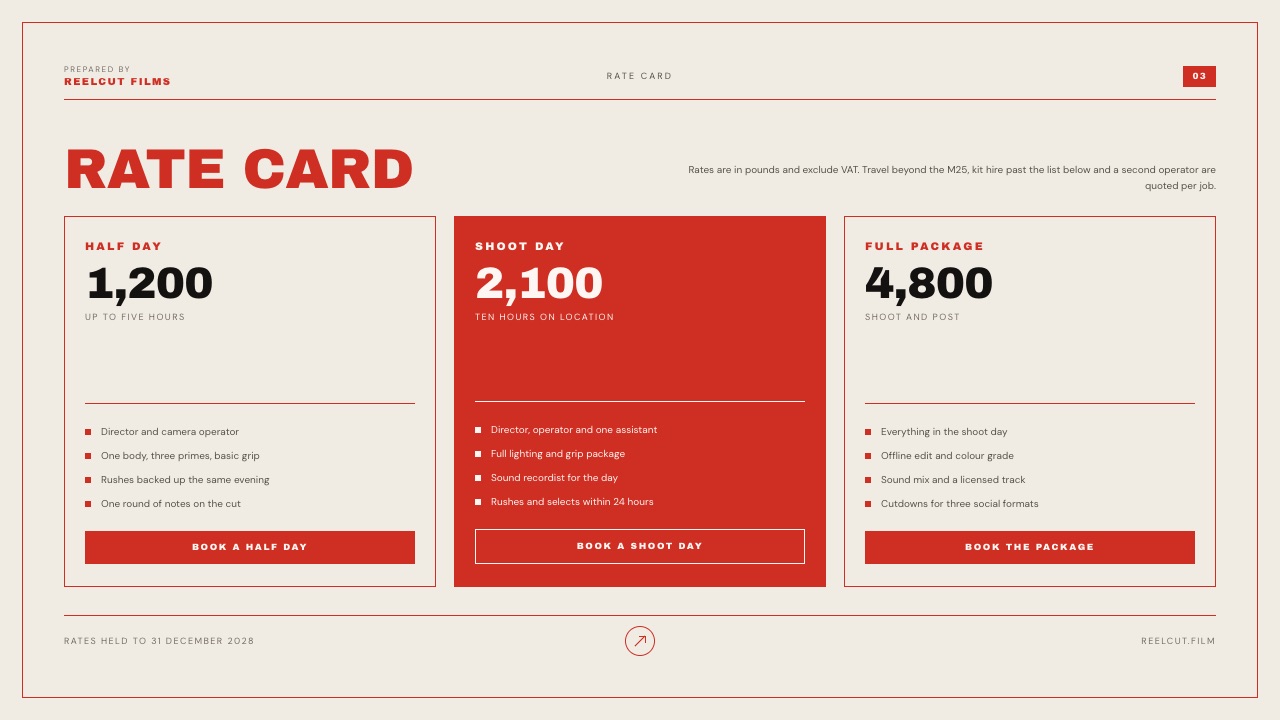
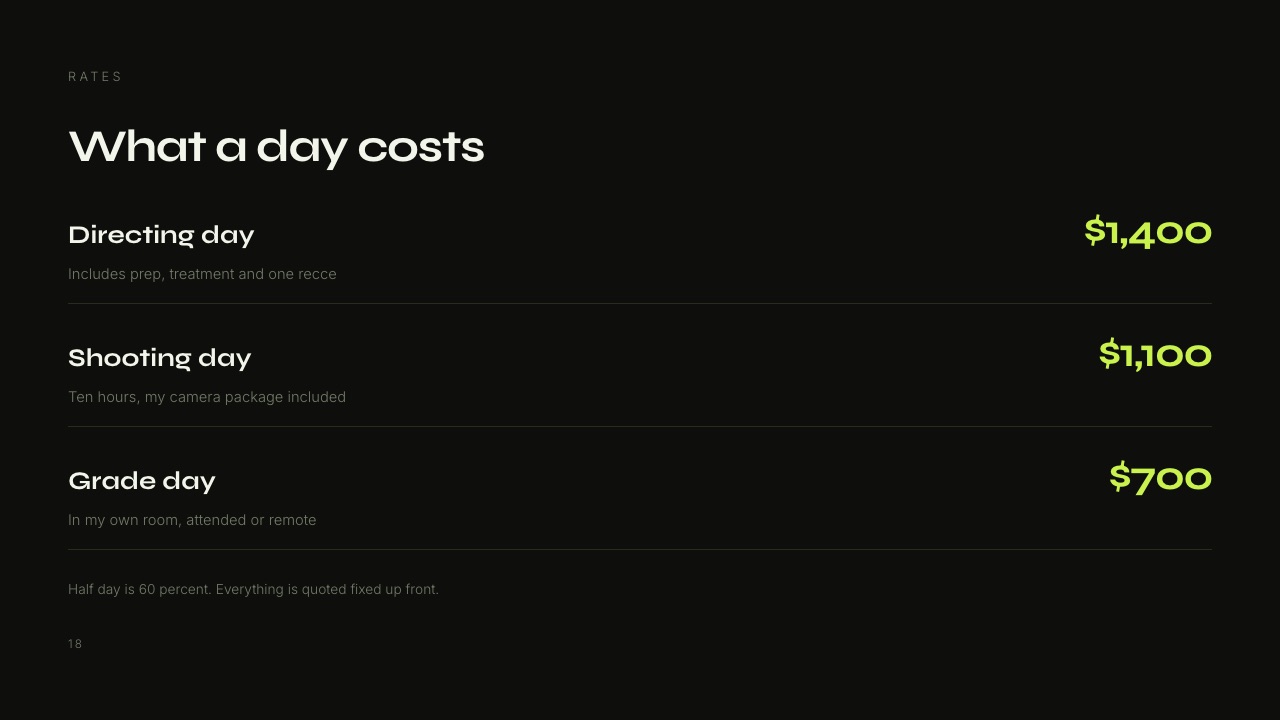
The detail nobody writesthe deck. Unlimited decks on every plan including Free, with an AI slide writer, speaker notes on every slide and ready-made shot-list and storyboard elements.
A freelance editor sends a rate card, a scope note or a treatment to almost every prospect, and in the standard four-vendor stack that document is a PDF exported from a word processor.
The gotcha that bites in week threethe upload caps. Per-video is 500MB on Free, 1GB on Starter, 2GB on Pro and 3GB on Business, and maximum length is two hours.
A long-form documentary assembly does not fit, and if you need to send a ProRes master instead of a compressed review copy, this is the wrong tool for that step.
Storage is also one pool shared by the site, galleries and review, so 300GB on Pro goes faster than it sounds if you keep old projects online.
The other gotcha, for anyone pitchingdeck share links have no password and no per-viewer analytics, only a total view count. If you need to know that a producer opened slide nine for four minutes, DocSend, Pitch and Storydoc do that and Framekit does not.
Who should skip itany editor whose approval loop runs through a Premiere or Final Cut panel, anyone who needs transcription to build paper edits, and anyone whose main deliverable is longer than two hours.
Verdict: the best single purchase for the half of a freelance edit business that is not editing, and a non-answer for the half that is. Buy it alongside Resolve, never instead of it.
2. DaVinci Resolve: Best Editing Suite for a Freelancer at Any Budget
Resolve is the most consequential piece of software on this list, because it removed the entry fee from professional post and it has kept doing so long enough that the free version is no longer a compromise anyone has to explain.
Best forany freelance editor who is not contractually tied to another suite, and particularly anyone whose work involves grading, because the colour page is the reason the application exists.
The real numberDaVinci Resolve is free and DaVinci Resolve Studio is $295 once.
Against a Premiere Pro subscription at $275.88 a year, Studio has paid for itself at thirteen months and then costs nothing forever, which over the five-year life of a freelance career is a difference of roughly $1,084.
The detail nobody writesthe free version is capped at 8-bit video up to 60fps and resolutions up to Ultra HD, with Studio adding the neural engine, 10-bit up to 120fps and formats beyond 4K.
That is a real ceiling and it matters for high-frame-rate and HDR work, but for the overwhelming majority of client brand films and social edits it is not a ceiling you will touch this year.
The gotchaResolve rewards a machine with real GPU headroom, and a freelancer running it on an entry-level laptop will spend the money they saved on licensing in frustration instead. Budget for hardware before you celebrate the licence.
Who should skip itan editor whose clients routinely send Premiere project files and expect them back, because conforming across suites is not free even when the software is.
Verdict: the default recommendation for a freelance editor in 2026, and the one purchase on this page that genuinely does not need a subscription argument. Our wider comparison of video editing software covers the suite-by-suite detail.
3. Frame.io: Best If You Want Client Notes Inside the Timeline
Frame.io is the tool that made timecoded client comments normal, and for an editor who wants notes to arrive where the timeline already is, it is still the reference implementation.
Best forfreelancers working with agencies and production companies who already run Frame.io, and anyone whose review loop is tight enough that leaving the suite to read notes costs real time.
The real numberPro is $15 per member per month with 2TB of storage included. For one freelancer that is $180 a year and 2TB, which is more storage per dollar than anything else in this guide.
The detail nobody writesCamera to Cloud and transcription are on the free plan. The free tier is limited to two members, 2GB and two projects, but a freelancer can prove the C2C and transcript workflow on a real job before paying anything, which is an unusually generous way to structure a free tier.
The gotcha that bites in week threethe free plan cannot password a share link. Passphrase-protected shares and share link expiration both start on Pro, so a freelancer sending an unreleased brand film from a free account is sending an open link.
That is the single most common mistake in this category and it costs $15 a month to fix.
Who should skip itan editor whose real problem is that they have no portfolio and no deck, because Frame.io solves neither and you will end up buying three more products around it.
Verdict: buy it when the panel is worth $180 a year to you, which for an editor cutting daily inside Premiere it probably is, and skip it if your notes arrive twice a week. If you are already on it and wondering whether the panel earns its keep, our roundup of video review tools for freelance editors and the guide to Frame.io alternatives work through the switch.
4. Adobe Premiere Pro: Best for Compatibility With Everyone Else's Project
Premiere Pro's case for a freelancer has less to do with the editor than with the ecosystem, because freelance work arrives as somebody else's project file with an expectation attached.
Best foreditors who take agency overflow work, motion designers who round-trip to After Effects constantly, and anyone whose client list assumes Adobe.
The real numberAdobe's own plans page listed the Premiere Pro single app at US$22.99 a month on an annual commitment billed monthly when it was read in September 2026, which is $275.88 a year.
Adobe's site refuses automated requests, so that figure is quoted from the page and not linked here, and Adobe runs frequent promotional pricing, so check it before budgeting.
The gotchathe subscription does not stop when the work does. A freelance editor with a quiet February still pays $22.99, where a Resolve Studio licence bought once costs nothing in a quiet year.
Over a career with two or three slow quarters, that asymmetry is the strongest argument against the subscription model for solo workers.
Who should skip itan editor building a client base from scratch with no Adobe dependency, who should start on Resolve and add Premiere later if a client forces it.
Verdict: a compatibility purchase, not a craft one, and an honest one as long as you count the months you are not working. Pair it with Frame.io if you are going to pay Adobe anyway, because the panel is where the subscription starts earning.
5. Vimeo: Best Permanent Home for Work You Want Seen in Five Years
Vimeo is the only product in this guide whose job is the film after everyone has stopped arguing about it, which is a different problem from review and a genuinely important one for a freelancer building a body of work.
Best foran editor whose portfolio pieces need to stay online, ad-free, at a stable URL, embeddable in a client's case study and your own site.
The real numberStarter is $12 per seat per month with 2TB of storage, and Vimeo's FAQ caps self-serve bandwidth at 2TB a month. For one freelancer that is $144 a year and the bandwidth ceiling is the figure to watch, not the storage.
The detail nobody writestranscription and automated closed captioning are listed as included on every tier shown, including Starter.
For an editor who needs burned or sidecar captions on social deliverables, that is a real feature at the entry price, and it is something Framekit does not do at any price.
The gotcha that bites in week threeplayer branding, a custom watermark and branded galleries all start on Standard at $25 a seat. The Vimeo people picture when they say Vimeo is the $25 tier, and the $12 tier still shows Vimeo's chrome.
Who should skip itan editor whose deliverables are files handed over and never hosted, who is paying for a distribution platform they will not use.
Verdict: worth $144 a year as an archive and a player, not as a review tool, and the two jobs are easy to confuse because Starter does list review and collaboration tools. Our comparison of video hosting platforms has the detail if hosting is the real decision.
6. Final Cut Pro: Best One-Off Licence on a Mac
Final Cut Pro is the quiet option in a category dominated by two loud ones, and for a Mac-based freelancer with no agency dependency a $299.99 licence overtakes a $22.99 monthly subscription in the fourteenth month and then costs nothing at all.
Best forsolo editors on Apple hardware doing fast turnaround work, particularly social and short-form, where the magnetic timeline saves genuine hours.
The real number$299.99 once for Final Cut Pro on Mac.
Apple also sells Apple Creator Studio at $12.99 a month or $129 a year, with a 30-day free trial for new subscribers, which bundles Final Cut Pro with Logic Pro, Pixelmator Pro, Motion, Compressor and MainStage.
The detail nobody writesthat $129-a-year bundle is a better deal than the standalone licence for anyone who also needs audio. Logic Pro alone has historically cost more than that, and for an editor who mixes their own tracks it turns the sound half of the job into a rounding error.
The gotchaproject interchange. Handing a Final Cut project to a client's in-house Premiere editor is not a smooth process, and for freelancers who work as part of larger post chains this is the constraint that decides the suite, not the interface.
Who should skip itanyone on Windows, and anyone whose incoming work arrives as Adobe projects.
Verdict: the best value licence on a Mac if your work ends with a delivered file and not a handed-over project, and a poor fit the moment somebody else has to open it.
7. Dropbox: Best for the 400GB a Client Sends at Midnight
Every freelance editor has the same unglamorous first problem on a new job, which is that the footage is somewhere else and it is enormous, and this is still the product most clients will use to solve it.
The real numberfor European readers, Dropbox lists Basic free at 2GB, Plus at EUR 9.99 a month with 2TB and transfers up to 50GB, and Standard at EUR 12 per user a month starting at 3TB for a team with transfers up to 100GB and password-protected files.
The gotchathe transfer ceiling is the number that matters to an editor, not the storage. A 50GB transfer limit on Plus means a day of 4K rushes arrives in pieces, and the client will not think to tell you that before they start.
Verdict: keep it as plumbing and never promote it to a review tool, because a comment on a Dropbox file is not a note at 00:02:14 and the difference is an hour of scrubbing. Our guide to sending video to clients covers what a raw shared link costs you in presentation.
8. Dropbox Replay: Best Review Layer If You Already Pay Dropbox
Replay exists because Dropbox noticed that the files were already there and the notes were happening in email, and for a freelancer already inside that ecosystem it is the cheapest upgrade on this page.
The real numberEUR 9 per user per month billed annually, listed as EUR 108 a year for European readers, or EUR 11 billed monthly, on top of a Plus plan or higher. Basic users cannot buy the add-on at all.
The detail nobody writesfiles up to 150GB and video up to 12 hours. Nothing else in this guide comes close, and for a freelancer cutting long-form documentary or conference content it removes the compress-first step entirely.
The gotchaReplay files count against your Dropbox storage and get no allowance of their own, so a busy quarter of versions competes with your archive for the same terabytes.
Verdict: an obvious yes if Dropbox is already your storage and a strange purchase if it is not, and it integrates with Premiere Pro, After Effects, Final Cut Pro, DaVinci Resolve and Pro Tools, which is five panels for EUR 9 a month.
9. Filestage: Best When the Client Is an Agency With an Approval Chain
Filestage is built for the review shape freelancers meet when they subcontract to agencies, where a cut has to clear more than one group in a fixed order before anyone can say the word approved.
The real numberFree at $0 with one active project and five new files a month, then Starter at $199 a month on yearly billing. For a solo editor, the free tier is the interesting one and the paid tier is not a freelance purchase.
The gotchathe five-files limit resets monthly and does not roll over, and one active project means archiving the current job to start the next. Two concurrent clients breaks the free tier immediately.
Verdict: worth knowing because your agency clients will send you links from it, and worth using free for a single-project workflow, but $199 a month is priced for the agency, not for you. Our rundown of video review tools for creative agencies explains what those clients are paying for.
10. Wipster: Best Cheap Single Review Seat With Adobe Panels
Wipster rarely makes shortlists any more, which is a shame for freelancers specifically, because its entry tier is the cheapest paid review seat in this comparison.
The real numberLight is $9.95 a month billed annually, or $11.95 monthly, with 50GB of storage for one person. Team is $19.95 per user a month billed annually and starts at 250GB with no user cap.
The gotcha50GB on the Light plan is small. One multicam job can fill it, and storage expansions top out at 1TB unless you move to Enterprise, so this is a tool for editors who clear finished projects instead of archiving them.
Verdict: the best value single review seat here if all you need is a timecoded comment thread and a Premiere or After Effects panel, and the storage is the reason it is not ranked higher.
11. Notion: Best Place for the Words Around the Work
Notion turns up on freelance editor lists because the real chaos in a solo business is not the footage, it is the fourteen half-remembered things a client asked for across three channels.
The real numberfor European readers, Notion lists Free at EUR 0 per member a month, Plus at EUR 9.50 and Business at EUR 19.50. For one freelancer the free tier is genuinely usable and the paid tiers are aimed at teams.
The gotchait will absorb your brief tracker, your invoice log, your client notes and your revision history, and then it is load-bearing infrastructure you maintain for free. Budget the setup time honestly.
Verdict: free is the right tier for a solo editor and the right use is job tracking, not media. If what you actually need is a way to get paid, our roundup of invoicing tools for freelance creatives is the better place to look, because none of the tools on this page invoice.
12. Format: Best Cheap Portfolio Site With Galleries Attached
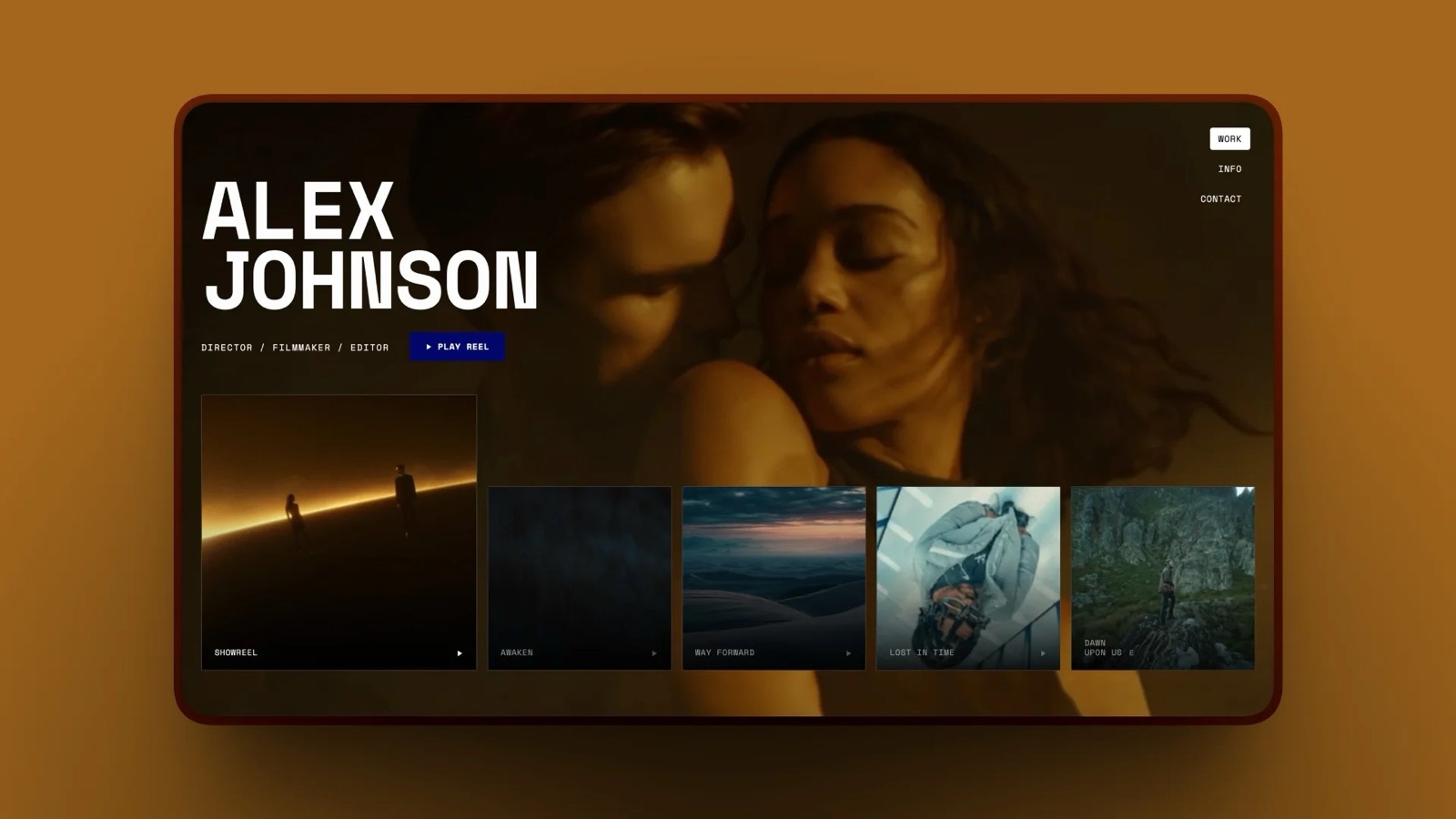
Format is the portfolio-first option freelance editors land on when the site matters more than the delivery, and it is the honest comparison point for the website line in the stack tables above.
The real numberFormat's pricing page lists Basic at $10 a month billed annually with 10 pages, 70 high-resolution images and 10 client galleries, Pro at $12 with unlimited pages, 100GB of storage, 15 hosted video minutes and 50 client galleries, and Pro Plus at $15 with 1TB, 120 video minutes and 250 galleries.
The gotchathe website plans' own feature table lists gallery password protection as not included on Basic, Pro and Pro Plus, and hosted video is measured in minutes, not gigabytes. An editor whose portfolio is video will hit 15 minutes on Pro faster than they expect.
Verdict: a good-looking cheap portfolio and a weak delivery tool, which is fine as long as you know which one you are buying. If a portfolio that also delivers client work is the goal, our comparison of website builders with client galleries covers the overlap.
What a Freelance Editor Should Buy, In Order
In one lineFreelancers almost always buy these tools in the wrong order, starting with the subscription a client mentioned and ending, years later, with no portfolio and no deck, so here is the order that matches how the money actually arrives.
First, the editor. Resolve, free. This is the only purchase where the free option is also the strong option, and spending here before you have clients is the classic mistake.
Second, the website. Nobody hires an editor from a Google Drive link.
A site with four pieces of work on it is the difference between being findable and being referred, and it is the only line in this stack that brings work in instead of servicing work you already have.
Third, the review link. Once you have two concurrent clients, emailing MP4 files stops scaling and the notes stop being answerable.
This is where either Framekit or Frame.io earns its money, depending on whether you want the notes in a browser or in your timeline.
Fourth, the deck. A rate card, a scope note and a short case study turn a quoted price into an agreed price. Unlimited decks are on every Framekit plan including Free, so the document that holds your price costs nothing but the hour it takes to write.
Fifth, and only if the work demands it, the specialist. Resolve Studio for high-frame-rate or HDR delivery, a transcription tool for interview-heavy paper edits, Vimeo for a permanent home.
Everything in this fifth group should be triggered by a job, not bought in anticipation.
The Things Framekit Does Not Do, Named Plainly
In one lineA guide that ranks its own product first is only worth reading if it draws the boundary clearly, so here is the complete list of jobs on this page that Framekit does not touch and what you should use instead.
Editing, grading, sound. Framekit has no timeline, no colour page and no mixer. Use DaVinci Resolve, Premiere Pro or Final Cut Pro. This is not a gap we intend to close.
Notes inside the editing suite. There is no Premiere, Resolve, Final Cut or After Effects panel and no plan tier that adds one. Frame.io, Wipster and Dropbox Replay all do this.
Camera to Cloud. Frame.io uploads takes from set. Framekit has no equivalent.
Transcription and captions. Frame.io includes them from its free tier and Vimeo lists them on every tier.
Framekit does not transcribe, and our guide to transcription tools for video editors covers what to add.
Per-viewer deck analytics and deck passwords. A Framekit deck share link shows a total view count and nothing else, and cannot be password protected. DocSend, Pitch and Storydoc are built for that and Framekit is not.
Invoicing, contracts and a CRM. Framekit does none of these at all, in any form. Use a dedicated tool, and see our comparison of invoicing tools for freelance creatives for the options.
Single sign-on and enterprise administration. Not present on any plan. If a client's procurement process requires SSO, that removes Framekit from the list before anything else is discussed.
What Your Review Tool Is Actually Buying You
In one lineThe value of a review tool is not the comments, it is the number of revision rounds it removes, so the honest way to price one is against your own hourly rate and not against a competitor's monthly fee.
At $600 a day, an hour of your time is $75. A revision round that exists only because a client wrote "can we try the other take of that line" in an email, without a timecode, costs you roughly an hour of scrubbing and a day of calendar.
Three of those a year is $225, which covers a $180 Frame.io subscription; four is $300, which covers a $228 Framekit year.
That is the test, and it is one you can run on your own last three projects. Count the rounds that happened because a note was ambiguous and not because the work was wrong.
If the answer is zero, none of these tools will save you money and you should buy on features alone.
If the answer is three or more, the cheapest review tool that your clients will actually open is the right one, and "will actually open" is doing more work in that sentence than any feature list.
Three mechanics decide whether a client opens it. Does the link need an account, which is where non-technical clients give up. Does it play in a phone browser with nothing installed, which is where a client watches the first time.
And does it look like your business or somebody else's, which is the question behind every white-label feature in this category and the reason white label client review tools is a category at all.
Which Software to Pick, as a Sequence of Questions
In one lineThese questions run in order and you stop at the first one that applies to you, because the constraints at the top of the list override every cost argument further down it no matter how good the arithmetic looks.
Do clients send you Premiere project files and expect them back? If yes, you need Premiere Pro at $275.88 a year and the suite decision is made. Pair it with Frame.io so the subscription at least buys you the panel.
Do you need client notes to appear inside your timeline? If yes, Frame.io at $15 a month, or Wipster at $9.95 if Premiere and After Effects cover your work and 50GB is enough.
Is your typical deliverable longer than two hours or larger than 2GB as a review copy? If yes, Framekit's caps rule it out for that step. Dropbox Replay handles up to 150GB and 12 hours.
Do you need transcripts to build paper edits? If yes, Frame.io from its free tier or Vimeo from Starter. Framekit does not transcribe.
If none of those apply, ask how many renewal dates you want. One: Framekit Pro at $19 a month, cutting in Resolve, with review, galleries, a site, decks and a store on the same account.
Three or four: Frame.io plus Vimeo plus a site builder at $39 a month, and you will still need somewhere to build the deck.
Then ask whether you sell anything besides your time. If you have LUTs, presets or templates to sell, that changes the answer, because Framekit's store takes 3% on Pro and 0% on Business, and none of the other tools on this page sells a file at all.
Frequently Asked Questions
What software do most freelance video editors use in 2026?
A freelance video editor's stack is one editing suite plus three or four client-facing subscriptions.
The editing suite is DaVinci Resolve, Premiere Pro or Final Cut Pro; the client-facing tools are a review platform such as Frame.io, a host such as Vimeo, a cloud drive such as Dropbox and a portfolio site.
The published cost of that arrangement runs from $468 to $743.88 a year depending on which suite you pick, before any specialist tools.
Is DaVinci Resolve really good enough for professional freelance work?
Yes. DaVinci Resolve is free to download and is used on broadcast and feature work, with the free version supporting 8-bit video up to 60fps at resolutions up to Ultra HD.
DaVinci Resolve Studio at a one-off $295 adds the neural engine, 10-bit video up to 120fps and formats beyond 4K.
For most freelance brand films, social edits and corporate work the free version is not a compromise, and the Studio licence pays for itself against a Premiere Pro subscription in about thirteen months.
Does Framekit edit video?
No. Framekit has no timeline, no colour tools and no audio mixer, and there is no plan that adds them.
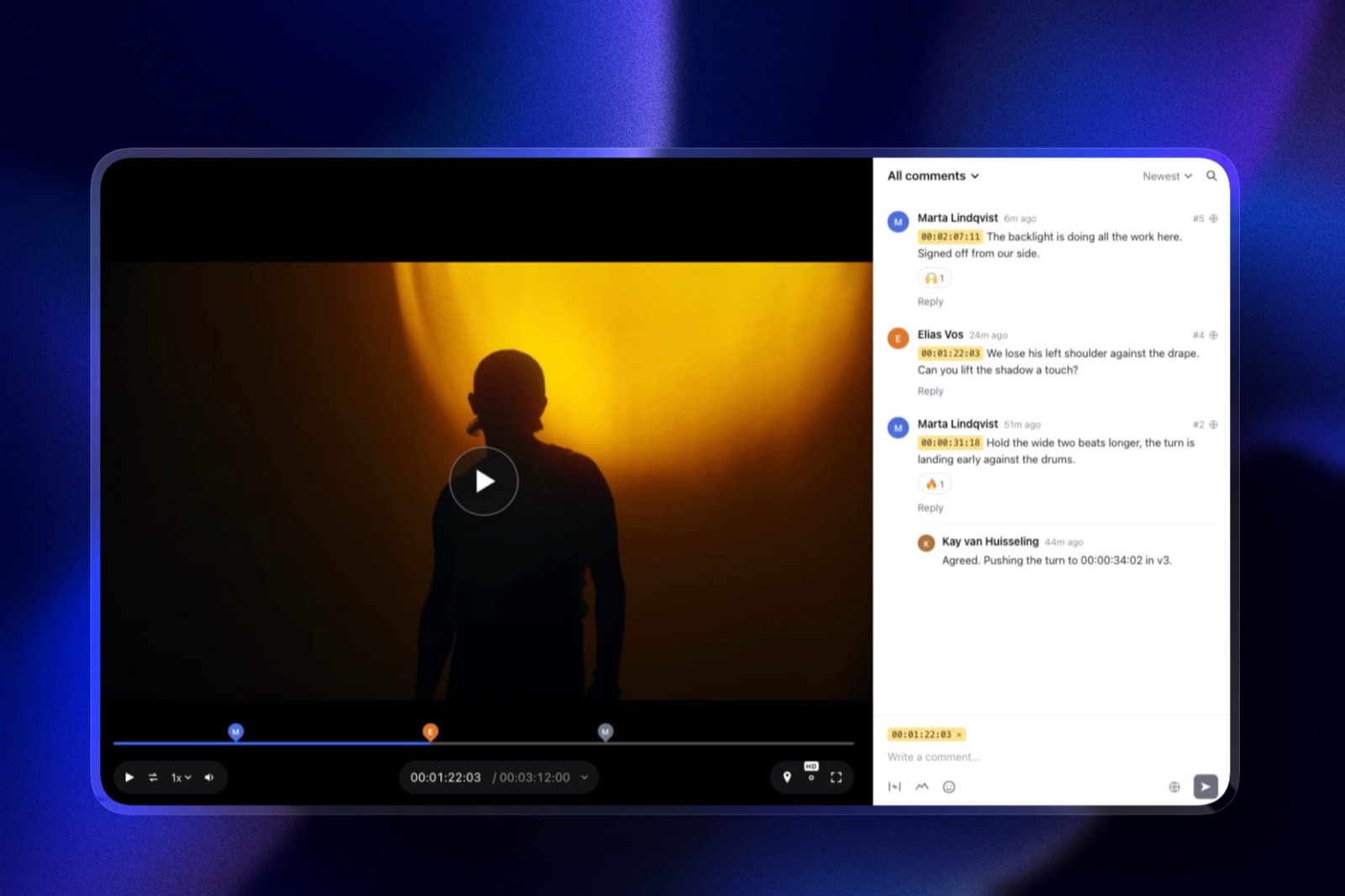
Framekit covers what happens after the export: timecoded video review with guest comments, client galleries for photos and video, unlimited decks, a website and a digital store.
Pair it with DaVinci Resolve, Premiere Pro or Final Cut Pro, whichever suite your work requires.
Frame.io or Framekit for one freelance editor?
For a single freelancer, Frame.io Pro costs $15 a month and gives 2TB of storage, editing-suite panels, Camera to Cloud and transcription.
Framekit Pro costs $19 a month and gives timecoded review plus client galleries, unlimited decks, a portfolio website and a digital store, with 300GB of pooled storage and no panels.
Choose Frame.io if you want notes inside your timeline and Framekit if the review link is one of four client-facing things you are currently paying for separately.
How much should a freelance video editor spend on software per year?
A defensible figure for a solo editor is between $228 and $750 a year depending on the suite. Cutting in DaVinci Resolve with Framekit Pro for the client-facing half is $228 a year from one vendor.
Cutting in Premiere Pro with Frame.io, Vimeo and a portfolio site is $743.88 a year from four. The difference, $515.88, is roughly one billed day at a $600 rate, which is the right way to size the decision before you spend a week on it.
Can a client leave comments on a cut without signing up for anything?
On Framekit, yes: guests open a share link and leave comments pinned to the timecode, draw on the frame and reply without creating an account, and the link can be password protected and set to expire on every plan.
Filestage also allows unlimited reviewers without seats on every tier including Free.
This matters more than most feature comparisons admit, because a review tool a non-technical client abandons at the signup screen produces email notes with no timecodes, which is the problem you were trying to solve.
What is the cheapest way to send a client a video for review?
The cheapest workable option is a free tier that can still protect the link. Frame.io's free plan is 2 members, 2GB and 2 projects but cannot passphrase-protect a share, so an unreleased film goes out on an open link.
Framekit's free plan includes video review with password-locked share links, auto expiry and a 500MB per-video cap. Filestage's free tier allows one active project and five new files a month with protected links.
Free is fine until you have two clients at once.
Do I need Vimeo if I already have a review tool?
Only if your work needs a permanent public home. Review tools are built for links that expire; Vimeo is built for a film that sits in a case study for five years, embeds cleanly and never shows an advertisement.
Vimeo Starter is $12 a seat a month with 2TB of storage and a 2TB monthly bandwidth ceiling on self-serve accounts. If your deliverables are handed over as files and hosted by the client, you can skip it entirely.
What happens to my review links and site if I stop paying Framekit?
Nothing closes. Framekit's entry tier is a free plan and not a trial, so an unpaid account simply lands back on Free.
Unlimited galleries and unlimited decks stay, storage falls to 10GB pooled with a 3GB video allowance, the per-video cap falls to 500MB, the site is limited to 10 pages, and the Framekit badge returns along with the loss of your custom domain.
Data export is on every plan, so check your stored volume against 10GB before downgrading.
Should a freelance editor pay for Premiere Pro or buy Final Cut Pro outright?
It depends on whether other people open your projects. Premiere Pro is $275.88 a year on an annual plan and is the safest choice if agencies send you project files.
Final Cut Pro is $299.99 once on a Mac, or $129 a year through Apple Creator Studio which also bundles Logic Pro, Motion and Compressor.
If your work ends with a delivered file and not a handed-over project, the one-off licence is better value from month fourteen onward and much better value across a career with slow quarters.
Which tool should I buy first as a brand new freelance editor?
Buy nothing first: download DaVinci Resolve, which is free, and put your money into a website instead, because a site is the only tool on this page that generates work instead of servicing it.
Add a review link once you have two concurrent clients and emailing files stops working, then add a rate deck once you start being negotiated down on price.
Buy a transcription tool, Resolve Studio or a hosting account only when a specific job requires one.
Final Verdict
For a freelance video editor in 2026, the strongest pairing on this page is DaVinci Resolve for the edit, which is free, and Framekit Pro at $19 a month for everything the client touches: timecoded review with guest comments, client galleries for photos and video, unlimited decks for rate cards and treatments, a portfolio site and a digital store at a 3% fee.
That is $228 a year from one vendor against $468 for the cheapest three-vendor equivalent, which still has no deck in it.
Where Framekit loses is the part of this job that is actually video editing.
It does not edit, grade or mix, it has no Premiere, Resolve or Final Cut panel, no Camera to Cloud, no transcription, no deck passwords and no per-viewer deck analytics, and its per-video upload cap tops out at 3GB with a two-hour maximum.
If you need notes inside your timeline, Frame.io at $15 a month is the better fit. If you need transcripts, Frame.io or Vimeo.
If your deliverable is a four-hour assembly, Dropbox Replay at up to 150GB and 12 hours is the only entry here that will take it.
And Framekit does not invoice, contract or run a CRM at all, so that stays a separate purchase whichever way you go.
The freelancers who get this wrong are rarely the ones on the wrong tool. They are the ones who bought an editing subscription in year one, a review subscription in year two and a site in year four, and never once added the renewals up.
Related readingour ranking of video review tools for freelance editors goes deeper on the review step alone, website builders for video editors covers the portfolio, how much to charge for video editing is the pricing companion to the rate deck, how to make money as a video editor covers the income lines beyond day rates, and AI tools for video editors covers what to add once the basics are in place.